
Getting started
Getting started
ArkCloud Health is a hosted web application. There is nothing to install: you sign in at arkcloudhealth.com with an account your organisation's administrator created, and choose an application. What you do first depends on your role.
Written for: New users of any ArkCloud application · Administrators setting an organisation up · Evaluators
Start here, by role
| Field or control | What it means |
|---|---|
| Administrator (Admin) | Read administrator first-day setup before anyone else signs in. It covers multi-factor enrolment (mandatory for administrators), the organisation profile, facilities and payers, adding users, and the Clinician billing step without which no Rehab note can release a visit for billing. |
| Rehab clinician (Agent or Supervisor) | First steps → the Rehab section. Before your first billable note, ask your administrator to complete your row under Outpatient → Clinician billing. |
| Billing and collections staff (Agent or Supervisor) | First steps → the RCM section, then the RCM user guide. |
| Front desk / patient access (Supervisor and above) | ArkCloud Access. Access admits supervisors and administrators only. |
| Client Admin / Client Viewer | External client logins. They open the client portal for one client's accounts and reports, not the staff applications. |
What every user does on day one
- Sign in with the email address your administrator used for your account.
- If you are an administrator, enrol an authenticator app when asked - see multi-factor authentication. Other roles may enrol and are not required to.
- Choose an application on the launcher, and optionally set it to open automatically next time.
- Learn the sidebar for that application - navigation.
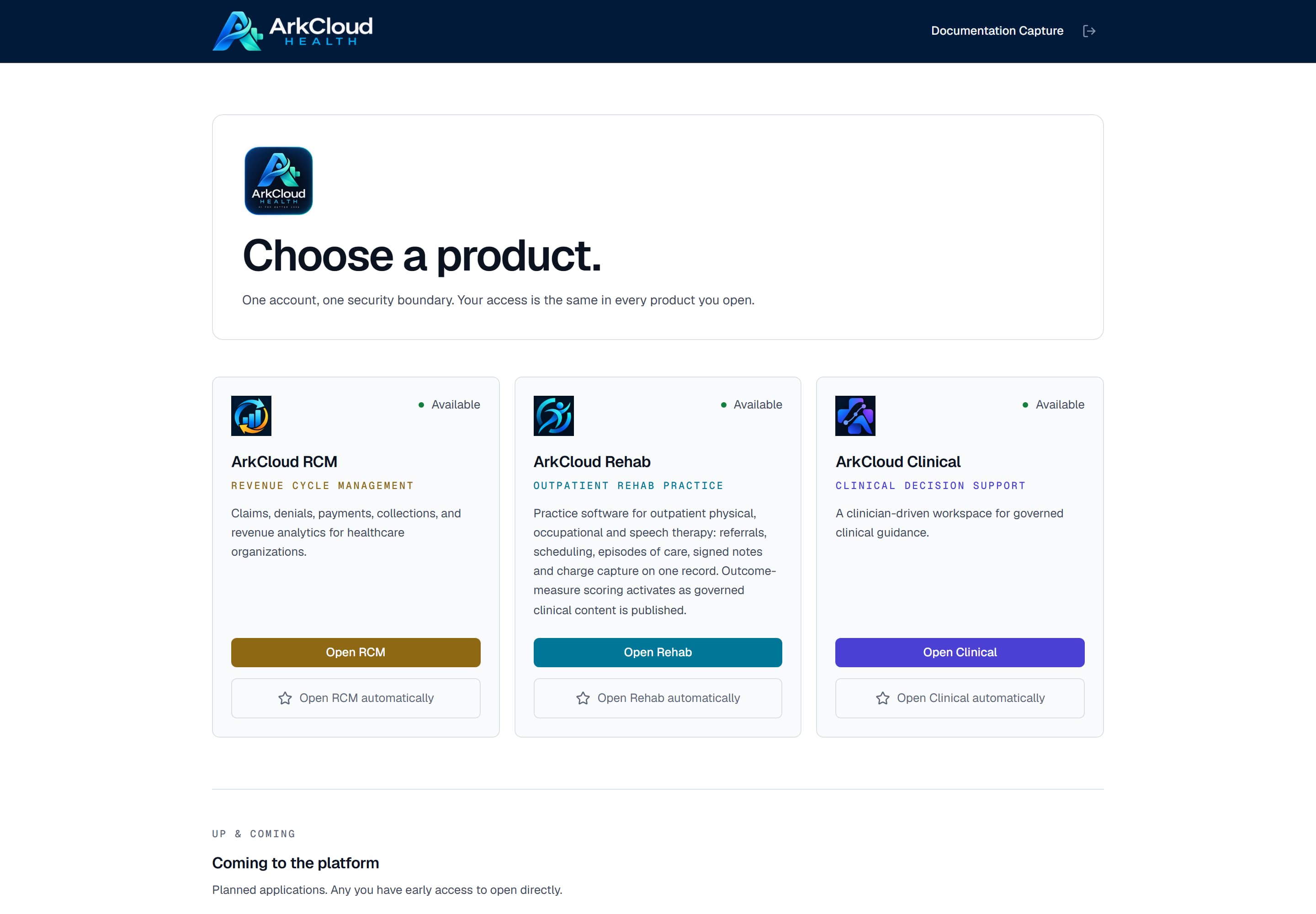
The launcher, the first screen after signing in. Applications your organisation holds and your role may enter carry an Open button.
/launcher
If your organisation is new to ArkCloud
An organisation is created either by self-service sign-up (with an email and password, or with Google) or by ArkCloud. Self-service sign-up creates the organisation, makes the person signing up its first administrator, starts a 14-day trial of RCM, Rehab, Access, Care, Insights and Workforce, and adds fictional sample data that an administrator can remove in one step. No card is taken. RCM and Rehab are subscribed through our team until online checkout opens; Access, Care, Insights and Workforce continue through our team. Online checkout is not switched on for the hosted service, so to continue after the trial you contact ArkCloud and the team activates your subscription. See quick start.