
Billing
Financial assistance (charity care)
ArkCloud records a patient's application for financial assistance and your organisation's decision on it, and applies an approved discount to the account. It does not decide eligibility: that is your policy, applied by a person.
Written for: Patient financial services · Billing and RCM teams · Compliance
Record an application and a decision
ArkCloud RCM → Patient AR → Financial Assistance
- Create the application for the account: programme (charity, sliding scale or hardship), household size and income, and any hardship details the patient gave.
- Review it against your organisation's financial-assistance policy, outside ArkCloud.
- Record the decision. A decision on the Financial Assistance screen does not change the balance. A discount is written off through a financial-assistance case (Cases): approving the case with a discount amount reduces the patient's charges and the account balance by that amount once, as an adjustment, and is refused if it is more than the patient owes. Both need a Supervisor or Admin.
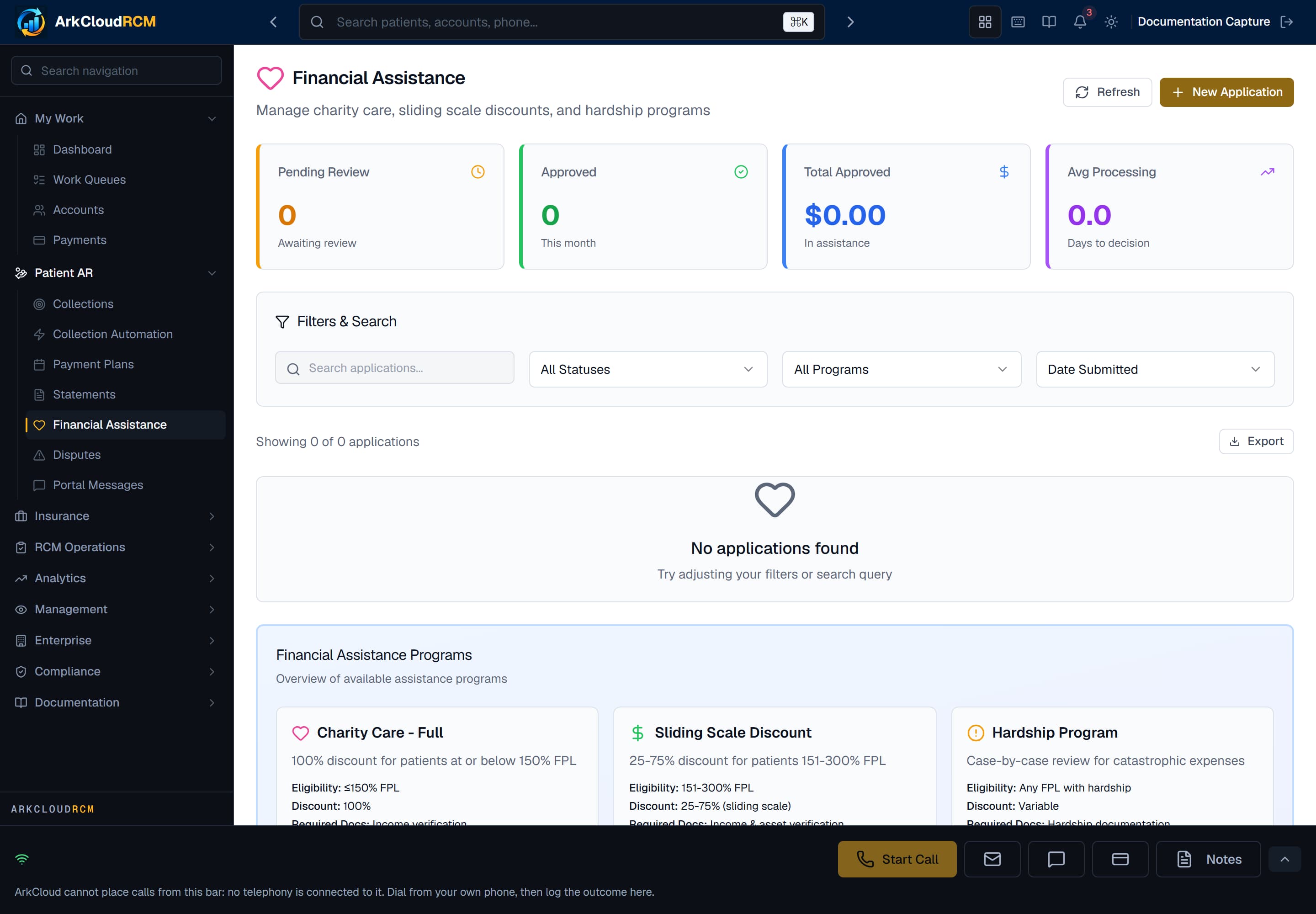
Patient AR → Financial Assistance, shown with no applications. Applications are recorded by staff or submitted by patients from the portal.
Empty state. Captured in a demonstration organisation with no records of this type yet. The controls, columns and filters are the ones a populated screen uses.
/dashboard/financial-assistance
Things to know
| Field or control | What it means |
|---|---|
| Who | Any internal staff role can create an application. Approving or denying it - including approving a discount - needs the Supervisor or Admin role. |
| Eligibility | When staff create an application, ArkCloud computes a federal poverty level percentage from the household size and income using the HHS guideline figures for the year of the application and the patient's state (contiguous states, Alaska or Hawaii; 2024, 2025 and 2026 are built in; a later year uses the newest held), sets a priority from it, and stores a rule-based suggested outcome with no score (the detail page says the patient "may qualify"). These are prompts only: they are not your policy, new years' figures are added by a product update, and a person makes the decision. |
| Where the discount lands | On the patient's charges and the account, as one recorded adjustment, capped at what the patient owes. |
| Patients | A patient can ask for assistance from the portal with household size, income, employment status and the reason; nothing is calculated for them, and the request appears on this screen for staff to review. See assistance and disputes. |