
User Guide
Patient accounts
An account is a patient's financial record in ArkCloud RCM - the balance, how it was reached, and the work done on it. This page covers where accounts come from, how to find them, and the statuses they move through.
Written for: Collectors and billing staff · Supervisors · Administrators
What an account holds
| Field or control | What it means |
|---|---|
| Patient and guarantor | The patient the account belongs to, and the guarantor responsible for it. |
| Totals | Total charges, patient payments, insurance payments, adjustments and the resulting balance. The balance is always total charges less those three. |
| Insurance | The payer coverage recorded for the patient, with claims and denials. |
| Work history | Notes, call outcomes and tasks recorded against the account, with who recorded them and when. |
| Statements, plans, disputes and letters | Each on its own tab of the account screen. |
For a tour of the account screen itself, see account details.
Where accounts come from
Accounts are not created by hand in ArkCloud RCM - there is no "new account" button. They arrive in one of these ways:
- File import, under Administration → Admin Dashboard → Import File. Requires the Admin role. Every row needs a real date of birth. The MRN must come from the file unless your organisation has ArkCloud assign MRNs, in which case a blank one is assigned. A row whose MRN already exists must match that record's surname and date of birth, and cannot point at a record retired by a merge. Rows that fail are reported as row errors; nothing is guessed. A validate-only run reports the same outcome without writing anything.
- From clinical billing, where your organisation also uses ArkCloud Rehab and its billing bridge is set up.
- From an integration, where one has been configured for your organisation. File pipelines under Settings → Integrations are not available yet and do not import files.
Finding accounts
ArkCloud RCM → My Work → Accounts
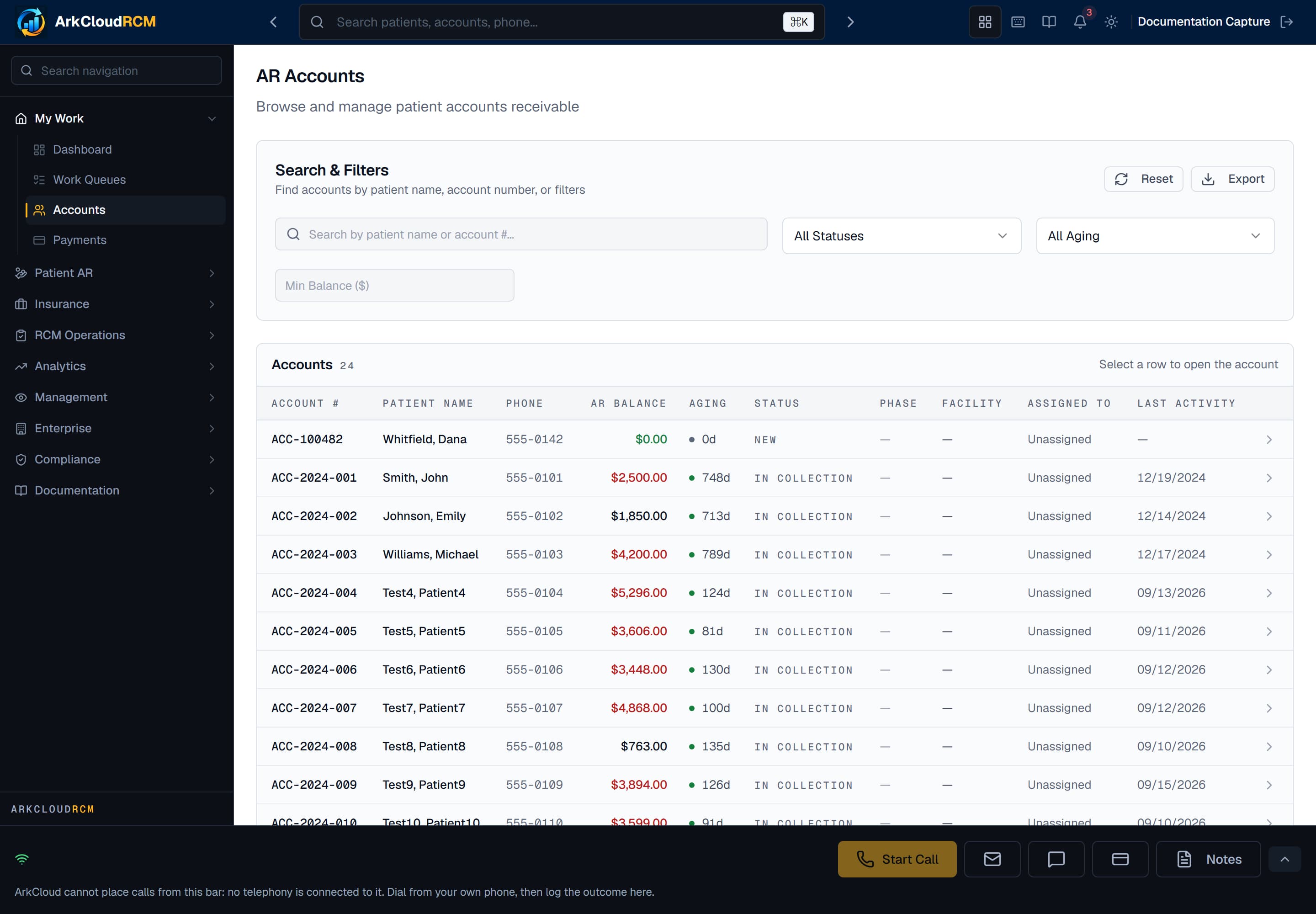
The Accounts screen. Search by patient name or account number, then narrow by status, aging or a minimum balance.
/dashboard/ar/accounts
| Field or control | What it means |
|---|---|
| Search | Patient first or last name, or account number. |
| Status | Filter by account status: New, In Collection, Payment Plan, Disputed, Hardship, Charity, Paid, Written Off or Closed. |
| Aging | 0-30, 31-60, 61-90, 91-120 or 121+ days. |
| Min Balance | Hide accounts below an amount. It is applied to each page of results after it loads, so a page can show fewer rows than expected. |
| Export | Downloads the accounts currently shown as a CSV file. |
To find an account from anywhere, use the search box in the header (press Ctrl+K or Cmd+K). See patient search.
Changing an account
There is no screen in ArkCloud RCM for editing an account's demographics, guarantor or insurance. Correct those in the system the account was imported from, or in ArkCloud Rehab where the patient is a Rehab patient.
- To change status in bulk, go to Patient AR → Collections, select accounts, and use Update Status.
- Choose Set to New, Move to In Collection or Mark as Disputed. Paid, Written Off and Payment Plan are not offered: they follow from money received, a write-off or a plan, not from a status change.
Account statuses
| Field or control | What it means |
|---|---|
| New | Loaded and not yet worked. |
| In collection | Being actively worked. |
| Payment plan | On an agreed instalment plan. |
| Disputed | The patient has disputed the balance. |
| Hardship | Flagged for financial hardship. |
| Charity | Under charity care. |
| Paid | The balance has been paid. |
| Written off | The balance was written off. |
| Closed | No further work expected. |
Bad debt and legal referral are recorded as separate records on the account, not as statuses.