
User Guide
Statements
ArkCloud produces statements in two separate ways, and they behave differently: statements staff generate on an account, and statements the scheduled statement engine produces. Only the second reach the patient portal.
Written for: Billing staff · Supervisors · Administrators
Two kinds of statement
| Field or control | What it means |
|---|---|
| Account statements (staff) | Generated by a member of staff from an account's Statements tab, as a Balance Due or Itemized statement. Listed on Patient AR → Statements and in the Letters Queue. Web documents only; not shown to the patient in the portal. |
| Engine statements (scheduled) | Produced by the statement engine on a schedule (weekly, every two weeks, monthly or quarterly), at 03:00 each night for whatever is due. Delivered by email, text, portal or print queue. These are what the patient portal lists and lets the patient download as a PDF. |
Generating a statement on an account
Account → Statements tab → Generate Statement
- Open the account and select the Statements tab.
- Select Generate Statement and choose Balance Due Statement or Itemized Statement.
- Print it and send it through your own mail process, then mark it as sent on the Letters Queue. Statements generated here are postal letters, so Send on Patient AR → Statements refuses them with "Print it and mail it; ArkCloud cannot post letters."
An "Itemized" statement shows a single services line with payments, adjustments and the balance - not individual charges. Download PDF stays disabled because no PDF is produced. The same tab holds Patient portal access for sending the patient a portal link.
The Patient Statements screen
ArkCloud RCM → Patient AR → Statements
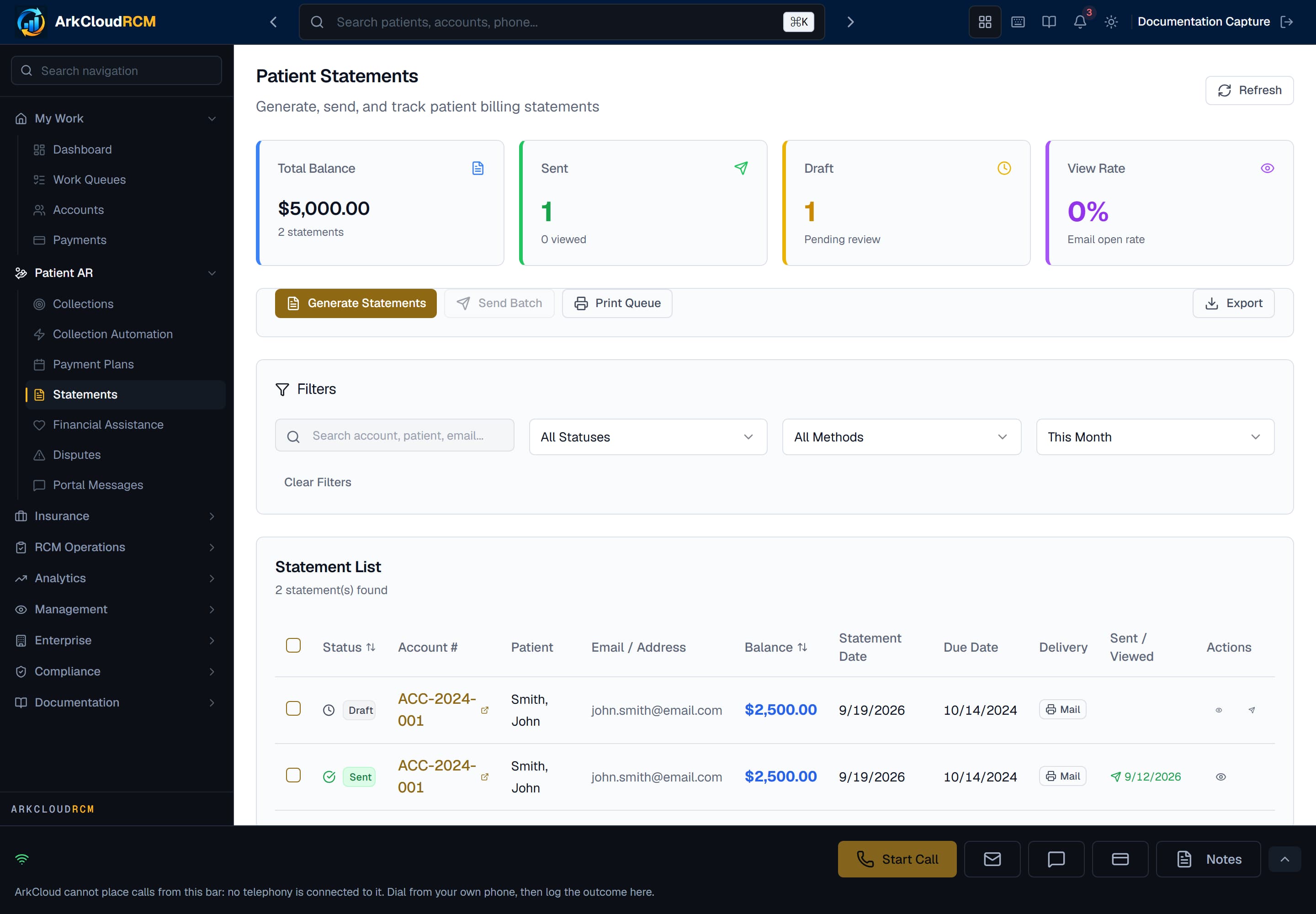
Patient AR → Statements lists statements generated by staff on accounts. Statements produced by the scheduled engine are not listed here. Send emails only Email-channel statements; postal ones must be printed.
Empty state. Captured in a demonstration organisation with no records of this type yet. The controls, columns and filters are the ones a populated screen uses.
/dashboard/ar/statements
Scheduled statements (the statement engine)
The engine runs nightly in the worker service and generates statements for each schedule that is due. A schedule (weekly, every two weeks, monthly or quarterly) is set per organisation by an administrator on Settings → Statement cadence.Until a schedule exists, the engine produces nothing.
| Field or control | What it means |
|---|---|
| Nothing owed | Zero or credit balance. |
| Recently billed | A statement was issued recently, or a payment was received recently (configurable). |
| No route | The patient is marked do-not-mail and do-not-email. |
| Legal holds | Cease-and-desist or bankruptcy recorded on the patient's preferences. |
How engine statements are delivered
| Field or control | What it means |
|---|---|
| A short "your statement is ready" email, through SendGrid or an SMTP mailbox - whichever the deployment uses. Not sent to a patient who has opted out of email. | |
| Text | A notice with no account detail. Needs Twilio and text consent - from the patient's consent flag, contact preferences or the TCPA consent register, with any opt-out winning - and is sent only between 8am and 9pm in your organisation's timezone. A refused text is recorded as failed with the reason. |
| Portal | The statement becomes visible in the patient portal. |
| Marked as queued for print. ArkCloud has no print or mail vendor - your team prints and posts it. |
The channel is the patient's preferred channel where one is recorded, otherwise email if there is an address on file, otherwise print. A statement is only marked sent when a provider accepted it; otherwise it stays queued. Failed sends are retried up to three times.
Separately, once patient messaging is switched on, the patient is sent a portal link when a statement is issued - see statements in the patient portal.
Tracking
Statement records carry a status (generated, queued, sent, failed or suppressed, among others). Delivered, opened and bounced are never set, because ArkCloud does not receive delivery events from email or SMS providers.
Customisation and messaging
Statement layout is fixed: there are no settings for a logo, colours, fonts, languages, a payment slip, a QR code or messages that change with the age of the balance. The PDF a patient downloads shows the statement date, period, due date, previous balance, new charges, payments, adjustments, the balance and the minimum due.
Statements and the patient portal
Statements do not carry a portal access code. Patients reach the portal from a link sent by email or text. See opening a portal account.
Good practice
- Decide which of the two statement paths your organisation uses, and do not run both for the same accounts.
- Mark a postal statement as sent (Letters Queue → Mark as Sent) only after it has actually been posted.
- Hold statements yourself for accounts with an open dispute or assistance request - nothing does it automatically.