
Administration
Users
User Management lists every account in your organisation and is where an administrator creates accounts, changes roles and recovers access. Each account has exactly one role, which every ArkCloud application reads.
Written for: Organisation administrators
How to get there
RCM: Administration → Users · Rehab: Administration → Users
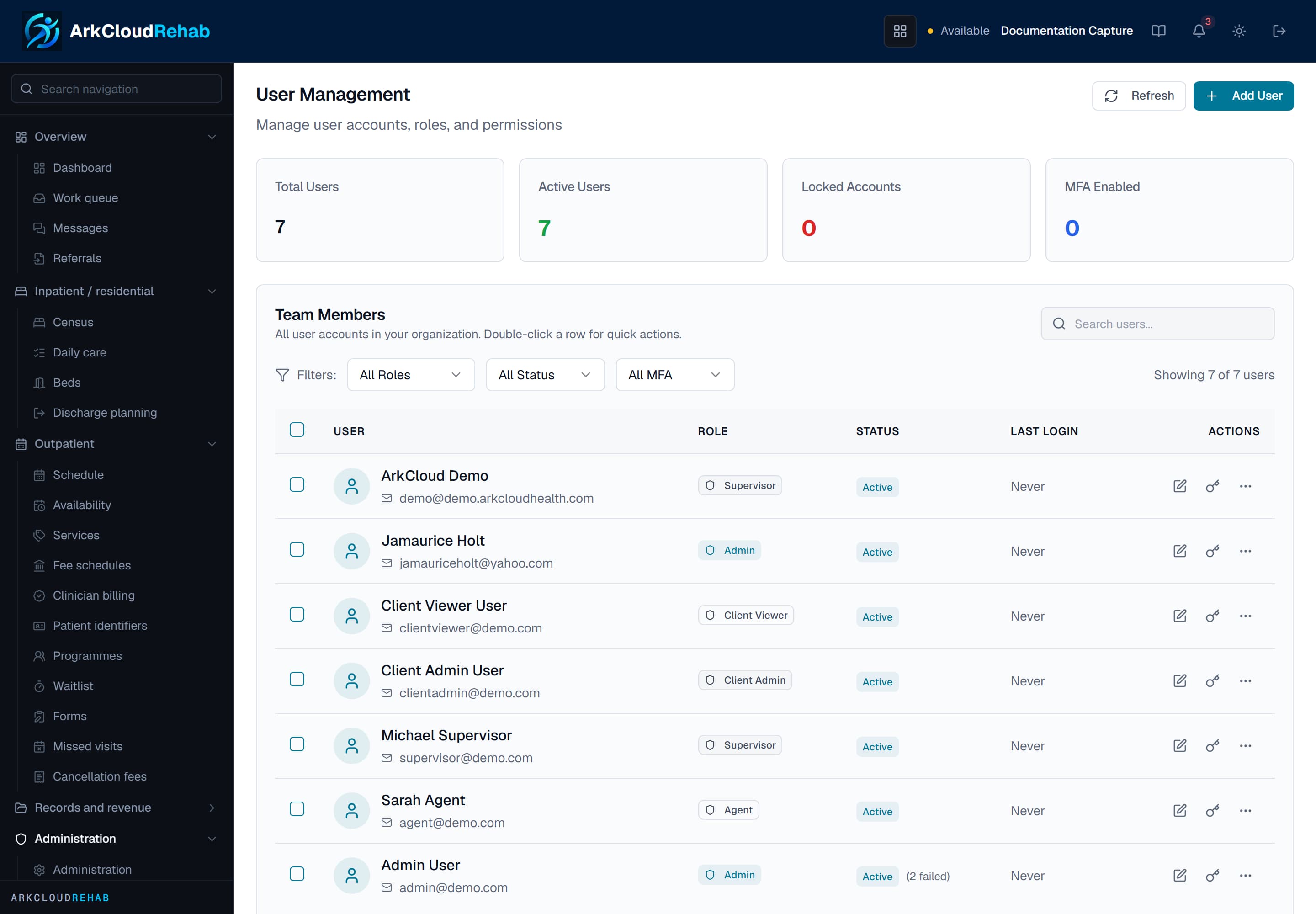
User Management in ArkCloud Rehab: the user list with status, role and last sign-in, Add User at the top and a per-user actions menu.
/rehab/admin/users
Creating a user
| Field or control | What it means |
|---|---|
| Full Name, Email | Required. The email must be unused across all of ArkCloud - one person, one organisation. |
| Organisation | Always your own. An administrator cannot create an account in another organisation - such a request is refused with "Users can only be created in your own organization". |
| Role | Agent, Supervisor, Admin, Client Admin or Client Viewer. |
| Password | Blank or Auto-Generate for a random 16-character password, or type one of at least 12 characters with an upper-case letter, a lower-case letter, a number and a symbol (@$!%*?&) - the same rule as sign-up. |
| Send Welcome Email | Emails a one-time link for the person to choose their own password. The link is valid for 3 days; the password is never emailed. The result tells you whether the email was sent; if not, the generated password is shown for you to pass on yourself. |
| Active Status | Whether the account can sign in. |
Step-by-step, including first sign-in and clinician set-up: adding users.
Per-user actions
| Field or control | What it means |
|---|---|
| Edit | Name, email, role, status. |
| Reset password | Send Reset Email (a link valid for 24 hours; needs outbound email), Generate Random Password, or Set Custom Password. A custom password must have at least 12 characters with an upper-case letter, a lower-case letter, a number and a symbol (@$!%*?&), the same rule as sign-up. The last two also unlock the account and sign the user out of every existing session. |
| Unlock Account | Clears the 15-minute lock applied after ten failed sign-ins. |
| Force Logout | Every session that started before now stops working on its next request. |
| Disable MFA | Removes the user's authenticator so they can enrol again. |
| Deactivate / Reactivate | A deactivated user is refused on their next request, not only at next sign-in. |
| Remove User | Deactivates the account: the person can no longer sign in, their records and audit history are kept, and an administrator can reactivate the account later. Nothing is deleted. |