
Getting started
What is ArkCloud Health?
ArkCloud Health runs an outpatient therapy clinic: referrals, scheduling, check-in, evaluations, visit notes, plans of care, discharge, and the billing that follows. It is built for physical therapy, occupational therapy and speech-language pathology clinics.
Written for: Clinic owners and buyers · Clinic administrators · Clinicians and front desk staff starting out
What it is
ArkCloud Health is a set of products that share one sign-in, one organisation and one patient record. The product a therapy clinic works in every day is ArkCloud Rehab. Billing is ArkCloud RCM. The others add a dedicated front-desk workspace, coordination between visits, reporting and staff records, and are optional.
RCM, Rehab, Access, Care, Insights and Workforce are available today. Clinical is in private preview, opened by invitation only.
The products and what each does explains each one and which a clinic actually needs. What works today lists the status of every capability these guides mention.
One patient, start to finish
Example (synthetic patient)
A physician refers a patient after a right rotator cuff repair. The front desk enters the referral, which creates the patient and an episode of care, records insurance and any authorization, and books the evaluation. On the day, the front desk checks the patient in, and the physical therapist sees the status change on the schedule (check-in does not send the therapist an alert). The therapist starts the visit, writes and signs the initial evaluation and plan of care, and sets goals. Follow-up visits are documented in visit notes, with progress reports along the way, until the therapist writes the discharge summary. Each completed visit with a signed note is released for billing, and billing staff build the claim in RCM.
Optional AI help along the way drafts text for the clinician to review. It never signs, decides care or sends anything. See What the AI does and does not do.
Who uses it
| Field or control | What it means |
|---|---|
| Front desk | Referrals, registration, insurance and authorizations, scheduling, check-in, waitlist and patient messages. |
| PT, OT and SLP clinicians | The patient's chart, evaluations, visit notes, progress reports, re-evaluations, plans of care, goals, home exercise programmes and discharge. |
| Clinic administrator | Users and roles, who does registration and who does clinical work, clinician signing set-up, services, availability, payers and fee schedules, AI settings. |
| Billing staff | Charges, claims, payments, statements and denials in RCM. |
| Patients | Forms and statements through the patient portal, and card payments once the clinic has connected a payment provider. |
Where to start, by role
- Clinic administrator: Start here: clinic administrator
- Front desk: Start here: front desk
- PT, OT and SLP clinicians: Start here: PT, OT and SLP
- Billing staff: ArkCloud RCM documentation and the patient revenue cycle
- Evaluating ArkCloud: Demo, trial and production access and What works today
- Patients: the patient portal
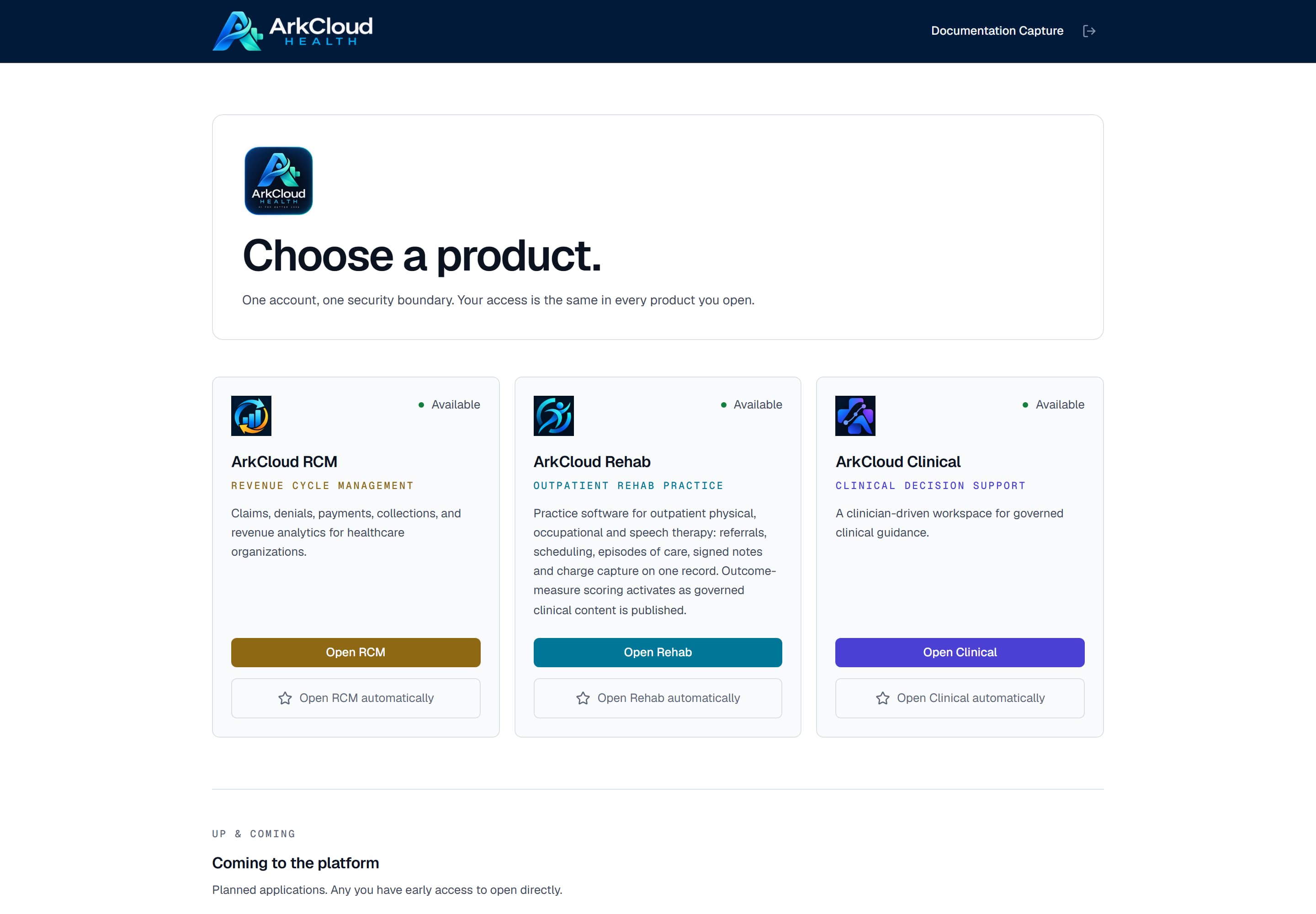
Real screen · synthetic data. The launcher after sign-in: each product your organisation holds and your role may enter offers Open.
/launcher
One account, one organisation
Your account belongs to one organisation, and everything you can see in every product is limited to that organisation's records. Moving from Rehab to RCM does not change who you are or what you may see.