
Administration
Account settings
Account settings hold the organisation's profile and account-wide preferences. The same screen opens from ArkCloud RCM and from ArkCloud Rehab. Several of its switches are saved without anything enforcing them yet; this page says which.
Written for: Organisation administrators · Security reviewers
How to get there
RCM: Settings → Organization · Rehab: Administration → Account settings
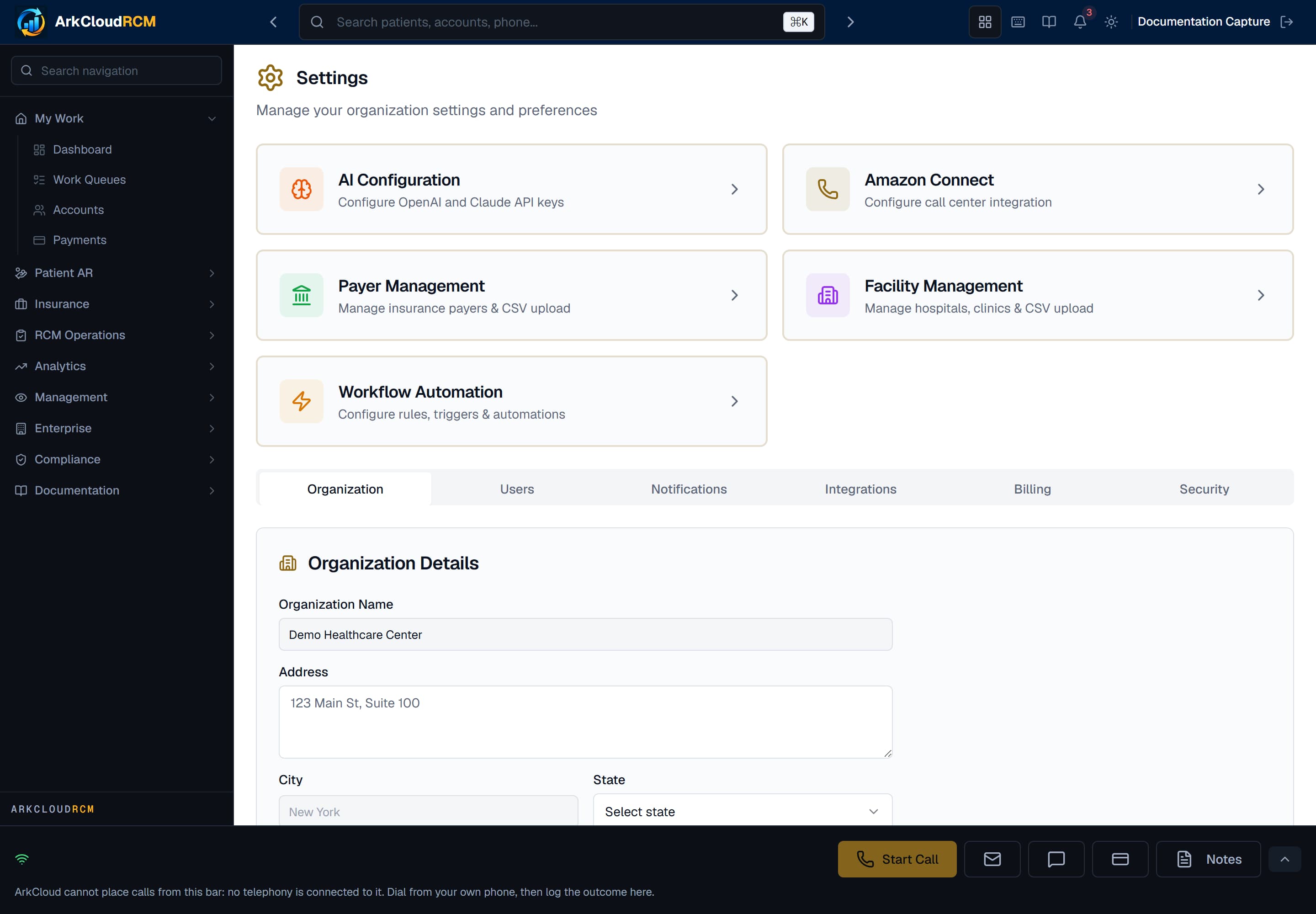
Account settings in ArkCloud RCM, with the Organization, Users, Notifications, Integrations, Billing and Security tabs.
/dashboard/settings
Organization tab
| Field or control | What it means |
|---|---|
| Organization Name | The organisation's name everywhere in ArkCloud. |
| Address, City, State, ZIP Code, Phone, Primary Email | Contact details for the organisation. |
| NPI Number, Tax ID (EIN) | Recorded for reference. Claims do not use these; a claim's billing provider comes from a facility - the only active one, or, when there are several, the one named on the claim's visits. |
| Branding (logo, primary colour) | Saved, not yet applied to the app, emails or portal - the section says so. See branding. |
There is one organisation per account. Separate legal entities, each with its own Tax ID, are represented as facilities, not as a hierarchy of organisations.
Users tab (User Access & Roles)
This tab holds account-wide access switches and your own authenticator. The list of users is a separate screen - see users.
| Field or control | What it means |
|---|---|
| Your authenticator app → Set up / reset 2FA | Works. Enrols, or re-enrols, your own authenticator. |
| Two-Factor Authentication (Require 2FA for all users) | Enforced. When on, every user must use two-factor authentication, not only administrators. It is read at sign-in, so it applies from each user's next sign-in; a user who has not enrolled is sent to set it up. Demonstration organisations are exempt. |
| Password Expiration (every 90 days) | Saved, not enforced. Passwords do not expire. |
| Session Timeout | Saved, not enforced. Sessions end 8 hours after sign-in, or up to 12 hours with Remember me (administrators: always 8), whatever is chosen here. |
| Require Email Verification | Not saved, and not enforced. Accounts never require email verification. |
Notifications, Integrations, Billing and Security tabs
| Field or control | What it means |
|---|---|
| Notifications | Email and in-app notification preferences. Saved. Email notifications are delivered only when outbound email is configured for the deployment. |
| Integrations | Links to Integrations, Payments, Email and Storage settings and to API information. Whether each connection is live is shown on those screens, not here. The EHR card has no switch or Configure link: it is marked Not available, because EHR sync is not available in ArkCloud yet. |
| Billing | Shows no subscription details itself. Open Billing takes you to the Billing page at arkcloudhealth.com/billing, where your actual subscription, plan, trial end date, payment method and checkout are. Where you pay by card online, invoices are issued by Stripe and appear there once a subscription has been paid. Where a subscription is agreed and paid outside online checkout (for example by invoice), ArkCloud records it for you and the Billing page shows it as active for the agreed period; the activation is written to your organisation's audit log. |
| Security → HIPAA Compliance Mode, IP Whitelisting | Saved, no effect. Nothing restricts sign-in by IP address. |
| Security → Audit Logging | Audit events are always written; the switch cannot turn them off. |
| Security → Data Retention Period | Saved, not applied. Retention is a platform policy, not this setting. |