
Billing
Payment plans
A plan changes when a balance is paid, not how much is owed. Staff can set one up on any account; a patient can enrol in one from the portal only when the practice takes card payments. Staff plans are paid or recorded instalment by instalment; a portal plan can be charged automatically with AutoPay once Stripe is connected.
Written for: Billing and RCM teams · Patient financial services
Plans set up by staff
ArkCloud RCM → Patient AR → Payment Plans
| Field or control | What it means |
|---|---|
| Create | From the account's Payment Plans tab: total, down payment, number of instalments, weekly, every two weeks or monthly, and a start date. Agent, Supervisor or Administrator. |
| Record an instalment | When the patient pays, record it against the instalment. Billing staff (Agent, Supervisor, Administrator). |
| Reset or cancel | Supervisor or Administrator. |
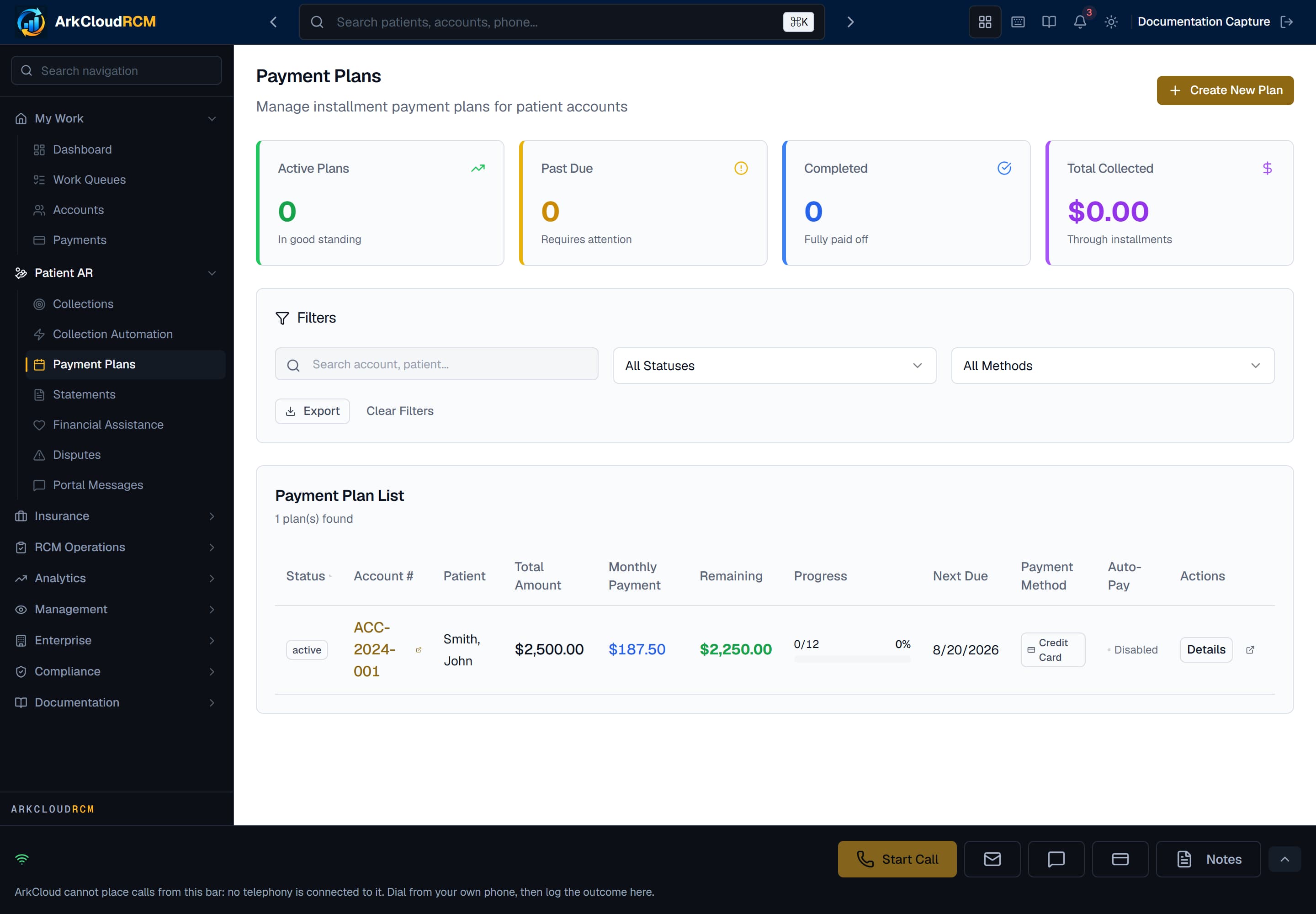
Patient AR → Payment Plans, shown with no plans set up. Lists each plan with its schedule and progress.
Empty state. Captured in a demonstration organisation with no records of this type yet. The controls, columns and filters are the ones a populated screen uses.
/dashboard/ar/payment-plans
Plans patients set up in the portal
A patient with full portal access can choose a number of instalments and a weekly, fortnightly or monthly schedule and see each instalment before committing. Enrolment is refused unless the practice takes card payments (Stripe keys on the deployment and the practice's connected Stripe account). AutoPay is not chosen during enrolment: once the plan exists, the patient can save a card and turn AutoPay on, or pay each instalment in the portal when it is due. See the patient financial journey.
What is not automatic
| Field or control | What it means |
|---|---|
| Charging instalments | Staff-created plans are never charged automatically. Portal plans are charged only with AutoPay turned on, which needs Stripe. |