
Integrations
Eligibility and authorization services
Checking coverage and getting visits authorized happen partly by phone and portal and partly electronically. This page says which part ArkCloud does today, which part needs a connection, and how to record the manual work so the schedule and the billing-readiness checks can use it.
Written for: Front desk and intake staff · Billing staff · Clinic administrators
What works today
| Capability | Status | What that means here |
|---|---|---|
| Recording benefits a payer stated | Available | Front desk and billing staff record what the payer said by phone or portal - copay, coinsurance, deductible, out-of-pocket, network status, visit limit and the call reference - on the episode in Rehab or on the Benefits worklist in Access. It is labelled as recorded, never as a payer response. |
| Tracking prior authorizations | Available | Staff record each authorization by hand - payer, service, contacts and references, decision, approved dates and visits - and ArkCloud counts visits used against it as charges are posted. The billing-readiness checks read it. |
| Real-time eligibility checks (270/271) | Needs an external connection | Built: a check sent while you wait, with the payer's answer stored. It needs a real-time eligibility vendor account, which is not connected on the hosted service, so no check is answered today.Requires: Availity credentials, configured once for the deployment by ArkCloud. |
| Batch eligibility through the clearinghouse | Needs an external connection | Without a real-time connection, a check can be queued and sent as a batch 270 through the clearinghouse mailbox, with the payer's 271 recorded when it arrives, usually hours later. The mailbox is not connected on the hosted service.Requires: The clearinghouse mailbox. |
| Electronic prior authorization requests (278) | Not available | ArkCloud does not send authorization requests to payers. Your team submits by phone, fax, mail or the payer's portal and records the result. |
In practice, on the hosted service today: verify benefits and authorizations by phone or the payer's portal, and record what you were told in ArkCloud. No electronic eligibility check is answered until a connection is set up.
Recording benefits in Rehab
ArkCloud Rehab → Episodes → (episode) → Care team & billing → Coverage, visits and billing → Benefits
- Call the payer or check their portal before the evaluation.
- On the episode, open Coverage, visits and billing and choose Record benefits.
- Enter how you verified it and the reference number, the date and the benefit period, then what the payer stated: network, copay per visit, coinsurance, deductible and out-of-pocket (with what remains), the visit limit and whether it applies to this discipline or to PT, OT and speech combined, visits used elsewhere, and whether authorization is required.
- Leave anything the payer did not state blank. A blank means "not stated", never zero.
- Save. The newest record is marked Latest.
Online check-in asks the patient for the copay from the latest record, and online booking respects its visit limit. In ArkCloud Access the same work is done from the Benefits worklist, which lists patients with a visit coming up and no current verification; see Access eligibility and prior authorization.
Tracking a prior authorization
ArkCloud Rehab → Episodes → (episode) → Care team & billing → Coverage, visits and billing → Authorizations
- Submit the request to the payer by phone, fax, mail or portal, outside ArkCloud.
- Choose Record authorization and enter the authorization number, its status, the level of care and discipline, the valid-from and valid-to dates, how many visits or units were authorized, and what is authorized.
- Record later contacts, reviews and the payer's determination on the same authorization as they happen.
ArkCloud shows visits authorized, used and remaining. A service that needs an authorization and has none covering its date is held from billing with the reason shown, and becomes ready for posting once a covering authorization is recorded. A charge is created only when someone with fee-management permission posts it.
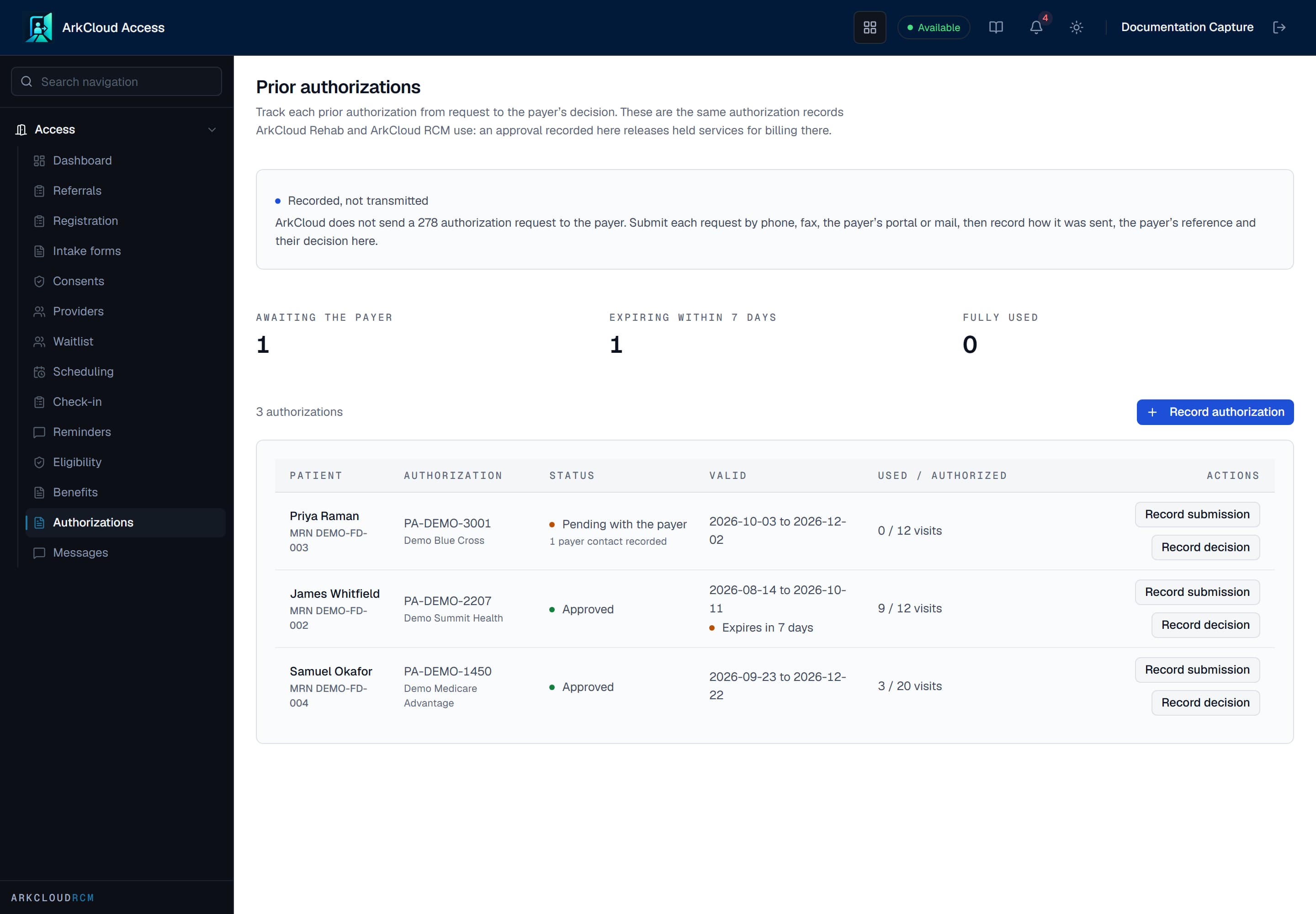
Authorizations in ArkCloud Access, tracked from request to determination. Submission is recorded, not transmitted. Real screen · synthetic data.
/access/authorizations
Electronic eligibility checks
An electronic check asks the payer directly (a 270 request and 271 answer). ArkCloud can send one two ways, and both need a connection that ArkCloud configures once for the whole service:
| Field or control | What it means |
|---|---|
| Real time | Through an eligibility vendor (Availity). The answer comes back while you wait. |
| Batch | Through the clearinghouse mailbox, when no real-time connection exists. The check is queued, sent within about 15 minutes, and the answer is recorded when the payer replies - usually hours later. |
Checks are started from Access (Eligibility) and from RCM (Insurance → Eligibility, or the Eligibility tab on a patient account).
Neither connection is set up on the hosted service today. If your practice needs electronic eligibility, ask us; you will also need your own vendor or clearinghouse account.
Troubleshooting
| Field or control | What it means |
|---|---|
| A check says no clearinghouse is connected, so no payer was asked | No eligibility connection is set up, and the figures are withheld. Verify by phone or portal and record the benefits instead. |
| A check says Queued for batch | It will be sent through the clearinghouse mailbox. The answer appears when the payer replies. |
| A service is held for authorization | No recorded authorization covers that date or service. Record the authorization the payer issued, or correct its dates. |