
User Guide
Financial assistance
The Financial Assistance screen records charity care, sliding-scale and hardship applications made on a patient's behalf, and the decision on each. Your organisation's own policy decides who qualifies.
Written for: Patient financial services · Billing staff · Supervisors
Where it lives
ArkCloud RCM → Patient AR → Financial Assistance
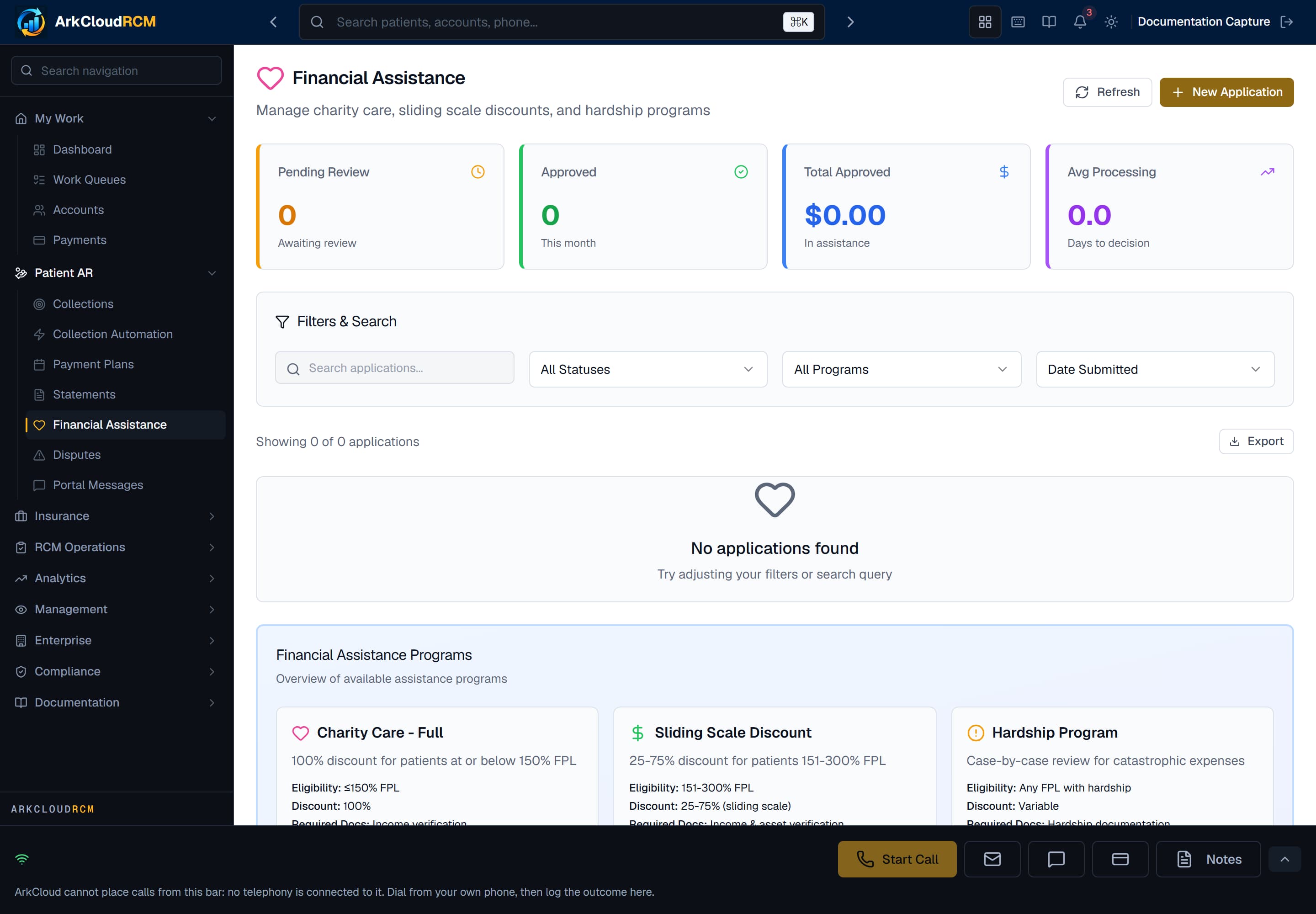
The Financial Assistance screen, shown before any application has been recorded. Applications are listed with their program, status and recommendation, and can be filtered by status and program.
Empty state. Captured in a demonstration organisation with no records of this type yet. The controls, columns and filters are the ones a populated screen uses.
/dashboard/financial-assistance
The Program filter offers Charity Care, Sliding Scale and Hardship; portal requests appear under All Programs.
Recording an application
- Select New Application.
- Enter the Account ID (the account's internal ID).
- Choose the Program Type: Charity Care - Full (up to 150% FPL), Sliding Scale (151-300% FPL) or Hardship Program.
- Enter household size and annual household income.
- For hardship, choose the hardship type (Financial, Medical, Employment, Other) and describe it.
- Save. The application is created as pending.
How the FPL figure and recommendation are worked out
ArkCloud computes household income as a percentage of the federal poverty level using HHS poverty-guideline figures built into the product. Applications recorded by staff and requests from the patient portal both use the guidelines for the year the application is made (2024, 2025 and 2026 are held; a later year uses the newest year held until the product is updated), with the Alaska or Hawaii figures when the patient's address is in those states. For 2026 that is $15,960 for one person plus $5,680 for each additional person in the 48 contiguous states and DC. Portal requests made before October 4, 2026 used the 2023 figures ($14,580 plus $5,140). The application detail page says which year's guidelines the percentage was calculated with, so check it against the current guidelines before deciding.
| Field or control | What it means |
|---|---|
| Charity care, up to 150% FPL | "Approve - Full Charity". |
| Sliding scale, 151-300% FPL | "Approve - X% Discount", with X between 25% and 75%. |
| Hardship | "Review Required". |
The application detail page shows the recommendation stored when the application was recorded, under Intake Recommendation, labelledRule-based screening. No confidence score is shown: the rule has none. When no recommendation was stored, no recommendation card is shown. Household size, income or FPL percentage that was not recorded is shown as not recorded, never as a zero.
Approving or denying
- Open the application. The detail page has Household, Documents, Policy and Timeline tabs.
- While it is pending, a Review & Decision card offers review notes, Approve Application and Deny Application.
What approving does to the balance
Nothing, automatically. Approval records the decision and an approved amount; it does not post an adjustment or change the balance, and no approval or denial letter is generated. Post the adjustment on the account through your usual adjustment process, and send the decision letter yourself, from a letter template your organisation has set up under RCM Operations → Letters (a Financial Assistance Information template is included only if ArkCloud loaded its starter templates for you). See charity care.
Not available
- A document checklist, document requests or uploads.
- Denial reasons, appeals, or presumptive eligibility.
- Pausing statements or collection while an application is pending - do it yourself.
- Community-benefit or tax reporting.
Good practice
- Apply your written policy; the recommendation is a convenience, not a decision.
- Record the decision on the account as a note, with the adjustment you posted.
- Check the poverty-level percentage against the current year's figures before deciding.