
ArkCloud RCM
Claims management
A claim in ArkCloud is built from charges that have already been posted to a patient's account, sent as an 837P (or, for a facility billing on the UB-04, an 837I) file to a clearinghouse mailbox, and settled by the 835 that comes back. This section documents each step as the product performs it, including the steps a person has to take.
Written for: Billing and RCM teams · Practice administrators · Evaluators · Implementation teams
At a glance
| Field or control | What it means |
|---|---|
| Where claims come from | Posted charges on a patient account. Rehab charges are posted from the Rehab Billing worklist; other charges are entered on Charge Capture. A claim is never typed in with its own total. |
| Who builds and submits | Administrators. Building a claim and submitting it both need the submit_claims permission, which only the Administrator role holds. |
| Who works remittances and denials | Billing staff: Agent, Supervisor and Administrator roles (the process_payments permission). Writing a denial off and the remittance supervisor reviews need Supervisor or Admin. |
| What is automatic | The 837P content, its validation, duplicate protection, collecting replies from a configured mailbox every 15 minutes while the background worker is running, a daily claim status inquiry (276) through that mailbox for claims still awaiting adjudication two weeks after submission, and posting 835 lines to charges. |
| What is manual | Building each claim, submitting it, billing a secondary payer, correcting and resubmitting, voiding a sent claim, appeals, and uploading reply files when no mailbox is configured. |
| What is not built | Automatic or scheduled submission, real-time claim status (a 276 is answered by a 277 through the mailbox, later), electronic appeals, a configurable payer-rules engine, and a screen that downloads the 837P. |
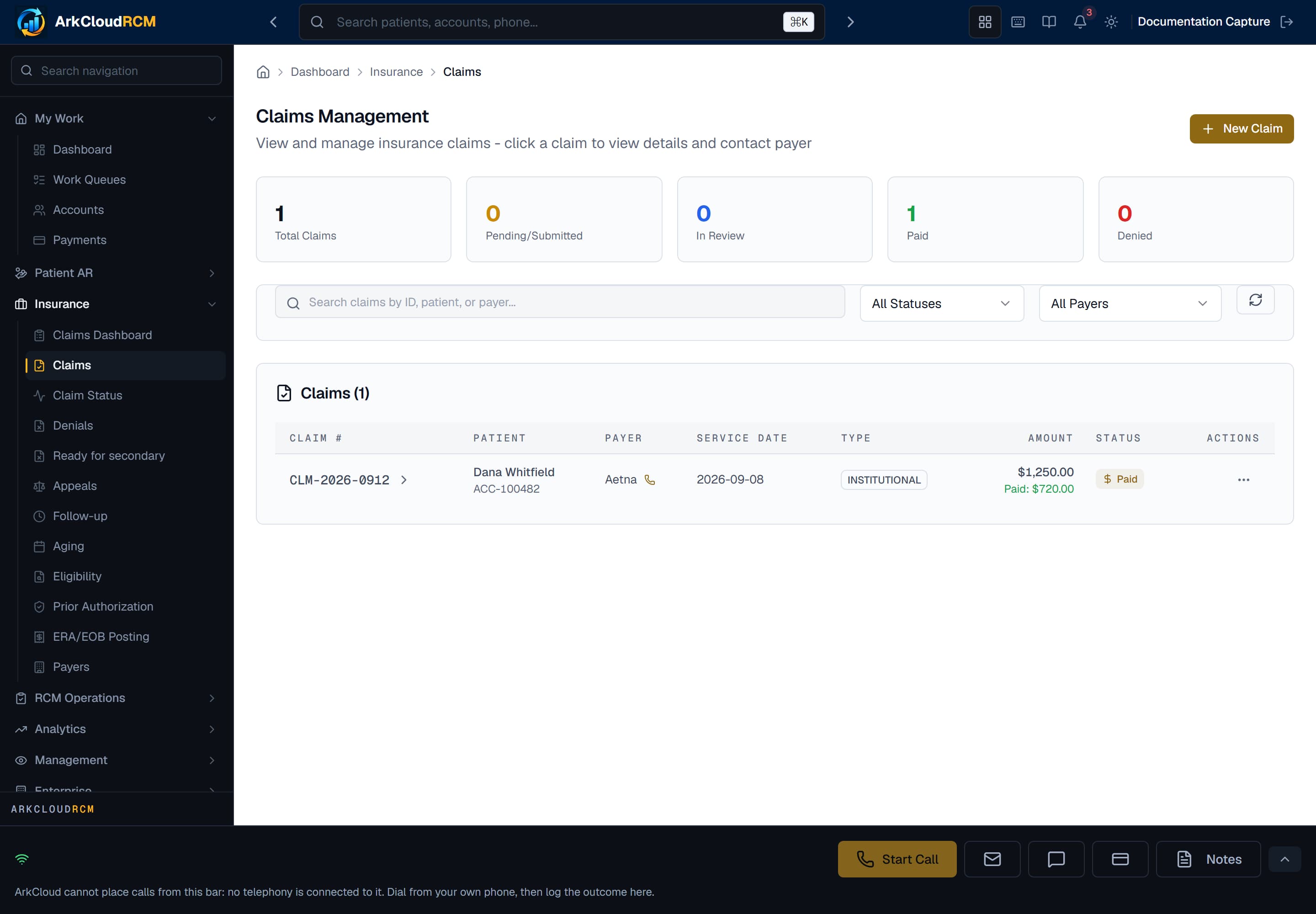
Insurance → Claims, shown in an organisation with no claims yet. Every claim, its status and the row menu where a Pending claim is submitted.
Empty state. Captured in a demonstration organisation with no records of this type yet. The controls, columns and filters are the ones a populated screen uses.
/dashboard/insurance/claims
Pages in this section
| Field or control | What it means |
|---|---|
| Claim lifecycle | The statuses a claim moves through, and what moves it. |
| Creating claims | Build Claim on the patient account, from posted charges. |
| Claim scrubbing | The scrub report and the 837P validation that actually blocks. |
| Claim submission | Submit to clearinghouse, one claim at a time. |
| Status tracking | How status changes - only when a reply file arrives. |
| Denials | Denials from the 835 and how they are worked. |
| Appeals | Recording an appeal. Nothing is sent to the payer for you. |
| Remittance and ERA/EOB | Posting money and getting 835 files in. |
| Corrections | Reopen a denied claim and resubmit it as a replacement, or void a sent claim. |
| Batch processing | What exists for many claims at once - an API, not a screen. |
| Clearinghouse | The SFTP mailbox and how it is configured. |
| Payer rules | What is recorded per payer, and what is enforced. |
| Aging | Insurance aging and follow-up. |