
End-to-end workflow
The patient revenue cycle
From a signed visit to a reconciled payment. For every hop this page says whether it happens on its own, who has to press what, and which outside connection has to exist first. Several hops are manual today, and three depend on connections a new organisation will not have.
Written for: RCM and billing teams · Operations leadership · Evaluators · Implementation teams
The shape of the cycle
1ArkCloud Rehab
Visit completed
Completing the visit on the Rehab schedule records the delivered service automatically, from the catalogue service it was booked under.
2ArkCloud Rehab
Note signed
A clinician who meets the signing requirements signs the note. Billing readiness is re-checked on signature.
3ArkCloud Rehab
Readiness gate
Automatic. Every hold reason is listed; nothing is defaulted or guessed.
4ArkCloud Rehab
Charge posted
Manual. An administrator presses Post charge on the Rehab Billing worklist. Priced from the fee schedule.
5ArkCloud RCM
Claim built
Manual. An administrator presses Build Claim on the patient's account. The scrubber reports; it does not block.
6ArkCloud RCM
Claim submitted
Manual. An administrator chooses Submit to clearinghouse on the Claims screen.
Not available today. Transmits only when the clearinghouse SFTP mailbox is configured on the back-office Credentials page. Otherwise the claim stays Pending and nothing is sent.
7ArkCloud RCM
Acknowledgements
999 and 277CA files move the claim to Acknowledged or In review, or back to Pending when rejected.
Not available today. Collected automatically every 15 minutes only from a configured mailbox; otherwise uploaded by hand on ERA/EOB Posting.
8ArkCloud RCM
Remittance (835)
Posted line by line: payer payment, contractual adjustment, patient responsibility, denials.
Not available today. As for acknowledgements: automatic from a configured mailbox, otherwise a manual upload.
9ArkCloud RCM
Secondary claim
Manual. Billing staff press Bill secondary on Ready for secondary when a second policy exists.
10ArkCloud RCM
Patient balance
Automatic. Posting moves the payer's patient-responsibility amounts onto the charges.
11ArkCloud RCM
Statement
Staff generate statement letters from Patient AR → Statements.
Not available today. Partial. Send on that screen emails an Email-channel letter to the guarantor and marks it Sent only when the email provider accepted it; with no email transport configured it reports the error and changes nothing. PDF and certified-mail letters are refused - print and mail them yourself. These letters are not shown in the portal. The cadence engine whose statements the portal shows has no screen to start it.
12Patient portal
Portal payment
The patient pays by card through the portal.
Not available today. Needs Stripe keys on the deployment and the practice's own connected Stripe account (Settings → Payments). Off by default.
13ArkCloud RCM
Reconciliation
Bank-file import and reconciliation batches exist.
Not available today. Partial. Bank-file matching compares against one payment table only and does not see portal payments or insurance remittances. Nothing imports processor payouts.
Before the first claim: one-time setup
A new organisation cannot bill a single visit until each of these exists. Every item is done on a screen. A missing item shows up later as a hold reason or a refusal that names it, not as an error page.
| Field or control | What it means |
|---|---|
| Payers | ArkCloud RCM → Insurance → Payers. Each payer with its payer id, and whether it requires prior authorization. An unanswered authorization question is treated as "required", so billing holds rather than releases. |
| Service catalogue | ArkCloud Rehab → Outpatient → Services. Each bookable service with its procedure code (CPT or HCPCS), modifiers and default units. A visit booked as free text, or under a service with no procedure code, is never billable - codes are never inferred. Administrators only. |
| Fee schedules | ArkCloud Rehab → Outpatient → Fee schedules. The rate per code, per payer or as an organisation default, by effective date. The charge amount is this rate times units. With no matching rate, posting is refused rather than made at zero, and the self-pay cash price on the service is never used as a fallback. Administrators only. |
| Clinician billing | ArkCloud Rehab → Outpatient → Clinician billing. Link each clinician to their Workforce record, grant disciplines, record NPI and taxonomy. Until this is done for a clinician, notes they sign are not billable. Administrators only. |
| Episode billing setup | Records and revenue → Episodes → (episode) → Insurance → Billing setup. Open the financial account, record the coverage, choose insurance (primary and optional secondary) or self-pay, and whether authorization is required. |
| Clearinghouse mailbox | Back office → Credentials, clearinghouse mailbox group: SFTP host, user, password or key, host-key fingerprint, inbound and outbound folders, receiver id. Set by a platform operator for the whole deployment, not by a practice. Until it is complete no claim is transmitted. See clearinghouse integration. |
| Card payments (optional) | Settings → Payments. Connect the practice's own Stripe account. Requires Stripe keys on the deployment too. Without both, the portal and staff card screens say payment is not set up and charge nothing. |
| Email or SMS (optional) | A SendGrid or SMTP transport for email (statements and receipts use either since 2026-10-02), Twilio for text. The cadence statement engine records Queued, never Sent, without one; its texts need SMS consent and are sent only between 8am and 9pm in your organisation's timezone. The staff Statements screen emails Email-channel letters through the same email transport and cannot send without one (see below). Portal invitations are not sent without one either: the account screen shows the link for staff to give the patient. |
Visit to charge
- Book and run the visit from ArkCloud Rehab → Outpatient → Schedule, under a catalogue service. Start visit creates the encounter; Complete finishes it. Any Rehab user (Agent, Supervisor or Administrator) can do this.
- The service is recorded automatically when the visit is completed: procedure code, modifiers and units from the catalogue, diagnoses from the episode (the primary plus up to three secondaries), date of service from the visit. If it cannot be recorded - a free-text booking, a retired service, no encounter - the schedule says why and nothing is invented. A service can also be recorded by hand from Records and revenue → Encounters → Record service, where minutes can be entered.
- Units. Units are the catalogue default unless minutes are entered. For a timed code with minutes and no units, units follow the 8-minute rule (8-22 minutes is one unit, 23-37 two, 38-52 three), and fewer than 8 minutes is refused. The per-visit 8-minute check is a warning; it never rewrites units. A visit completed from the schedule records no minutes, so the check cannot run for it.
- Sign the note from the episode's SOAP notes. Signing re-checks billing readiness. Who may sign billable care is decided by licensure - discipline grant, active Workforce link, a credential valid on the signing date - not by role. A supervised author's note also needs the supervisor's co-signature.
- Read the hold reasons on Records and revenue → Billing (the screen title is Charge capture). Every failing rule is listed, in the order documentation, coding, coverage, authorization. See Rehab charge capture.
- Post the charge. An administrator presses Post charge on a Ready to bill row. The gate is re-run under a row lock, the rate is read for the date of service, the charge is created and posted to the account, and any authorization unit is consumed - all in one transaction, or none of it.
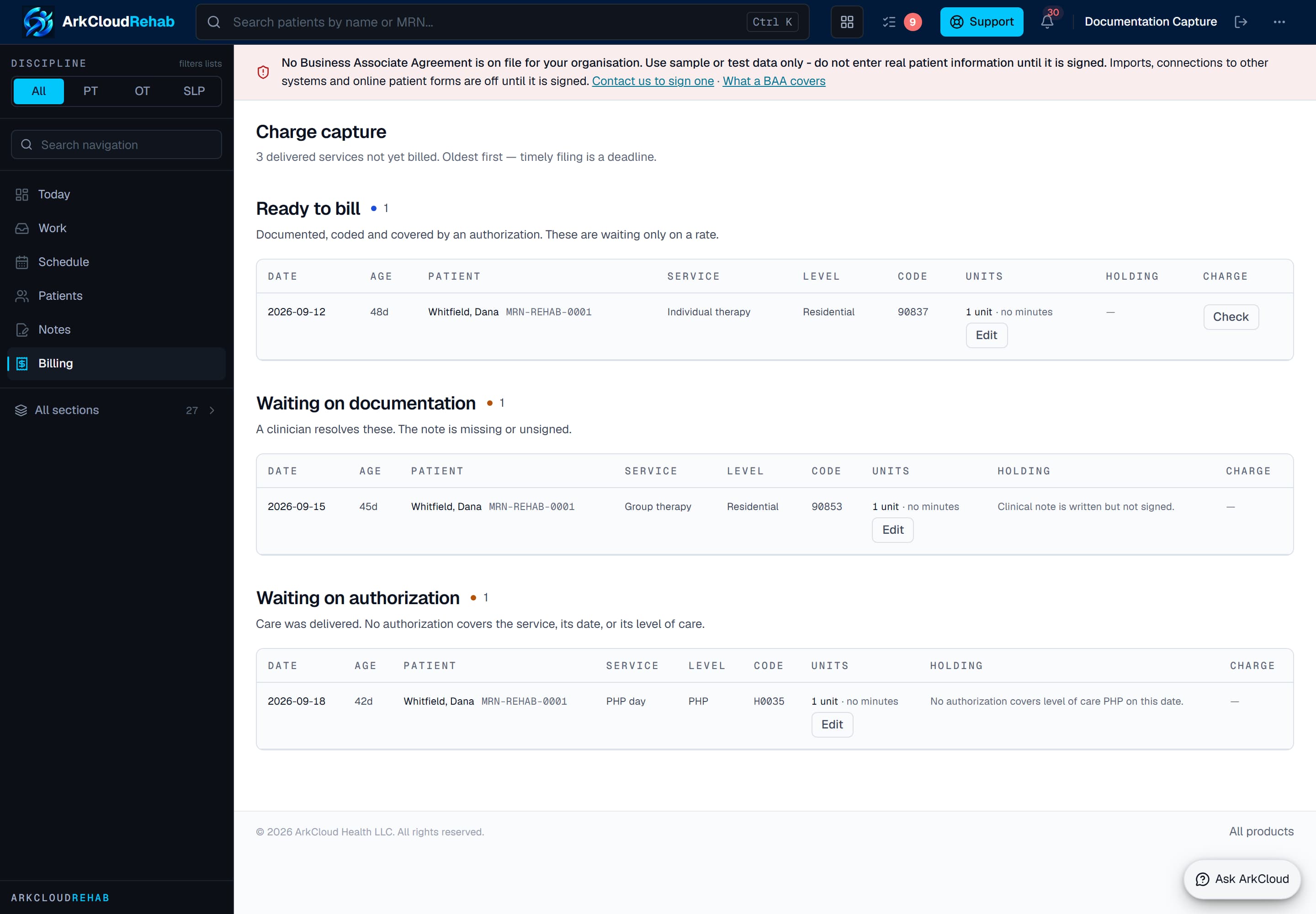
The Rehab charge-capture worklist (sidebar: Billing). Services are grouped by what is holding them; only Ready to bill rows offer Post charge, and only to administrators.
/rehab/billing
Charge to claim to clearinghouse
- Build the claim: ArkCloud RCM → My Work → Accounts → (account) → Insurance Information → Build Claim. The claim is assembled from the account's posted, unbilled charges for one coverage. Amount, dates and payer all come from the charges; nothing is typed. Charges from a self-pay episode never go on a payer claim. Requires the
submit_claimspermission (administrators). - Read the scrub report returned with the new claim: a score and a list of likely payer rejections (patient, insurance, provider, diagnosis, procedure, date and billing checks). It is a report, not a gate - the claim exists whatever it says.
- Submit: ArkCloud RCM → Insurance → Claims → (row menu) → Submit to clearinghouse. Only a Pending claim built from charges can be submitted. The 837P is generated and validated first; a claim that fails is refused with the reasons and nothing is sent. The file is then uploaded to the clearinghouse mailbox and the claim becomes Submitted. Administrators only.
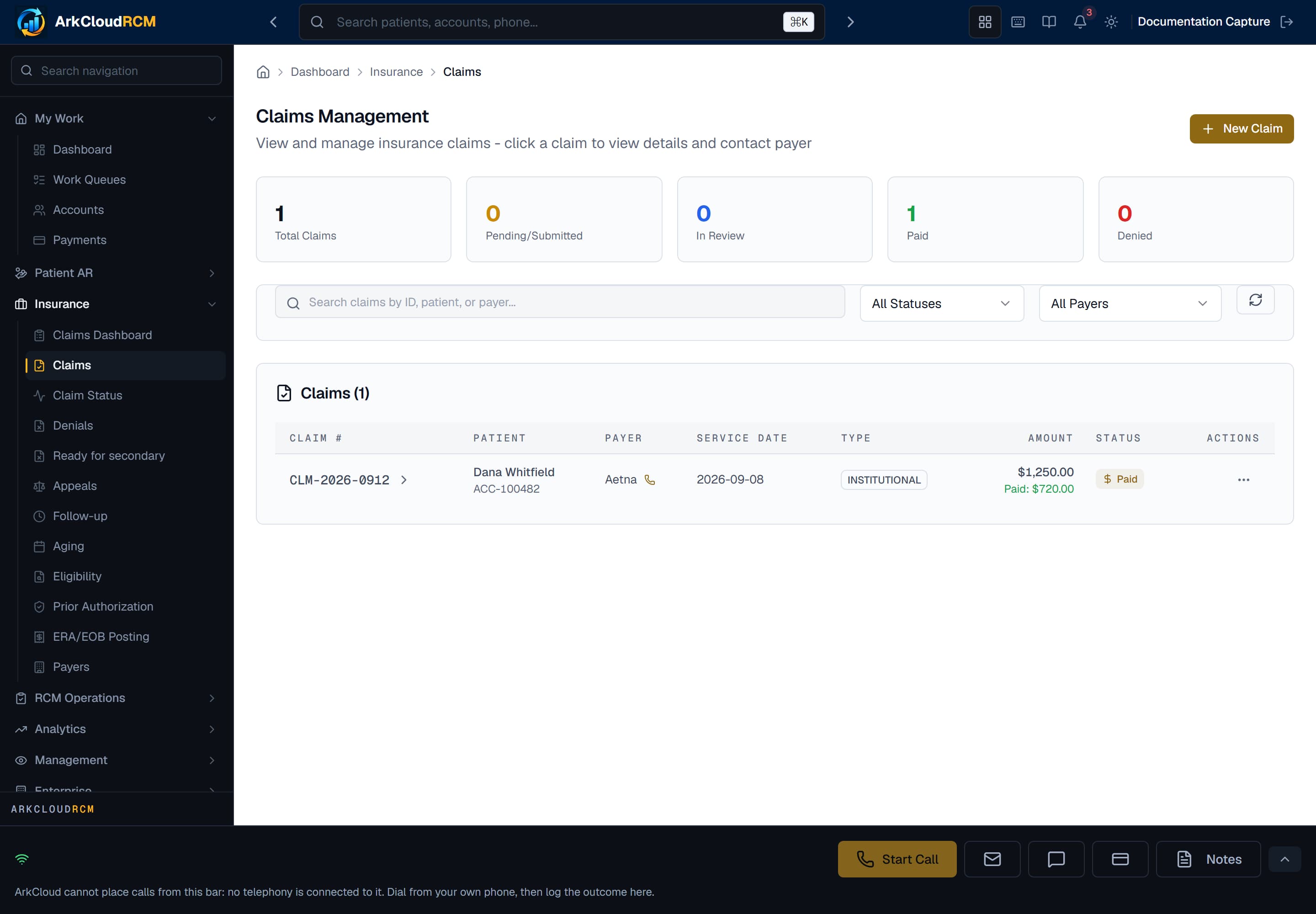
The Claims screen, shown in an organisation with no claims yet. Submit to clearinghouse appears only on Pending claims.
Empty state. Captured in a demonstration organisation with no records of this type yet. The controls, columns and filters are the ones a populated screen uses.
/dashboard/insurance/claims
Payer response, remittance and posting
Replies come back as files: a 999 (the file was readable), a 277CA (each claim accepted or rejected at the front door) and an 835 (the payer's decision and money). With a configured mailbox the worker collects them every 15 minutes, works out which organisation each belongs to from the claim numbers it names, and applies it. A file it cannot place is left in the mailbox and reported, never guessed. Without a mailbox, billing staff (Agent, Supervisor or Administrator) upload the same files on ArkCloud RCM → Insurance → ERA/EOB Posting, which runs the same posting code.
| Field or control | What it means |
|---|---|
| 999 or 277CA accepted | Submitted becomes Acknowledged. |
| 277CA pending | Becomes In review. |
| 999 or 277CA rejected | Goes back to Pending with the rejection recorded. Correct it and submit again; this is not an appeal. |
| 835 payment | Each service line is matched to its charge. Payer money, contractual adjustments (groups other than PR) and patient responsibility (PR) are posted to the charge, and the claim's totals are restated from its charges. A line that matches no charge, or more than one, posts nothing and becomes an exception. |
| 835 denial | Denied lines create denial records with their reason codes, worked from Insurance → Denials. |
| No response | Once a day, with the mailbox configured, a 276 claim status inquiry asks the payer about claims still waiting 14 days after submission (and not asked in the last 7); its 277 answer can move the claim's status but never posts money. Follow-up and Aging list claims by age. |
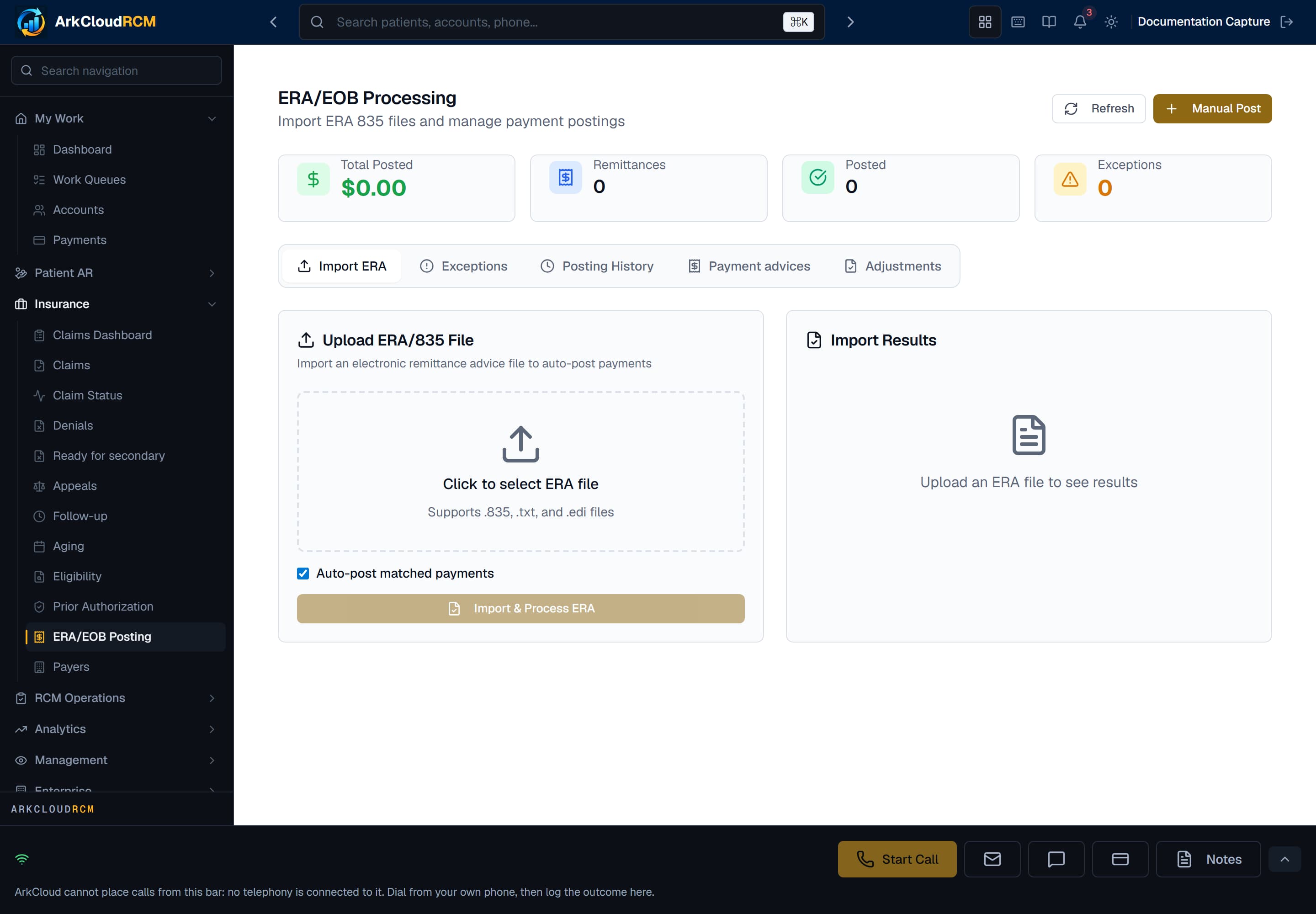
ERA/EOB Posting, where 835, 999 and 277 files are uploaded by hand when no mailbox is configured, and where posting exceptions are resolved. Shown before any remittance has been received.
Empty state. Captured in a demonstration organisation with no records of this type yet. The controls, columns and filters are the ones a populated screen uses.
/dashboard/insurance/era
Secondary payer. When the primary has decided and a balance remains on an episode with secondary coverage, the claim appears on ArkCloud RCM → Insurance → Ready for secondary. Bill secondary creates the secondary claim with the primary's line-level adjudication; it is then submitted like any other claim. Nothing creates it automatically.
Patient balance, statement and payment
Patient responsibility from the 835 lands on the charges automatically. A claim built from charge lines can also be moved to the patient deliberately (Transfer to patient, administrators).
| Field or control | What it means |
|---|---|
| Statements (staff screen) | Patient AR → Statements and an account's Statements tab generate a balance-due or itemized statement letter for what the patient owes: amounts still with insurance are shown as "Pending insurance - not billed to you", and the letter's "Amount due from you" is the patient's share only. Send emails an Email-channel letter to the guarantor and marks it Sent only when the email provider accepted it (Failed if the provider rejected it; unchanged, with an error, if no email transport is configured). PDF and certified-mail letters are refused: print and mail them yourself. Each generated statement is also recorded as a statement the patient can see in the portal, unless it is suppressed. |
| Statements (cadence engine) | A separate engine, run by the daily statement job for each active statement cadence, issues statements for what the patient owes (their share of claimed lines plus self-pay lines). These are the statements the portal lists. Delivery by email or text happens only when a transport is configured; otherwise the statement is Queued. No screen creates a cadence today, so in practice this engine does not run for a new organisation. |
| Portal | The patient opens the portal from a link staff issue on the account (Invite by email / Invite by text) and confirms their date of birth. The link is emailed or texted only where an email or SMS provider is configured; otherwise the screen shows it for staff to give to the patient. See the patient financial journey. |
| Staff-recorded payments | Cash, cheque, or a card taken on a separate terminal, recorded from the account's Payments tab. Applied to the oldest patient-owed charges first. |
| Card payments | Portal and staff card payments run only on the practice's connected Stripe account. There is no fallback to ArkCloud's own account. |
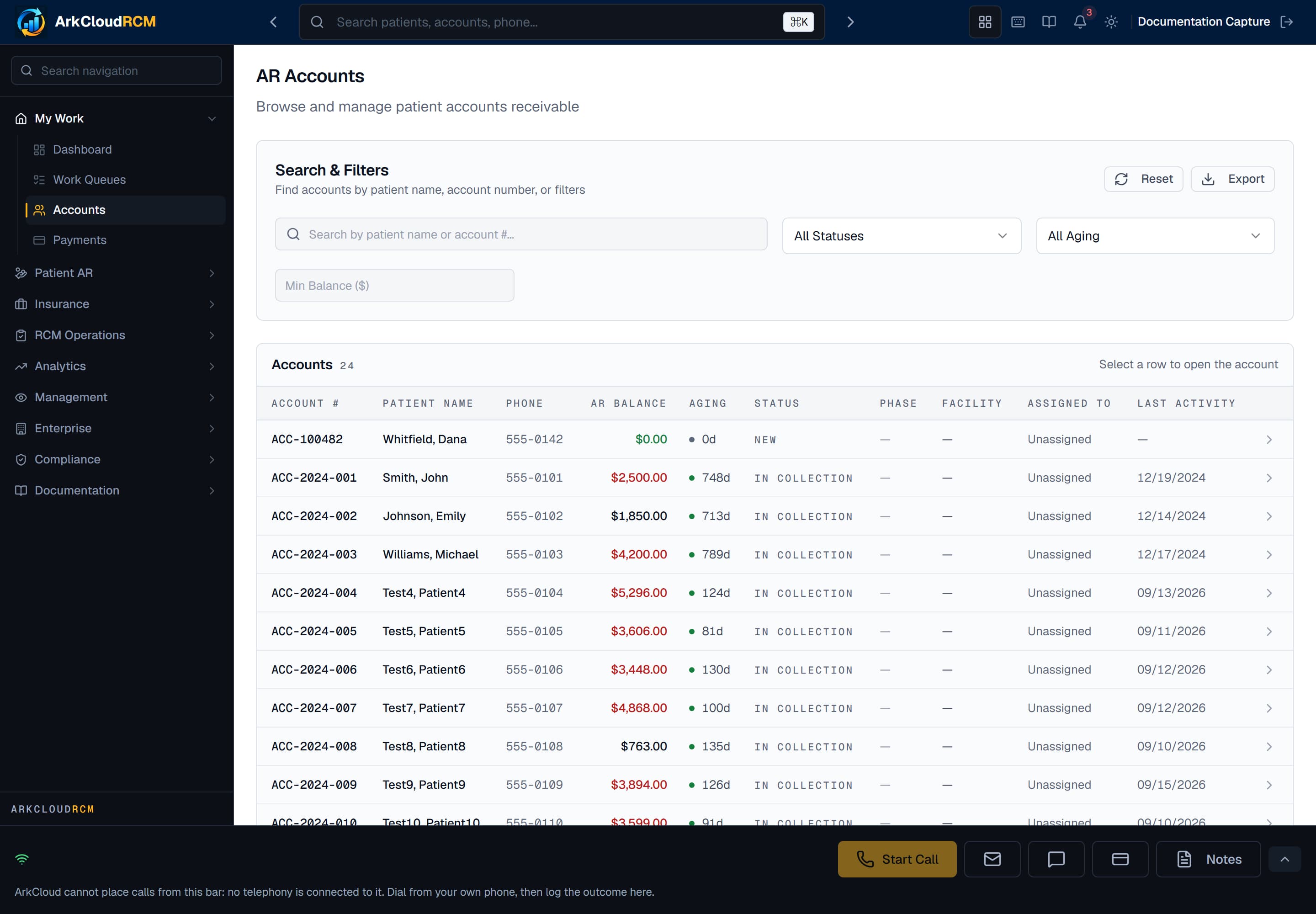
AR Accounts, the working list of balances. Open an account for its ledger, payments and statements, and for the Insurance Information card where claims are built.
/dashboard/ar/accounts
Do the financial screens agree?
Mostly. Where they do not, it is listed here rather than left for a patient to discover.
| Field or control | What it means |
|---|---|
| Charge balance | Total charge minus payments minus adjustments, per line. Patient responsibility is an allocation inside it, not an addition to it. |
| Account balance | Total charges minus patient payments minus insurance payments minus adjustments. The ledger restates it from that identity after every posting. |
| Claim balance | Restated from the claim's own charge lines after each remittance. |
| Payments received | Dashboards and reports read one dated payment ledger. Every patient payment and refund and every 835 payment writes one row. Net of refunds. |
| Statement amount due | The patient's share only, on cadence-engine statements and on statement letters from the Statements tab alike. Amounts still with insurance are listed as pending insurance, not billed. |
| Portal balance | "Amount You Owe" is the patient's share - the same figure as the statement. Any amount still with insurance is shown separately as pending insurance, not billed to the patient, and a portal payment cannot exceed the patient's share. |
| Portal charges and payment history | Charges are the account's posted charges, with each line's insurance payment and patient share; an account with no posted charges shows its imported balance lines instead. Payment history lists portal payments only. |
| Rehab episode financials | Derived from the episode's charges. |
What stops money being counted twice
| Field or control | What it means |
|---|---|
| One visit, one recorded service | A database unique index on visit and service type. Completing a visit twice returns the existing service. |
| One service, one charge | The service row is locked while posting, and the charge's link to its service is unique in the database. A second press returns the existing charge. |
| One charge, one claim | Only charges with no claim are eligible, re-checked at the moment of attaching; a concurrent build is refused whole. |
| One submission | Only a Pending claim is transmitted, under a row lock. An upload that started and never confirmed blocks resubmission until somebody checks the mailbox. Control numbers come from a database sequence. |
| One posting per remittance | Keyed on the payer's own identifiers (payer, trace number, payer claim number) under a unique database index. The same 835 arriving twice posts once; mailbox files are also de-duplicated by content hash. |
| One card charge per intent | Portal payments require a client-generated idempotency key, unique per organisation. |
| Manual charges and staff payments | Manual charge entry: an identical charge (same person, account, service date, code, units, unit charge and modifiers) within two minutes returns the first instead of posting again; after two minutes an identical charge is accepted as a new one. Staff-recorded payments have no duplicate check: entering the same one twice records it twice. |
Where work stalls, and what to look at
| Field or control | What it means |
|---|---|
| Visit completed, no service recorded | Booked as free text or under a service with no code. The schedule shows the reason; record the service from Encounters. |
| Service held | The Rehab Billing worklist lists every hold reason. Most common in a new organisation: clinician billing not set up, no fee-schedule rate, episode billing setup incomplete. |
| Ready to bill, never posted | Waiting for an administrator to press Post charge. |
| Charged, never claimed | Waiting for an administrator to press Build Claim on the account. |
| Claim Pending | Not submitted, rejected by the clearinghouse, or no mailbox configured. The claim records the last transmission error. |
| Claimed, no response | Insurance → Follow-up and Aging, worked oldest first. |
| Denied, not worked | Insurance → Denials. Reopen for correction, or record an appeal. |
| 835 not posted | ERA/EOB Posting exceptions: unmatched lines, duplicates, unknown claim numbers. |
| Patient balance, no statement sent | A letter is marked Sent only when an email provider accepted it. A letter still Generated after Send (postal channel, or no email transport configured) has not gone anywhere - print and mail it, then mark it sent on the Letters Queue. |