
End-to-end workflow
The patient financial journey
The same money, told from the other side. What a patient receives, what they can do about it themselves, and the two points where they have to talk to somebody.
Written for: Patient financial services · Billing teams · Front-desk and access teams · Implementation teams
The shape of the journey
1ArkCloud RCM
Balance becomes theirs
The payer has settled its part. What remains is patient responsibility.
2ArkCloud RCM
Statement
Staff generate a statement letter, or the cadence engine issues one where an RCM administrator has set up a cadence under Settings > Statement cadence. Delivery is manual unless an email or SMS transport is configured.
3Patient portal
Portal link
Staff issue a portal link from the account (Patient portal access → Invite by email / Invite by text); it lasts 30 days. With no email or SMS provider configured nothing is sent: the screen says so and shows the link to copy and give to the patient. A statement notice link lasts 45 days, but notices only go out when the organisation has switched on patient messaging. The code in the link can also be typed on the sign-in page. No account is created.
4Patient portal
Identity check
Date of birth on the account is confirmed before any figure is shown.
5Patient portal
Balance and charges
"Amount You Owe" - the patient's share only - with any amount still waiting on insurance shown separately as pending, not billed to the patient, and the lines behind it.
6Patient portal
Statements
Statements issued by the cadence engine, and statements staff generate from an account's Statements tab, unless suppressed.
7Patient portal
Payment
Card payment on the practice's own connected Stripe account.
Not available today. Off until the deployment has Stripe keys and the practice has connected its Stripe account in Settings → Payments.
8Patient portal
Payment history
Payments the patient made in the portal. Payments recorded by staff are not listed here.
9Patient portal
Payment plan
Instalments over a weekly, fortnightly or monthly schedule, calculated before commitment. The patient pays each instalment when it is due.
Not available today. Enrolment needs the same connected Stripe account as payment. AutoPay is refused: the portal has no step that saves a card.
10ArkCloud RCM
Dispute
A patient queries a charge - in the portal's Messages & help tab, or by calling. Both appear on Patient AR → Disputes (portal ones marked "(from portal)"); staff work it from there.
11ArkCloud RCM
Financial assistance
A patient asks for help with a bill - in the portal, where it reaches Financial Assistance as a Portal request, or by calling, when staff record it. Staff approve or deny it; the determination is the organisation's, and approval does not change the balance by itself.
12ArkCloud RCM
Posting
A portal payment posts to the account at once, to the oldest patient-owed charges first, and writes one row in the payment ledger. Settlement is not tied out automatically.
Getting in
Two steps, and both are required. The link (or the code in it) says which account; the date of birth says who. A code on its own shows nothing.
Step 1
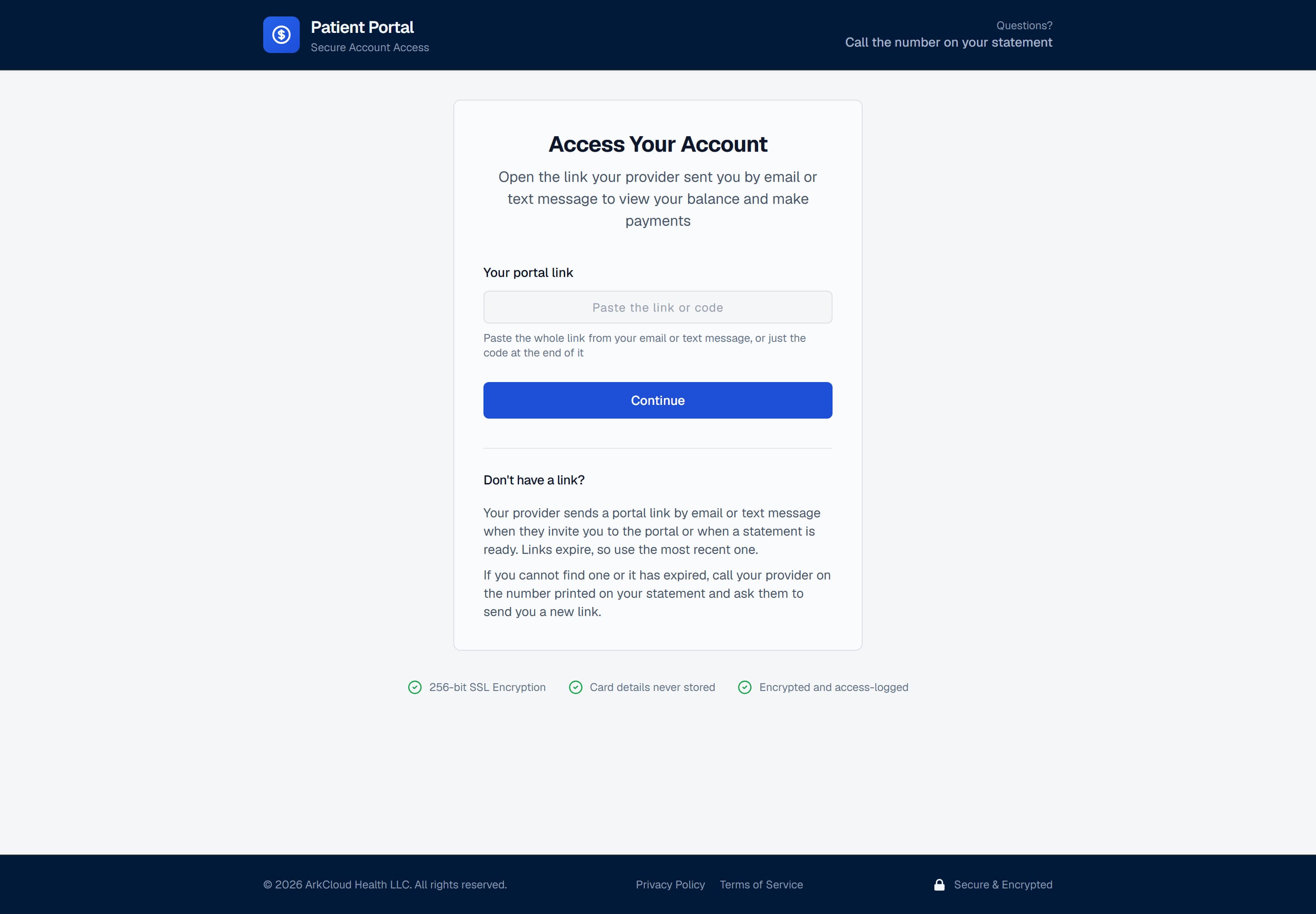
Step one. The code comes from a portal invitation staff issue from the patient's account - sent by email or text where a provider is configured, otherwise handed to the patient by staff. Statement letters generated on the Statements screen do not print it.
/portal/login
Step 2
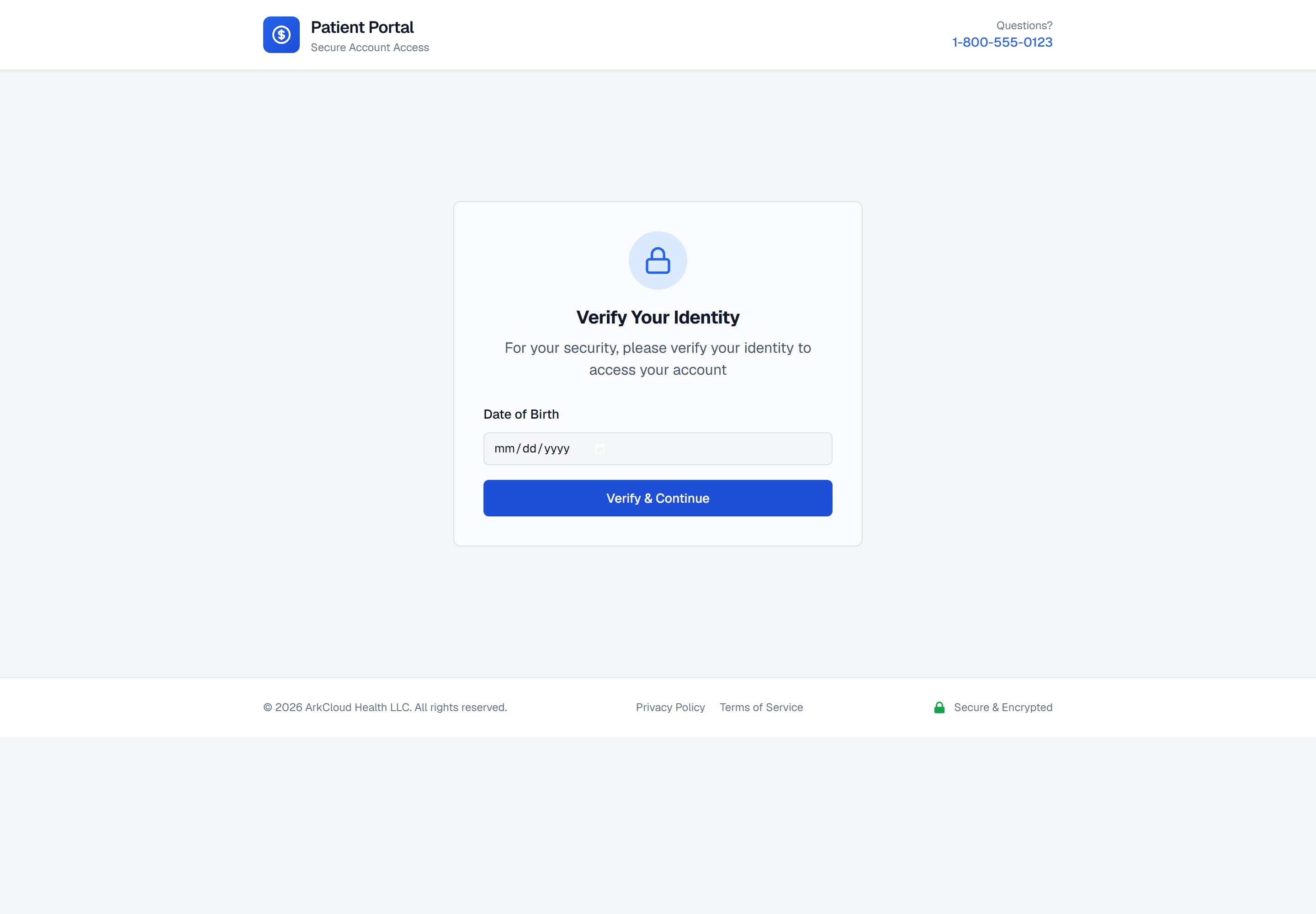
Step two. The identity check is what makes a forwarded or discarded statement insufficient on its own to expose somebody's balance.
/portal/accounts/{access code}
What they see
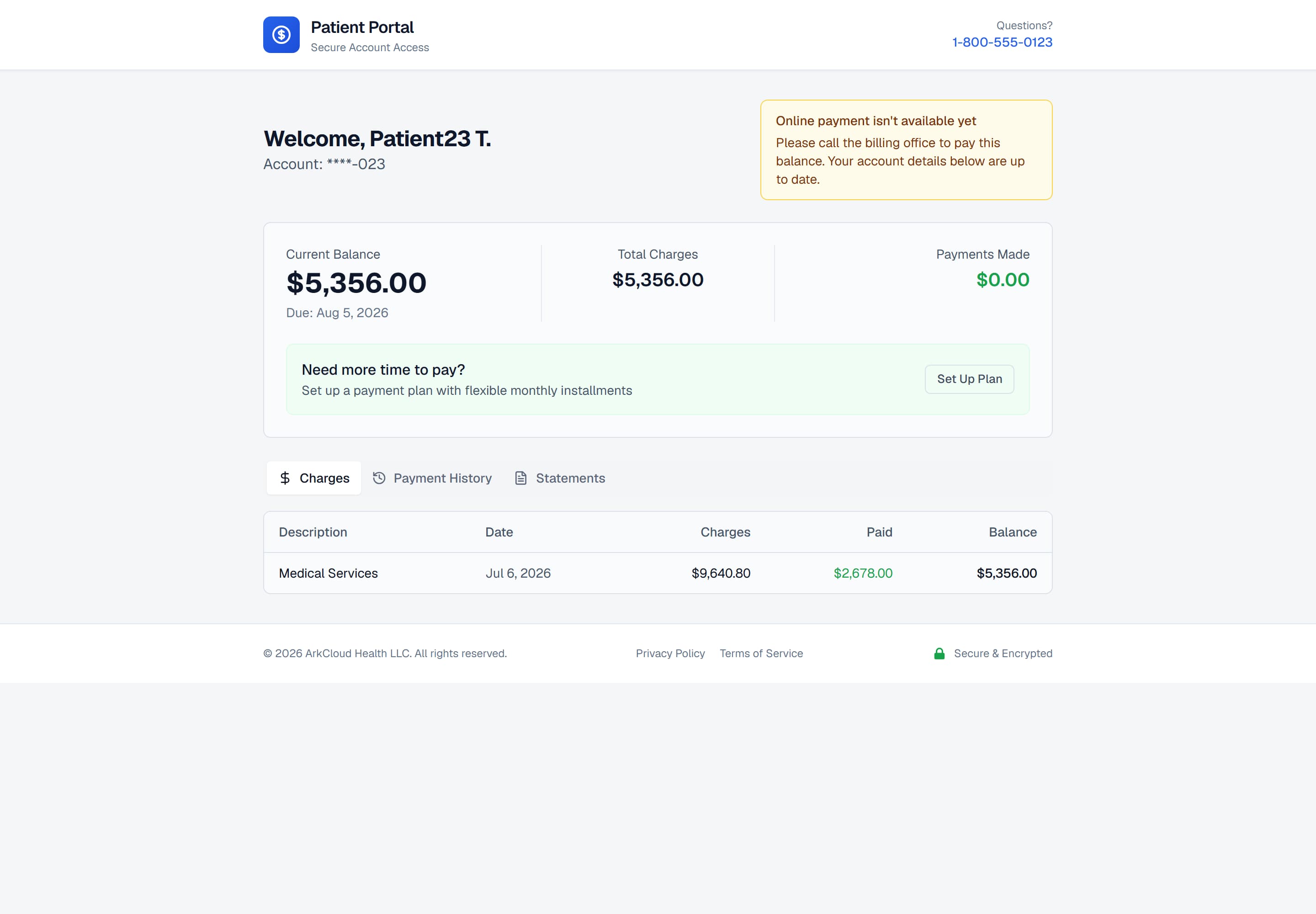
The account, in a deployment where online payment is not configured. The balance and its breakdown are current; the notice where a payment button would be explains the absence rather than leaving it unexplained.
/portal/accounts/{access code}
| Field or control | What it means |
|---|---|
| Amount You Owe | The patient's share only - the same figure a statement bills. Any part of the account still waiting on insurance is shown underneath as pending insurance, not billed to the patient. A portal payment cannot exceed the patient's share. |
| Charges | The account's posted charges, each with what insurance paid and the patient's share ("Pending insurance" until the payer has adjudicated it). An account with no posted charges shows its imported balance lines instead. |
| Payment history | Payments made in the portal only. Payments recorded by staff (cash, cheque, phone) count in the balance but are not listed. |
| Statements | Statements issued by the cadence engine, and statements staff generate from an account's Statements tab - each staff statement also writes the statement record the portal lists, unless it is suppressed. |
| Identification | First name and last initial, account number masked to its last digits. |
What they can do about it
A patient who can pay, pays. A patient who cannot pay at once can spread it. A patient who cannot pay at all has to talk to somebody.
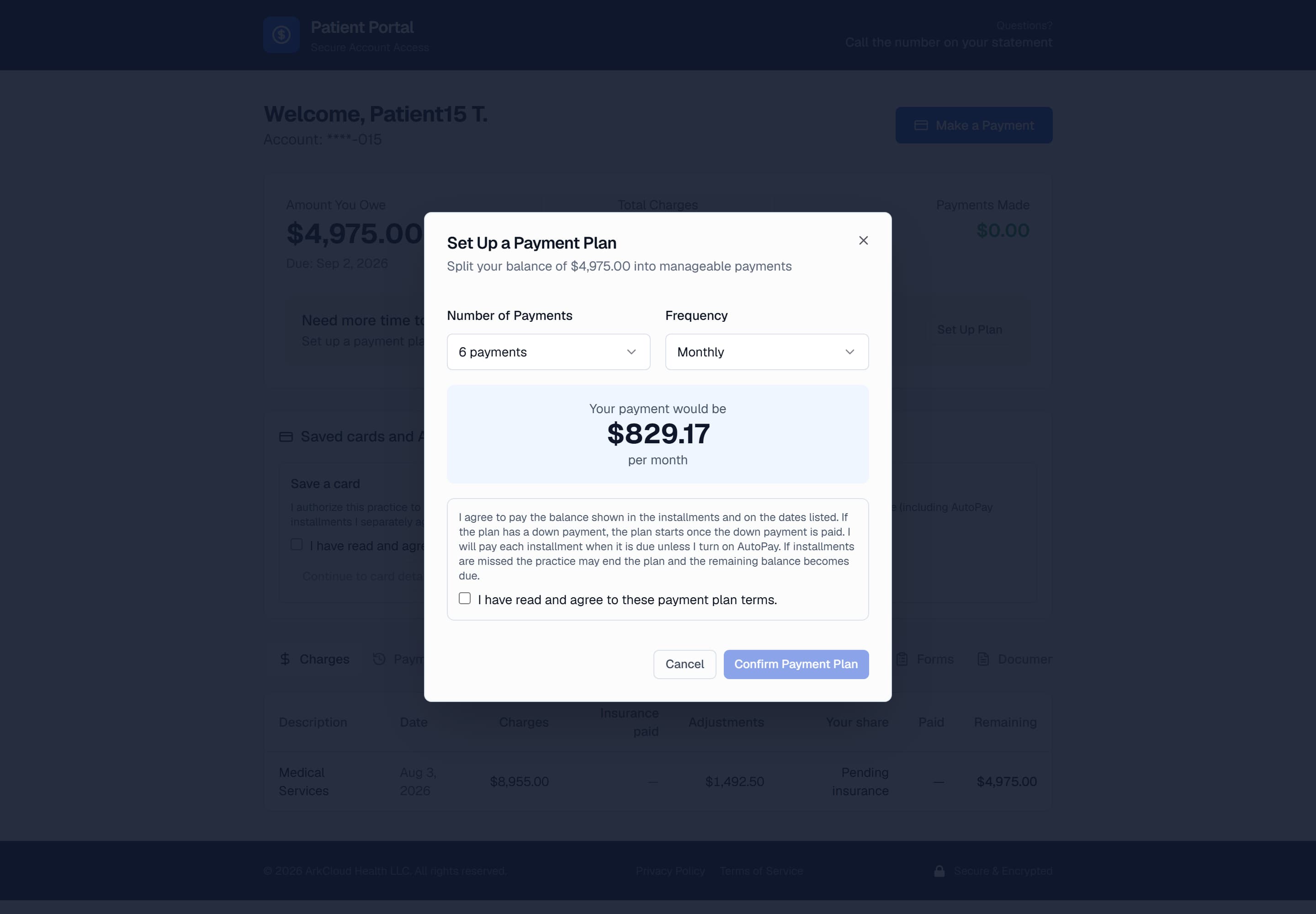
Payment plan enrolment. The instalment is calculated as the number of payments and the frequency change, so the patient sees the commitment before making it.
/portal/accounts/{access code}
What this means for your team
| Field or control | What it means |
|---|---|
| "My code does not work" | Usually expired: 30 days for a staff invitation, 45 for a statement notice. Issue a new link rather than diagnosing the old one. |
| "It will not take my date of birth" | The date on the account is probably wrong. Correct the record; the check cannot be bypassed. |
| "There is nowhere to pay" | Online payment is not set up: the deployment has no Stripe keys, or your practice has not connected its Stripe account. Take the payment another way and record it on the account's Payments tab; it posts to the same account. |
| "This charge is wrong" | Record a dispute in ArkCloud RCM (Patient AR → Disputes), or ask the patient to use Dispute a charge in the portal - it appears on the same list, marked "(from portal)". |
| "I cannot afford this" | Offer a plan first. If a plan does not solve it, record a financial assistance application on Patient AR → Financial Assistance, or ask the patient to use Ask for help paying in the portal - it appears there as a Portal request. |
| "My statement says something different" | The portal and statements both show the patient's share, with amounts still with insurance listed as pending. A difference usually means something was posted after the statement was produced - a remittance, adjustment or payment. Check the account's activity since the statement date before quoting a figure. |