
ArkCloud Rehab
Episodes of care
The episode is the clinical container in ArkCloud Rehab. Every assessment, note, score and charge belongs to exactly one, which is what makes a period of care something you can reason about rather than a pile of records about a person.
Written for: Rehabilitation clinicians · Rehab operations · Utilization review · Evaluators
What an episode is
An episode of care is one period of rehabilitation for one patient: it begins when care starts, holds the level of care being delivered and the authorization it is delivered under, and ends at discharge or at a step down to a lower level.
Nothing clinical exists outside an episode. That is deliberate rather than incidental - a score with no episode has no clinical context to interpret it in, and a note with no episode cannot be tied to the care it describes.
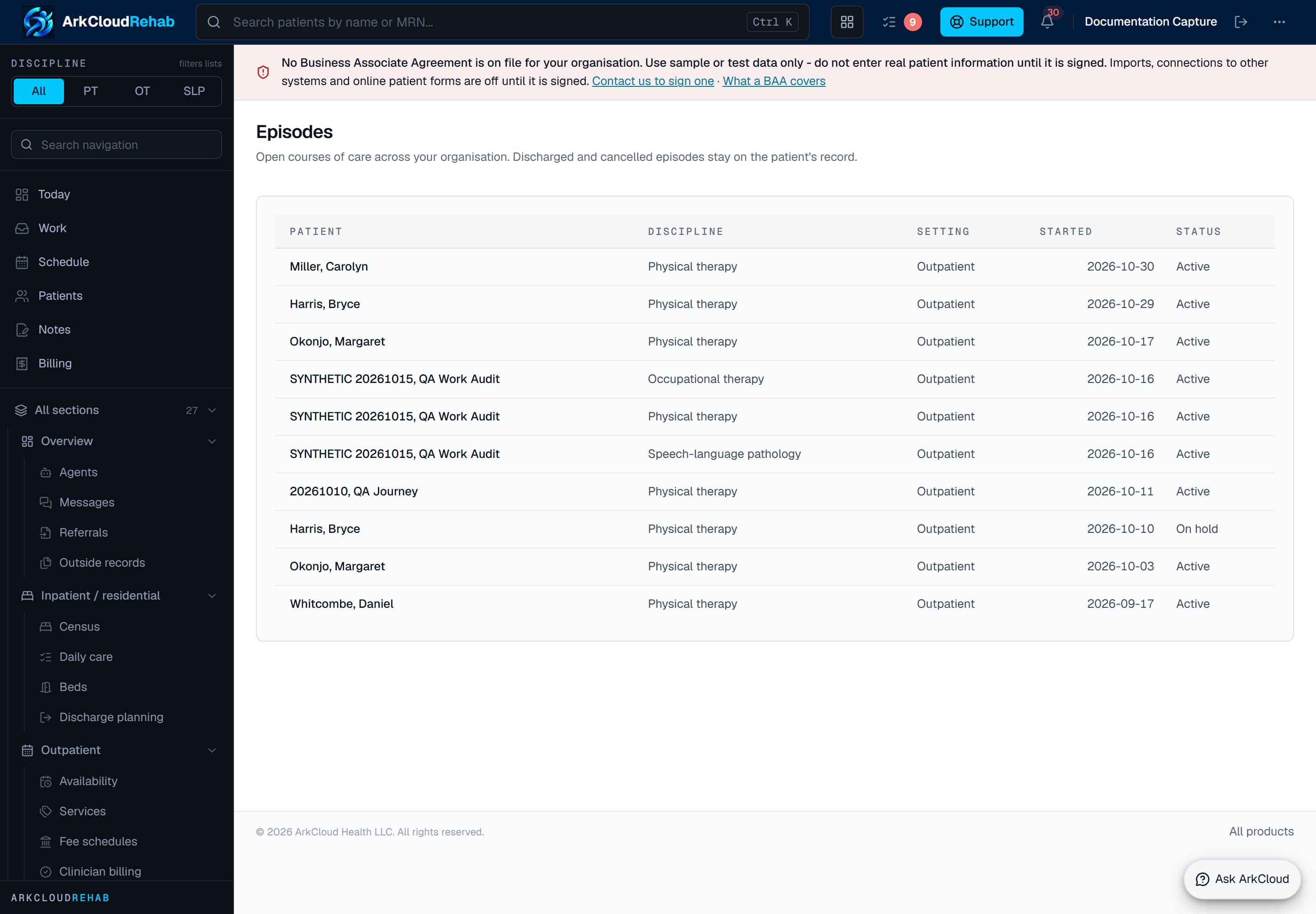
The episodes list. Each row is one period of care with its patient, care setting and current status, and is the entry point to everything recorded during it.
/rehab/episodes
Prerequisites
- A patient admitted to Rehab - that is, one with a Rehab patient profile. A patient record that exists only for billing is not on the caseload.
- A role that ArkCloud Rehab admits: agent and above.
How to get there
Launcher → ArkCloud Rehab → Records and revenue → Episodes
Episodes are also reached from a patient record, which is the more common route in practice: you are usually looking for a person first and their current episode second.
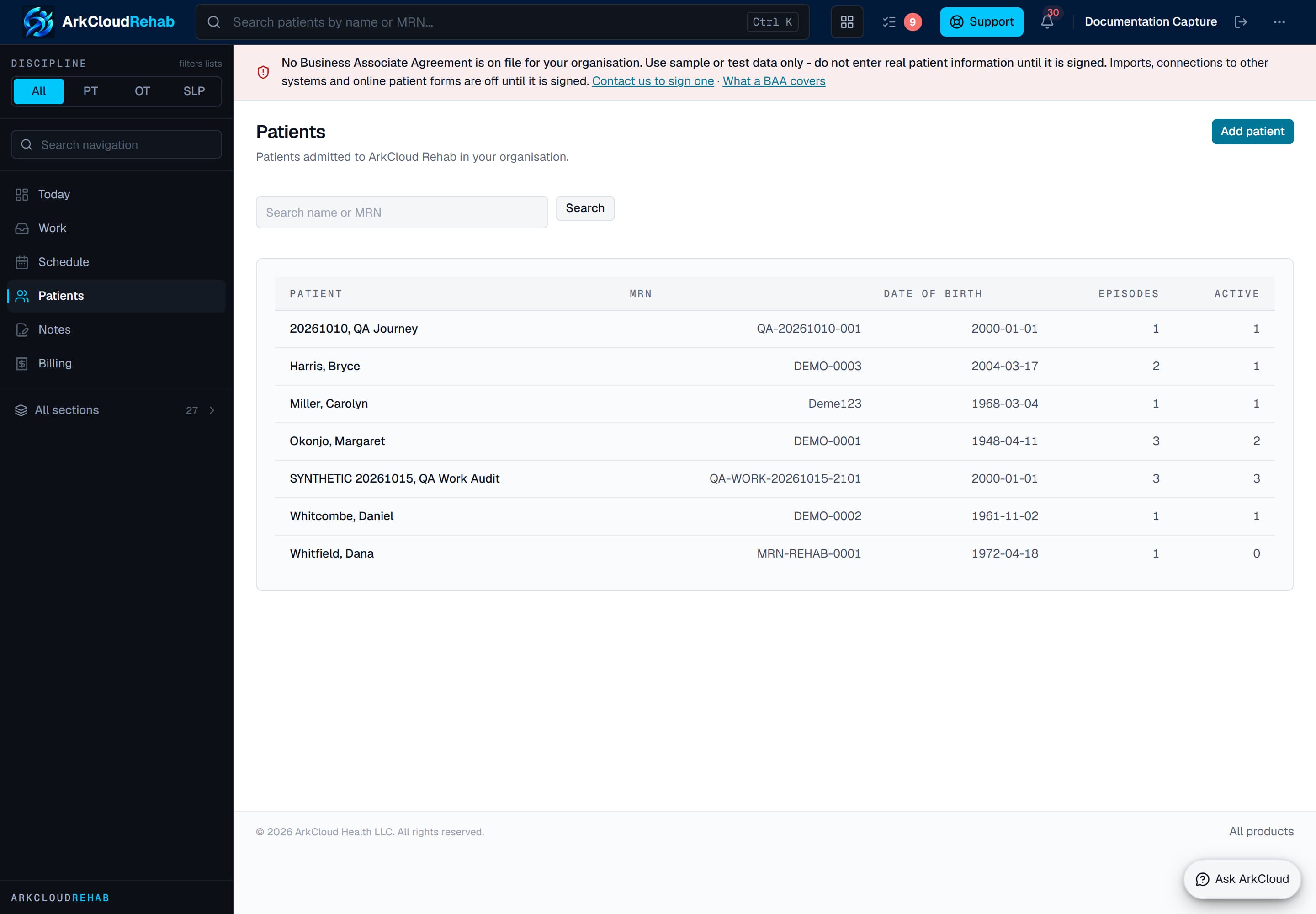
The caseload. Opening a patient leads to their episodes; the episodes list exists for the times you are working across the caseload rather than within one record.
/rehab/patients
Starting an episode
- Open the patient record from the caseload.
- Start an episode of care, choosing its discipline (physical, occupational or speech-language therapy, or multidisciplinary), its care setting and its start date. All three are required.
- On the episode page, record the level of care, the clinical context, and the authorization it is covered by if one exists.
An episode is also opened automatically when a referral is accepted into care - see referral intake.
Expected result: the episode appears on the episodes list and on the Today dashboard, and becomes the container that encounters, notes and scores are recorded against.
What attaches to an episode
| Field or control | What it means |
|---|---|
| Level of care | The level of care (for example inpatient, residential, intensive outpatient, outpatient) and, separately, the care setting. Both are kept as dated spans: a change is a step-down or step-up recorded with its date, not an edit. |
| Authorization | What the payer has approved, in visits or days, for this episode. Compared against what has been delivered in utilization review. |
| Encounters | Each delivered treatment session. |
| Clinical documentation | Initial Evaluation, Visit note (SOAP), Progress Report, Re-evaluation, Plan of Care and Discharge Summary, drafted and then signed. Note text is field-encrypted. See note types compared. |
| Plan of care and goals | The structured treatment plan (frequency, duration, review date, physician certification) and the goals linked to it. A collapsed goal history under the goals panel shows each goal's earlier versions: who accepted it, who closed it and as what. |
| Appointments | Visits are booked from the episode - see scheduling. |
| Home exercise programme | Exercises given to the patient, published to the patient portal, with optional precautions, an end date and a link to a demonstration video. Giving a programme to the patient takes a licensed clinician, a supervisor or an administrator, and re-checks it against the patient's active precautions. Suggested exercises come from your library, chosen from the documented findings, goals and precautions; you set every dose. You can also start from a template: choose a body area on the diagram and ArkCloud ranks the templates filed there by what is documented, says why each is suggested, and leaves out any exercise that conflicts with an active precaution. Templates are personal or clinic-wide; a clinic template is offered as clinic-approved only after a licensed clinician approves it. Filter the library by region, focus, difficulty, discipline, specialty, equipment, position and goal, star favourites, preview an exercise, and add several at once. A starter exercise no clinician at your clinic has reviewed is reviewed by the person giving the programme, and that review is recorded. A published programme is revised, never edited, and can be printed for the patient. What the patient reports back (done or not, pain 0-10, difficulty, a comment) appears under Patient reports with a rule-based summary; marking reports reviewed never changes them. |
| Outcome scores | Scores you obtained with an instrument your clinic has approved, entered on the episode with their date; the first and latest are shown side by side, and a score line can be added to a draft note. ArkCloud does not administer the instrument, compute the score or interpret it. Administering and scoring a measure inside ArkCloud is not usable until a measure is published. See outcome measures. |
| Charges | Delivered services and their billing readiness. Nothing creates a charge automatically: someone with fee-management permission uses Post charge on the charge-capture worklist. |
| Discharge | The end of the episode, with its reason and aftercare plan recorded. Every open goal must be given an outcome (met, partially met, not met or discontinued) before discharge. An episode can be cancelled instead only when no care was delivered on it; once care has been delivered, it must be discharged. |
| Capability | Status | What that means here |
|---|---|---|
| Home exercise programme builder | Available | Build a home programme inside the episode: filter your library by region, focus, difficulty, discipline, specialty, equipment, position and goal, star favourites, preview an exercise, add several at once, set every dose, and print what you gave the patient. Nothing reaches the patient until a licensed clinician, a supervisor or an administrator gives it to them. |
| Home programme templates | Available with configuration | Personal templates for each therapist and clinic templates for everyone. Pick a body area and templates filed there are ranked by what is documented, each with the reason; exercises that conflict with an active precaution are left out. Nine ArkCloud starter templates (knee, low back, shoulder, neck, balance, general mobility) are written by ArkCloud, carry no doses and have not been clinically reviewed.Requires: A licensed clinician at your clinic reviews and approves each clinic template before it is offered as clinic-approved. |
| Licensed exercise videos and templates | Not available | ArkCloud has no licence for any third-party exercise library. Exercises are ArkCloud's own written starter content or what your clinic writes; a demonstration video is a link your clinic chooses, never hosted or copied by ArkCloud. The library can record a licensed source once a licence exists. |
| Recording outcome scores you obtained | Available with configuration | Enter the score from an instrument you administered outside ArkCloud, see the first and latest score side by side, and add score lines to a draft note. ArkCloud does not administer the instrument or compute the score.Requires: A clinical lead approves each instrument for your clinic, confirming the clinic holds any licence it needs. |
| Administering and scoring measures inside ArkCloud | Partially available | The framework for administering a measure inside ArkCloud and scoring it is built, but no measure has been published, so nothing can be administered or scored this way yet. |
| Episode page in views | Available | The episode page opens in six views: Overview, Notes, Evaluation, Goals & outcomes, Care team & billing, and History. Each shows only its own panels; allergies, precautions and the AI agreement status stay on every view. |
Troubleshooting
| Field or control | What it means |
|---|---|
| A patient is not on the caseload | They have not been admitted to Rehab. A record that exists for billing only will not appear until a Rehab patient profile is created. |
| The Today dashboard shows nothing | No active episodes. This is the correct empty state, not a loading failure. |
| Encounters cannot be recorded | There is no open episode to record them against. Start one first. |
| Visits are being delivered past the authorization | Utilization review compares authorized against delivered. Work it before the visits become unbillable - see utilization review. |