
Intake and consent forms
What you ask a patient before they arrive. A patient completes a form from a link, with no account and no password, and the answers land on their record encrypted.
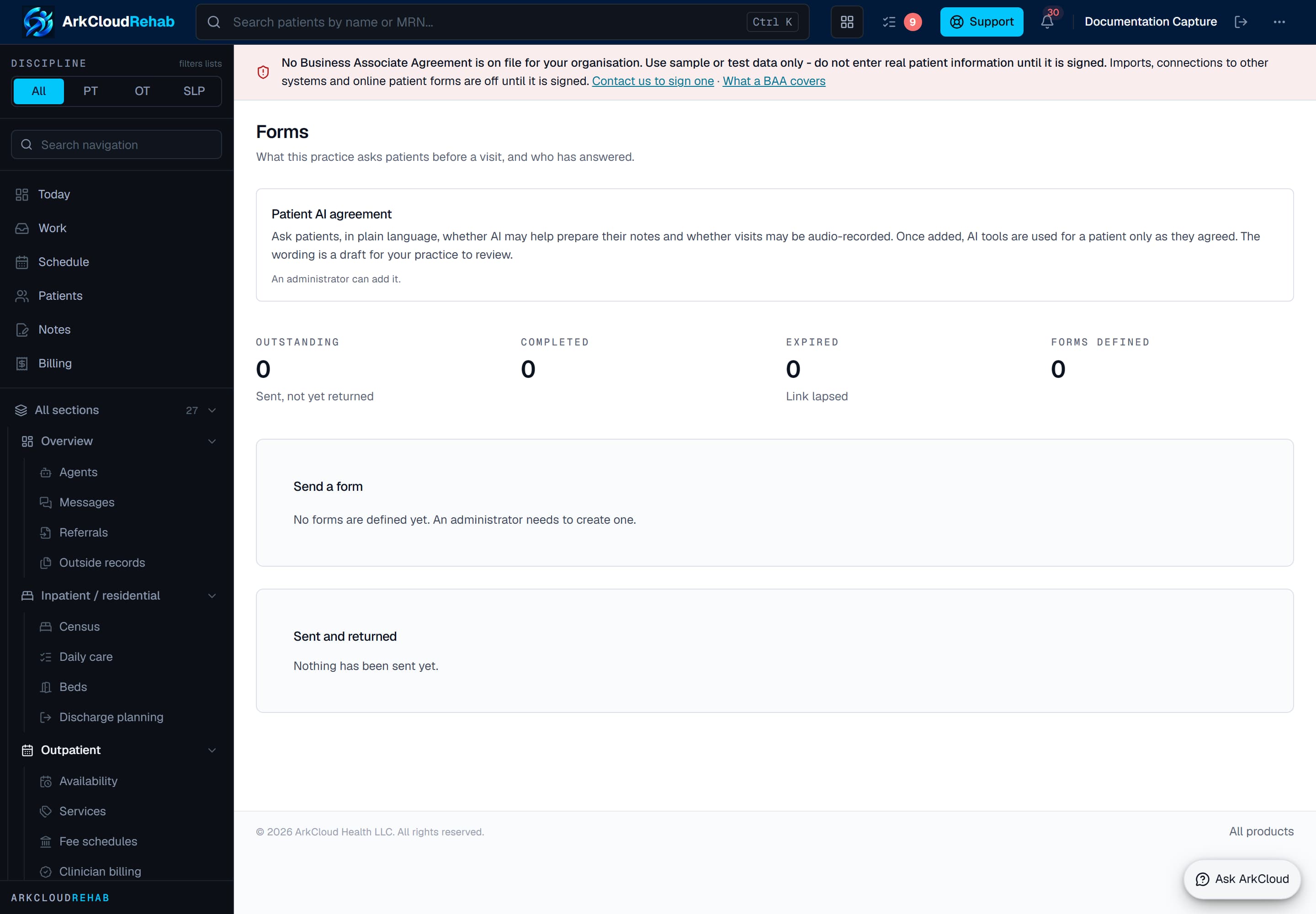
Intake and consent forms. Templates are versioned, so a submission is stored against the exact version of the form that was presented - which is the detail that makes a consent record answerable months later.
Empty state. Captured in a demonstration organisation with no records of this type yet. The controls, columns and filters are the ones a populated screen uses.
/rehab/forms
Defining a form
Rehab → Forms. Only an administrator can create or retire a form, because a form is what you ask every patient — and for a consent form it is the wording somebody’s agreement attaches to.
There are six question types:
- Short text and long text
- Choose one, and choose several
- Yes / no
- A date
There are deliberately no conditional questions, calculated scores, page layouts or file uploads. Each of those changes what a completed form means — a question that was never shown is not the same as one answered “no” — and a form engine that cannot express the difference will eventually assert the wrong thing about a patient.
Forms are versioned, never edited
Publishing a change creates a new version. The old one stays, because every form already completed answered it.
This is not bookkeeping. If you could edit a published form, somebody who ticked “yes” to question 3 would retroactively have answered a different question 3 — and for a consent form, the document a patient signed could be rewritten after they signed it. Each completed form records which version it answered, and reading one shows the questions as they were asked at the time.
Sending a form
Sending creates a private link. If the patient has agreed to be contacted by email, ArkCloud emails them the link. Either way the link is shown to you once, so for a patient without email consent you pass it on by whatever you already use to contact patients. Forms are not sent by text message.
The link is shown once and cannot be shown again. Only a one-way hash of it is stored, so there is no “copy link” button to come back to and no way for anyone — including us — to recover it from the database. If you lose it, send the form again: that creates a new link and stops the old one working.
Links expire, after 30 days by default. A link that works forever works for whoever finds the email two years later.
A patient who already has access to the patient portal also sees outstanding forms there and can complete them without the link. Any role Rehab admits can send a form.
What the patient sees
A single page with the questions on it. No account, no password, nothing to install. The page shows nothing about the patient — no name, no record number, no date of birth — so anyone who obtains the link learns only that a form exists.
A yes / no question has no default. Leaving it blank is recorded as unanswered, never as “no” — which matters when the question is whether they have a pacemaker.
Once submitted, the link stops working and the form cannot be changed. A correction is a new form, which keeps both.
The patient AI agreement
The Forms screen also offers a ready-made Patient AI agreement. It asks the patient, in plain language, whether AI may help prepare their notes and whether their visits may be audio-recorded. A clinical administrator adds it once; after that it is sent like any other form, and the AI draft of a visit note and visit recording are refused for a patient whose latest signed answer is not yes. Its wording is a draft for your practice to review. See AI-assisted SOAP drafting.
Signatures
A form can require a signature. The patient types their full name, and that is recorded with the time. A form that requires one cannot be submitted without it.
Reading what came back
Completed forms appear on the Forms screen, and each opens on its own page from there. Unanswered questions are shown as not answered rather than left blank — that is a different fact, and it is the one worth chasing.
Opening a completed form is recorded as an access to protected health information, the same as opening any other part of the record.
Structured patient intake and review
Beside these free-form forms there is one built-in health questionnaire that is reviewed answer by answer. Open a patient, go to the Clinical history tab and choose Patient intake. From there you can ask the patient to complete it in the patient portal (under Your information), or start it on a clinic device: a single-use link or QR code, valid for 30 minutes, which the patient opens on the tablet and unlocks with their date of birth. The tablet shows no staff screens, clears itself when left idle, and the link cannot be reused.
It asks for changes to contact details and an emergency contact, permission to email and text, medical and surgical history, medicines, allergies, the body area that bothers them (with side, symptoms, pain, how it started, what makes it better or worse, and their own words), how they get around, and their goals. The body-area questions are the same guided questions a clinician sees, in patient wording.
Every answer arrives as patient reported, pending review. Nothing changes on the record until a person decides each item: accept as patient-reported, confirm, correct and confirm (the patient’s own answer is kept beside your correction), or dispute with a reason. Conflicts with the chart — a different dose, an allergy where the chart says no known allergies — are shown next to the item. Confirmed symptoms become patient-reported findings on the episode, which you can then insert into a draft note’s Subjective with the usual insert; nothing is signed for you, and a signed note is never changed.
Contact changes, emergency contacts and communication consent are applied by registration staff; medicines, allergies, history and symptoms are reviewed by clinical staff. An administrator assigns who does which under Settings → Staff functions. A member of staff with no function assigned can still do both.
If an answer screens positive for an urgent symptom (for example new bladder or bowel problems, or a hot swollen calf), the patient is shown fixed advice to seek care and call 911 in an emergency, and the attending clinician, the person who started the intake, supervisors and administrators get an in-app alert that names no patient. The screen is rule-based, not AI, and can miss a concern phrased differently. The clinician summary on the review screen is also rule-based: it lists unanswered questions, contradictions and things worth asking, each with the answer it came from.
In the patient portal, the medications step also lets the patient add a photo or PDF of their medication list. It is scanned for malware before it is stored, marked as patient reported, and nothing is read from it automatically - a clinician opens it from the intake review. No other file uploads are taken.
| Capability | Status | What that means here |
|---|---|---|
| Intake and consent forms sent by link | Available | Staff send a form as a private link. The patient is emailed the link when they have agreed to email; otherwise staff pass it on. Signatures are a typed name; drawn signatures are not available. |
| Reviewing a patient's intake answers | Available | Every answer arrives as patient-reported and changes nothing until a person accepts, confirms, corrects or disputes it. Contact and consent items go to registration staff; history, medicines, allergies and symptoms go to clinicians. |
| Urgent intake answer alert | Available | When a patient's intake answer screens positive for an urgent symptom, the attending clinician, the person who started the intake, and supervisors and administrators get an in-app alert. The screen is rule-based and can miss a concern phrased differently. |
| Patient photo of a medication list (portal intake) | Available | On the portal intake's medications step a patient can add a photo or PDF of their medication list. It is marked patient-reported, nothing is read from it automatically, and a clinician opens it from the intake review. |
Where the answers live
Answers are encrypted by ArkCloud before they reach the database, so the database holds no readable copy of what a patient wrote. The same is true of the signature.
What stays readable is the form’s own code and version, the status and the dates — those describe the questionnaire rather than the person, and they are what the outstanding list is built from.