
End-to-end workflow
The rehabilitation episode
A referral becomes an episode of care, treatment is delivered and documented against it, and the episode ends in discharge or a step down in level of care. This page follows that arc and is explicit about the stages that are manual or limited: outcome scores, and every step from posting a charge onward.
Written for: Rehabilitation clinicians · Rehab operations · Evaluators · Implementation teams
The shape of an episode
1ArkCloud Rehab
Referral
An inbound referral is recorded with its source and its reason, and worked from a queue.
2ArkCloud Rehab
Patient record
Accept into care on the referral creates the patient (or links one the organisation already holds) and admits them to Rehab, which is what puts them on the caseload.
3ArkCloud Rehab
Episode of care
The clinical container. Every assessment, note, score and charge belongs to one.
4ArkCloud Rehab
Level of care
The care setting the episode is being delivered in, and the thing a step-down changes.
5ArkCloud Rehab
Billing setup
On the episode: financial account, coverage (primary, optional secondary) or self-pay, and whether the payer requires authorization.
6ArkCloud Rehab
Authorization
What the payer has approved, in visits, days or units, optionally limited to procedure codes. Consumed when a charge is posted.
7ArkCloud Rehab
Encounter
A delivered treatment session: Start visit on the schedule creates it, Complete finishes it.
8ArkCloud Rehab
Documentation
The clinical note for the encounter, drafted and then signed by a clinician who meets the signing requirements (Clinician billing).
9ArkCloud Rehab
Outcome scores
The clinician administers an instrument the clinic lead has approved, outside ArkCloud, and enters the score. ArkCloud shows baseline and latest. It does not administer, total or interpret a measure.
10ArkCloud Rehab
Service recorded
Completing the visit records the delivered service from the catalogue service it was booked under: procedure code, modifiers, units, diagnoses.
11ArkCloud Rehab
Billing readiness
Automatic. The service is checked against documentation, coding, coverage and authorization, and every hold reason is listed on the Billing worklist.
12ArkCloud Rehab
Charge
Manual. An administrator presses Post charge on a Ready to bill row. The rate comes from the fee schedule; with none, posting is refused.
13ArkCloud Rehab
Utilization review
Delivered against authorized, so an episode does not quietly run past its approval.
14ArkCloud Rehab
Step-down or discharge
The episode moves to a lower level of care or ends, with the reason recorded.
15ArkCloud RCM
Claim
Manual. An administrator builds the claim from the patient's account in ArkCloud RCM and submits it. See the patient revenue cycle.
Not available today. Submission transmits only when a clearinghouse mailbox is configured. Without one, Submit answers "Not sent" and the claim stays Pending.
Referral and intake
Referrals are recorded as records and worked as a queue, so nothing depends on who happened to read the fax. Each carries its source and its reason for referral, both of which are encrypted at rest along with the patient identifiers.
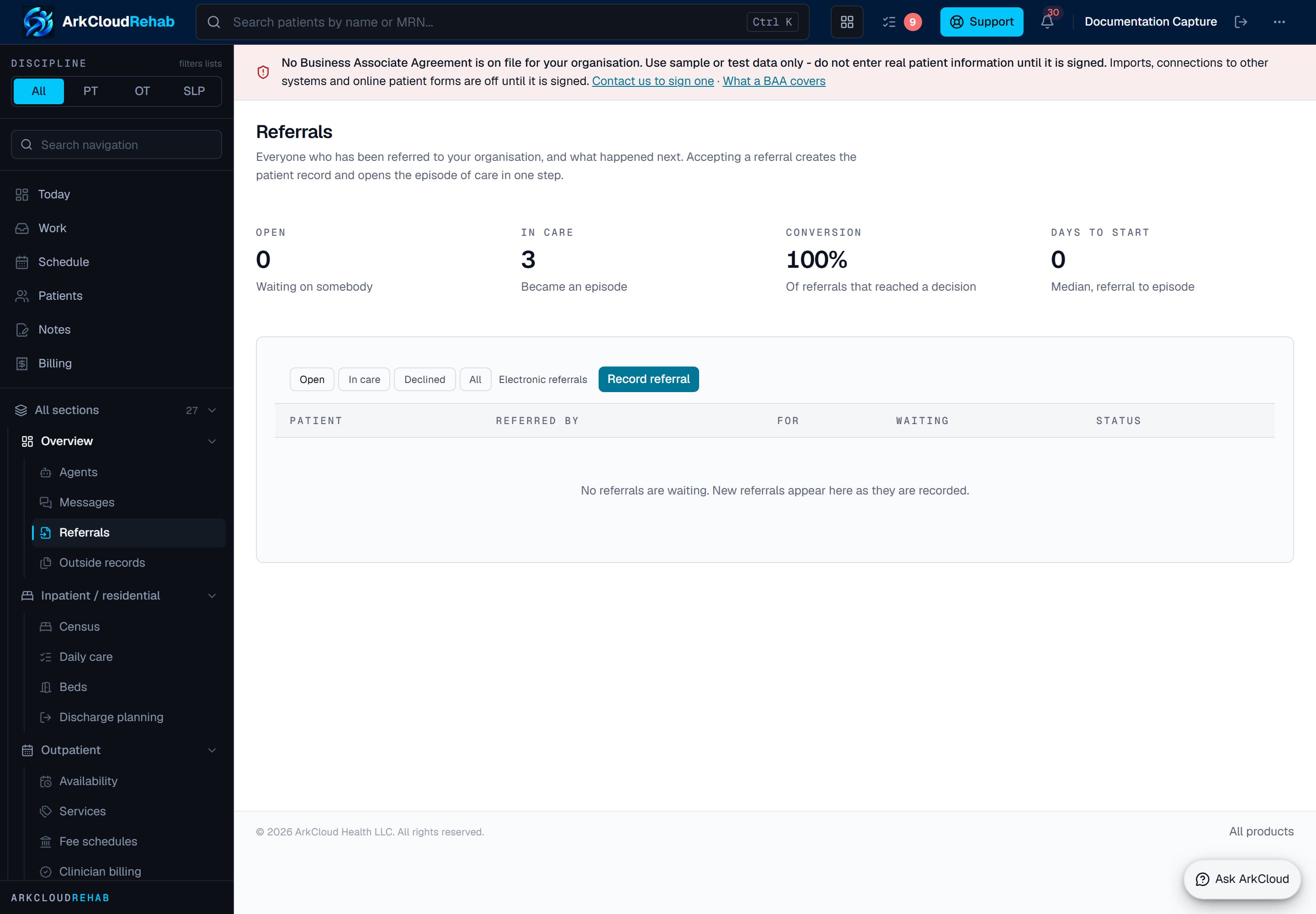
The referral queue. Working referrals as a shared list rather than an inbox is what makes triage auditable - who accepted what, and when.
/rehab/referrals
Pressing Accept into care on a referral creates the patient record if needed - or attaches the referral to a patient the organisation already holds - admits them to Rehab and opens the episode of care, all in one step. A discipline must be chosen at that point. The Rehab caseload lists patients admitted to Rehab specifically, not every patient the organisation holds - a distinction that matters in an organisation running RCM alongside, where tens of thousands of records may exist only for billing.
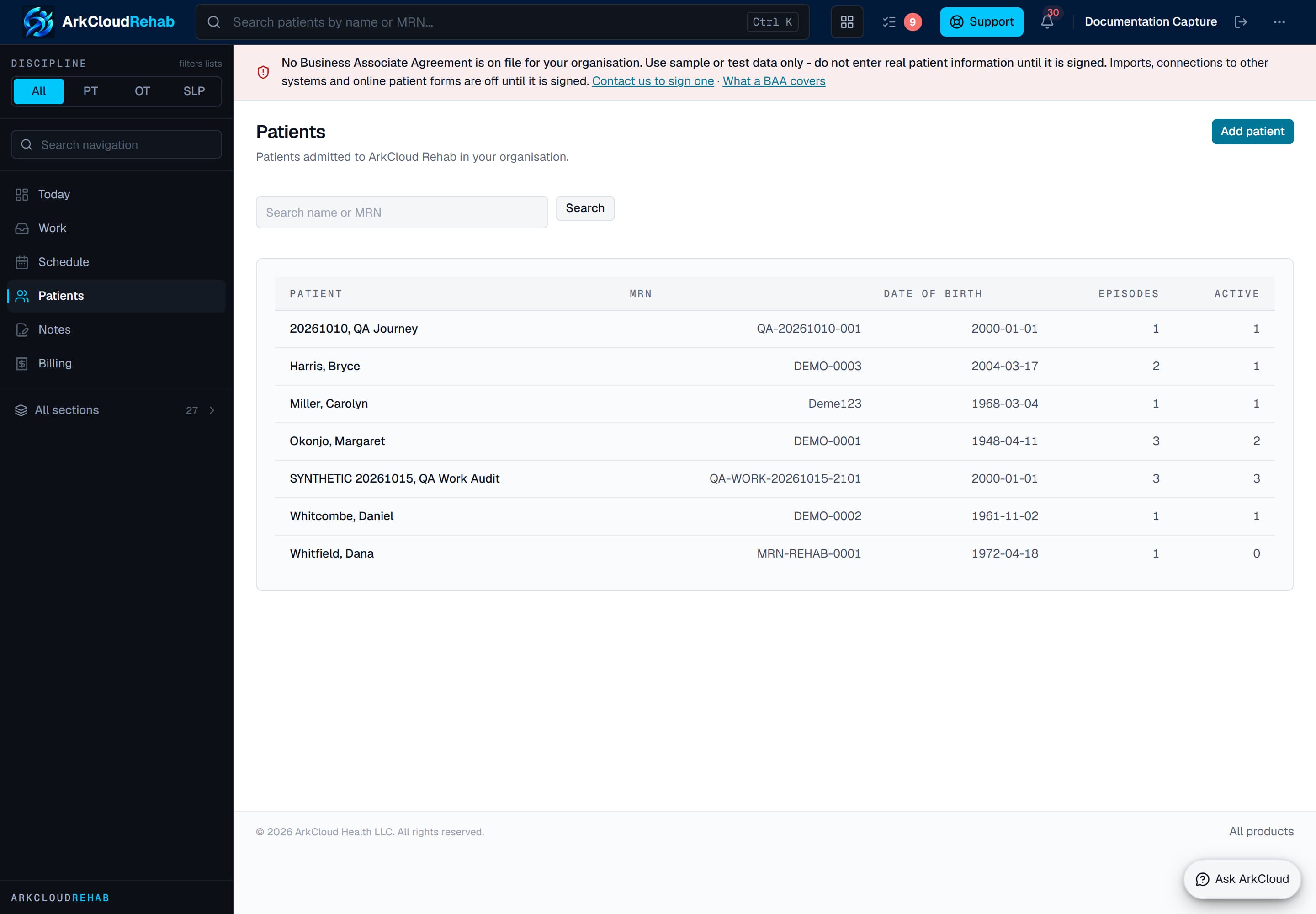
The Rehab caseload. Only patients admitted to Rehab appear here, so a billing-only record is never presented as a rehabilitation patient.
/rehab/patients
The episode of care
The episode is the clinical container. It holds the level of care, the authorization it is being delivered under, and every encounter, note and score recorded against it. Nothing clinical exists outside one.
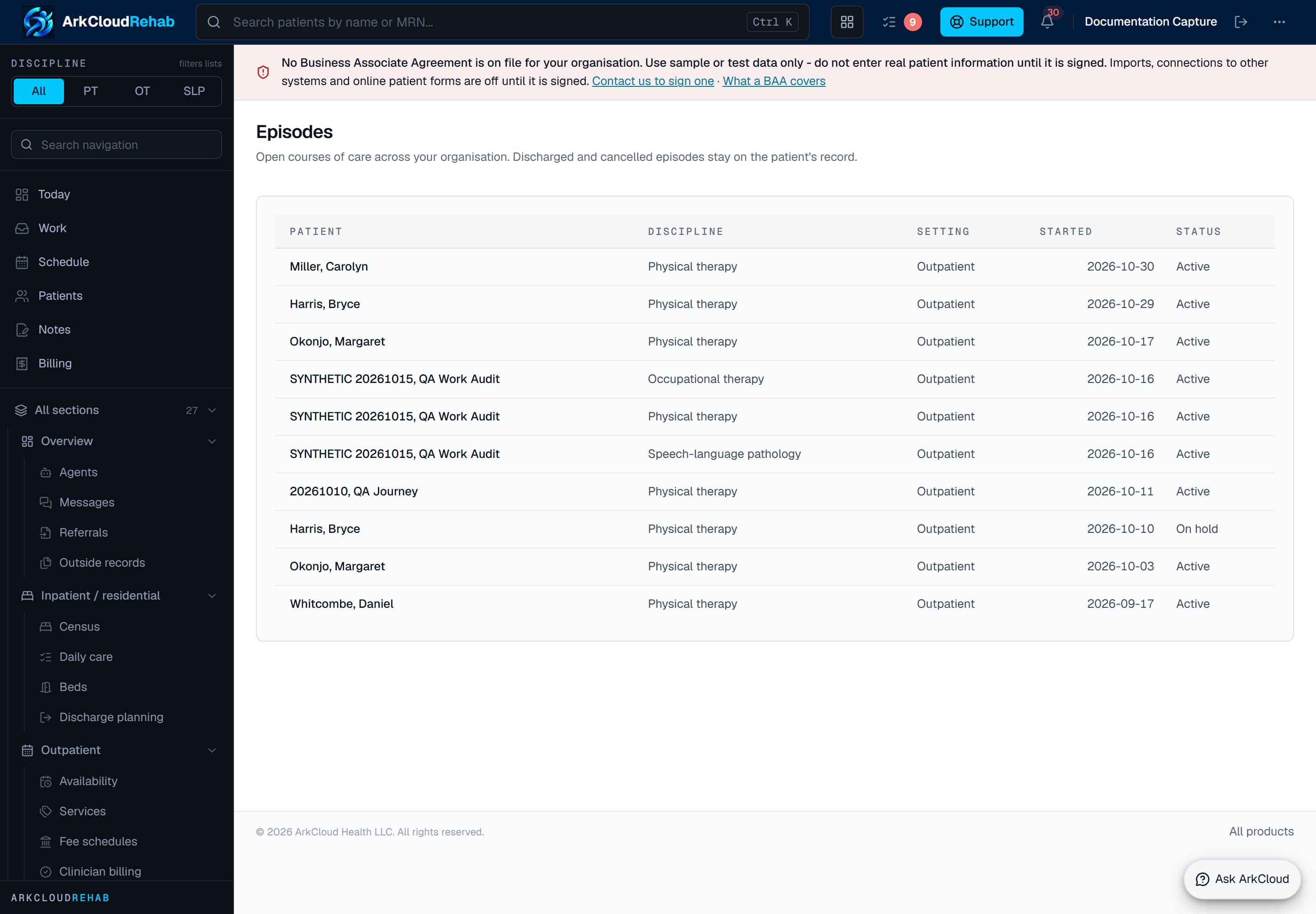
The episodes list. Each row is one patient's current episode with its care setting and status - the entry point into everything recorded during that period of care.
/rehab/episodes
Daily work against the episode
Day to day, clinicians work from two screens: what is outstanding, and what is scheduled.
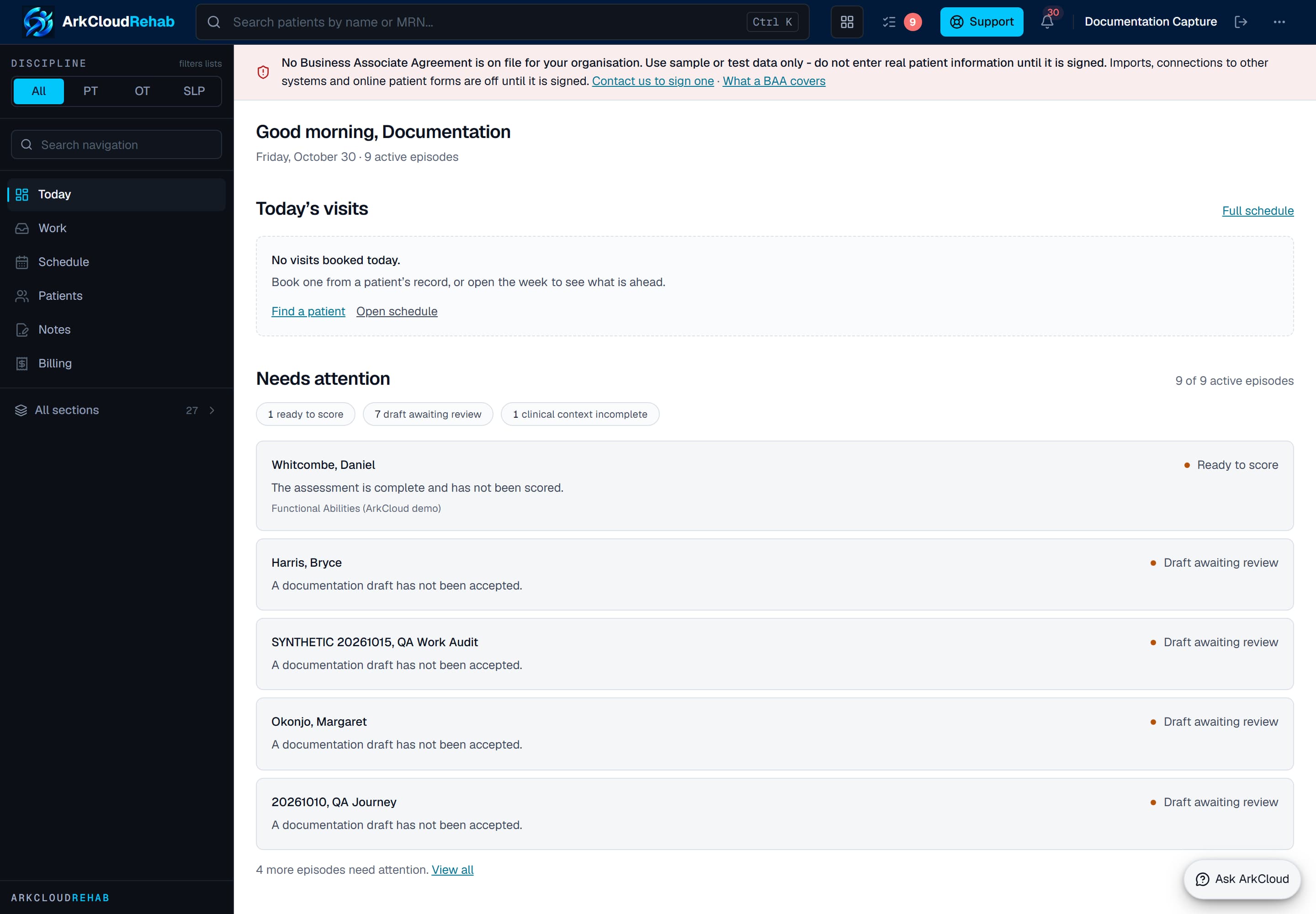
The Today dashboard, shown with no active episodes. In use it lists today's visits with their status - including Checked in - and outstanding clinical work such as drafts to review.
Empty state. Captured in a demonstration organisation with no records of this type yet. The controls, columns and filters are the ones a populated screen uses.
/rehab/dashboard
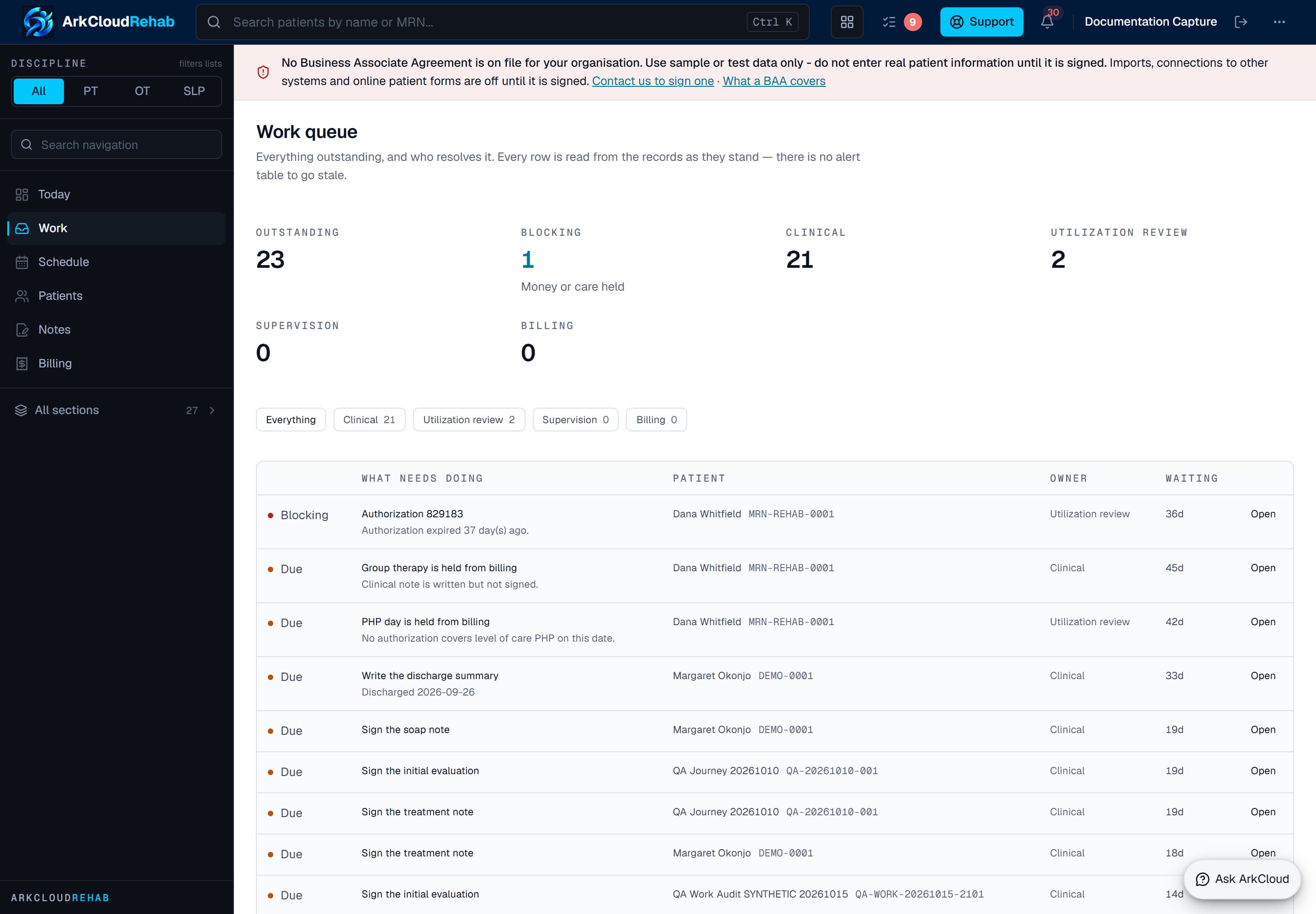
The work queue is the shared list of what is outstanding across the caseload, rather than per-clinician to-do lists that nobody else can see.
/rehab/work-queue
Outcome scores: what is recorded, and what is not
A clinic lead first approves the instruments the clinic will use - for example LEFS, PSFS or NPRS for physical therapy, COPM or QuickDASH for occupational therapy, FOIS or EAT-10 for speech-language pathology - attesting that the clinic holds any licence the instrument needs. Clinicians then administer the instrument in the usual way, outside ArkCloud, and enter the score they obtained on the episode. Each score is range-checked and dated; the episode shows the baseline and the latest score, the arithmetic change and which direction the scale counts as better.
The handoff to billing
Completing a visit on the schedule records the service it delivered, using the catalogue service the visit was booked under. A visit booked as free text, or under a service with no procedure code, records nothing billable and the schedule says so. Services can also be recorded by hand from Encounters, with minutes for timed codes.
Recorded services appear on Records and revenue → Billing (screen title: Charge capture), grouped by what is holding them. Every failing rule is listed, not just the first.
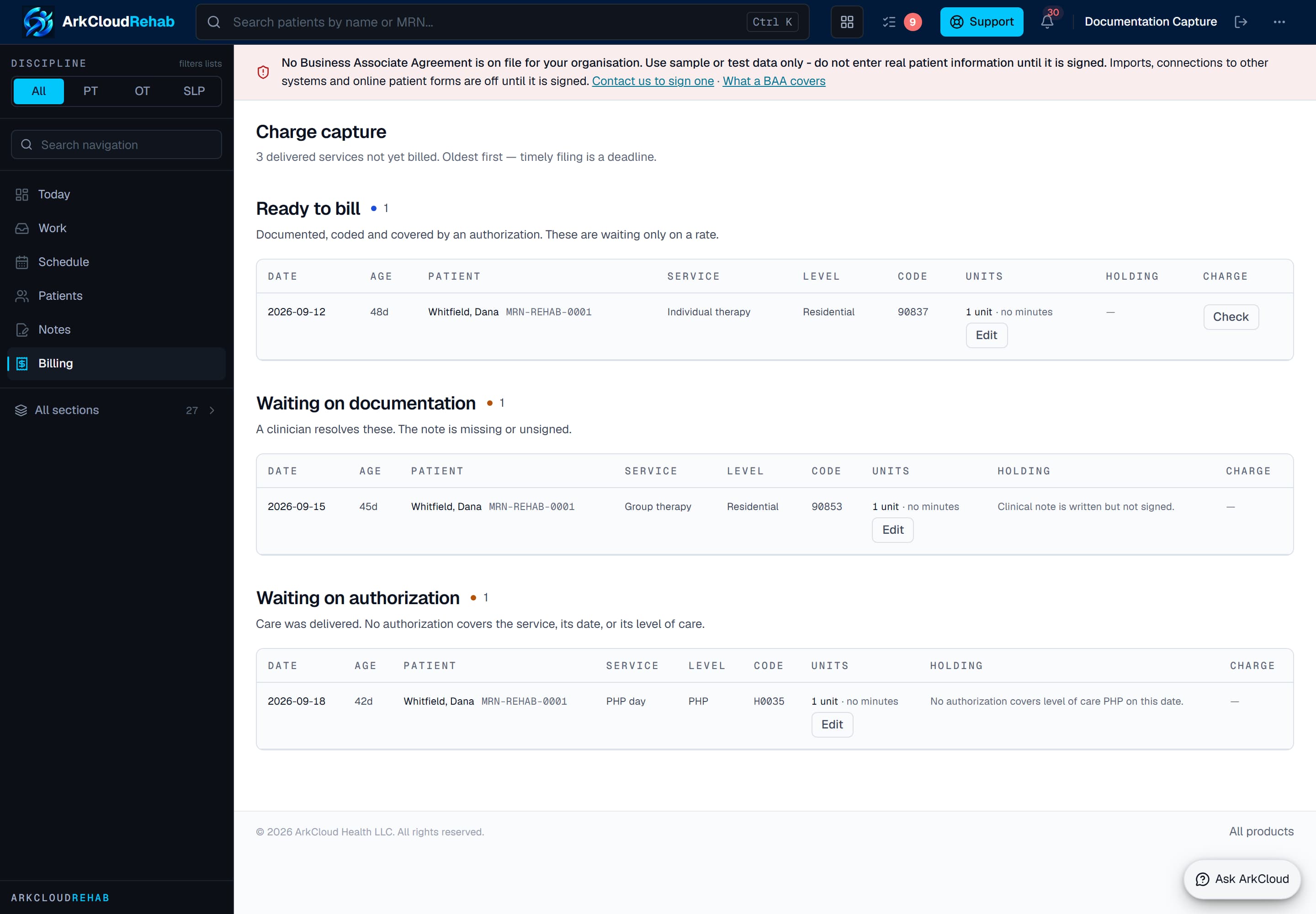
The charge-capture worklist, ordered oldest first because timely filing is a deadline. Administrators post Ready to bill rows as charges from here.
/rehab/billing
| Field or control | What it means |
|---|---|
| Ready to bill | Documented by a signed note, coded, with coverage and any required authorization in place. An administrator presses Post charge; the rate comes from the fee schedule for the payer and date of service, and with no rate the post is refused. |
| Waiting on documentation | A clinician resolves these: the note is missing, unsigned, incomplete, or signed by someone who does not meet the signing requirements (set up in Clinician billing). |
| Waiting on authorization | The service is not covered by an approval, or the approval is exhausted. Utilization review is where that is addressed. Authorization never blocks care, only billing. |
| Not ready | Usually coding or financial setup: no procedure code, no diagnosis on an insured episode, no account, no coverage. |
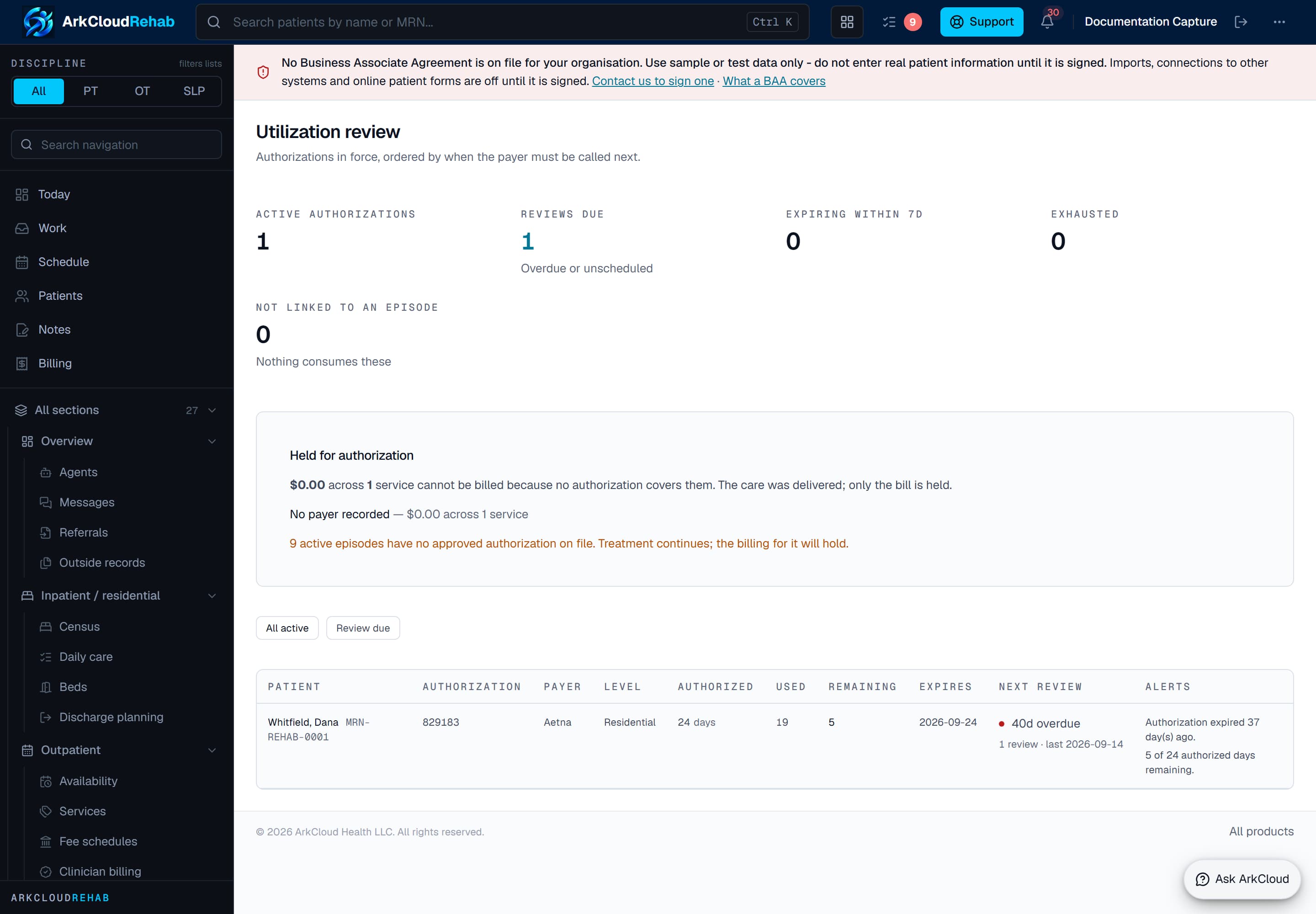
Utilization review compares authorized against delivered for each episode, so an episode running past its approval is visible before the visits become unbillable.
/rehab/utilization-review