
Getting started
Roles and permissions
Your role is a property of your account rather than of an application, and every ArkCloud application reads the same one. This page lists the roles, what each admits, and where access is actually enforced.
Written for: Administrators · Security reviewers · Implementation teams · Support staff
The roles
Five roles can be assigned to an account. A user holds exactly one, and it applies across every application their organisation holds.
| Field or control | What it means |
|---|---|
| Agent | The everyday role for front desk staff, clinicians and billing staff: patients, schedules, notes, accounts, claims and tasks. Cannot administer the organisation and cannot change other people's access. |
| Supervisor | Everything an agent can do, plus oversight: work distribution, team views, clinical oversight in Rehab (such as approving outcome measures for the clinic and the unmatched outside-records queue), and the products that start at this level. |
| Admin | Administers the organisation: users, roles, security settings, billing and configuration. Required to enrol in multi-factor authentication. |
| Client Admin | For an external client of your organisation. Sees that client's own accounts and reports through the client portal, and nothing else. |
| Client Viewer | The same client-portal scope as Client Admin, read-only. |
Which applications each role may open
Each application decides which roles it admits. Holding an entitlement is not sufficient on its own; the role has to be admitted too.
| Field or control | What it means |
|---|---|
| ArkCloud RCM | Agent and above. |
| ArkCloud Rehab | Agent and above. |
| ArkCloud Clinical | Supervisor and above. |
| ArkCloud Access | Agent and above. Sending a referral or registration on to Rehab, deleting records and Access administration are administrator-only. |
| ArkCloud Care | Supervisor and above. |
| ArkCloud Insights | Supervisor and above. |
| ArkCloud Workforce | Supervisor and above. |
Client Admin and Client Viewer are outside this table on purpose. They do not open the staff applications at all; they reach the client portal, which shows one client's own accounts and reports.
Therapists and front desk: functions, not roles
There is no separate therapist, front-desk or biller sign-in role. A physical therapist and a receptionist are usually both Agents. ArkCloud Rehab tells their work apart in two other ways, both set by an administrator.
| Field or control | What it means |
|---|---|
| Staff functions | Each person is given Registration, Clinical or both. Registration covers demographics, contact details, emergency contacts, insurance and communication consent. Clinical covers clinical intake review (medications, allergies, history, symptoms) and writing clinical documentation. Someone with only Registration cannot write clinical notes; someone with only Clinical cannot change a patient's address or insurance. Administrators can always do both. |
| Credentials for signing | A signed note releases a visit for billing only when the signer has a discipline grant (PT, OT or SLP) covering the episode, an active staff record and a current licence. Anyone allowed to write clinical notes can sign their own note; without this set-up, the signed note is held from billing. |
Registration and clinical staff functions (Rehab)Available with configuration
Separates registration work (demographics, contact details, insurance, consent) from clinical work (clinical intake review and clinical documentation) for each person. Until a person is given a function, they can do both.
Requires: An administrator assigns each person Registration, Clinical or both under Rehab settings, Staff functions.
Billable signing authority for cliniciansAvailable with configuration
A clinician can sign, co-sign or amend a note only when they have a discipline grant for the episode, an active staff record and a current licence; without them the signature is refused. Billing checks the same records again as of the signing date.
Requires: An administrator completes each clinician's set-up under Rehab settings, Clinicians, including their staff record and licence.
Custom roles or editable role permissionsNot available
The sign-in roles are fixed. There is no separate therapist, front-desk or biller role, and a role's permissions cannot be edited.
Set-up steps: Start here: clinic administrator.
Administering an organisation
Administration screens are reached from inside whichever application you are working in and keep that application's header. The settings themselves belong to the account, so a change made from Rehab applies in RCM as well.
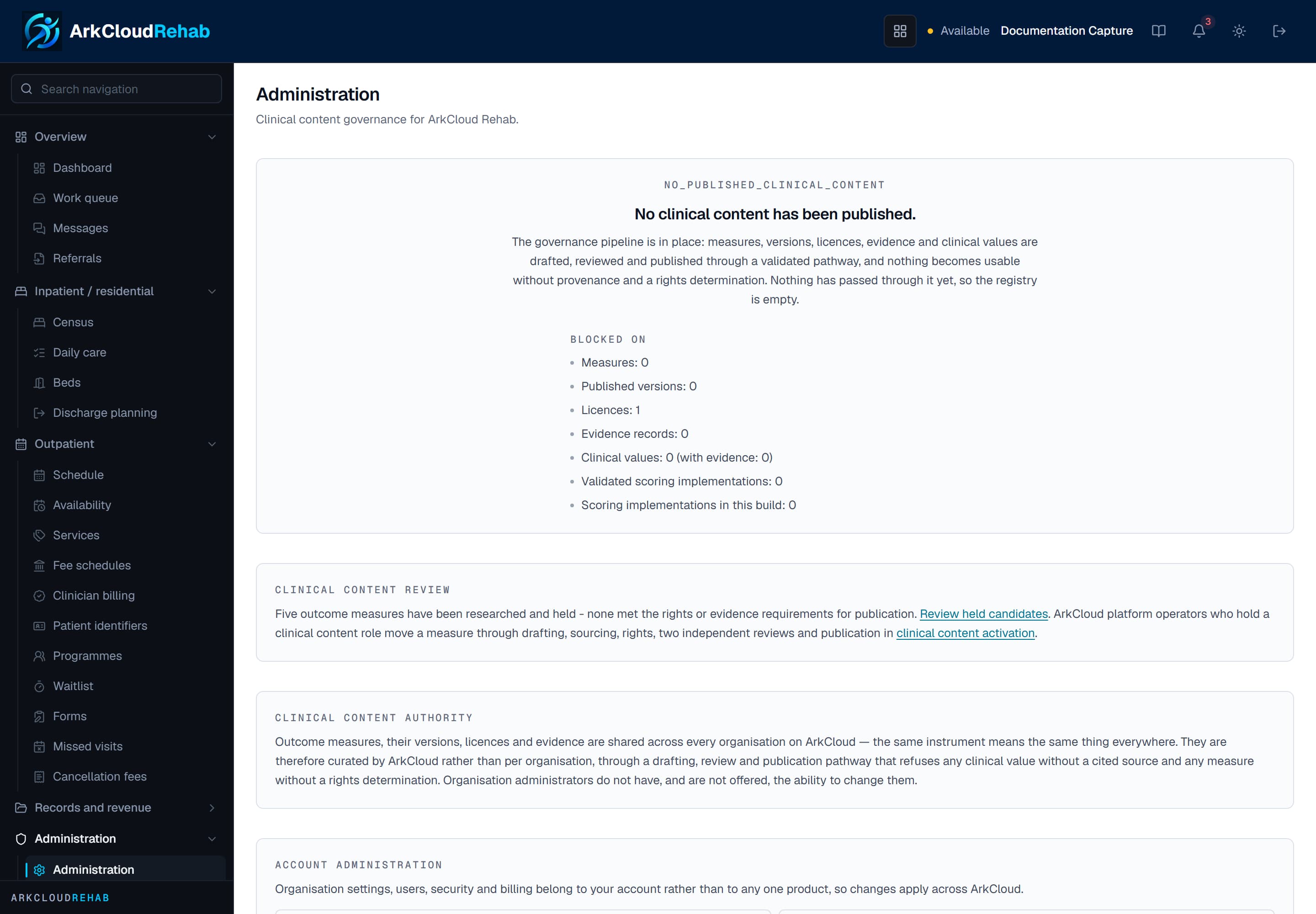
Real screen · synthetic data. The administration page, reached from inside ArkCloud Rehab. It links to the account-level screens - users, roles, permissions, security, branding - and states which decisions are NOT an organisation administrator's to make.
/rehab/admin
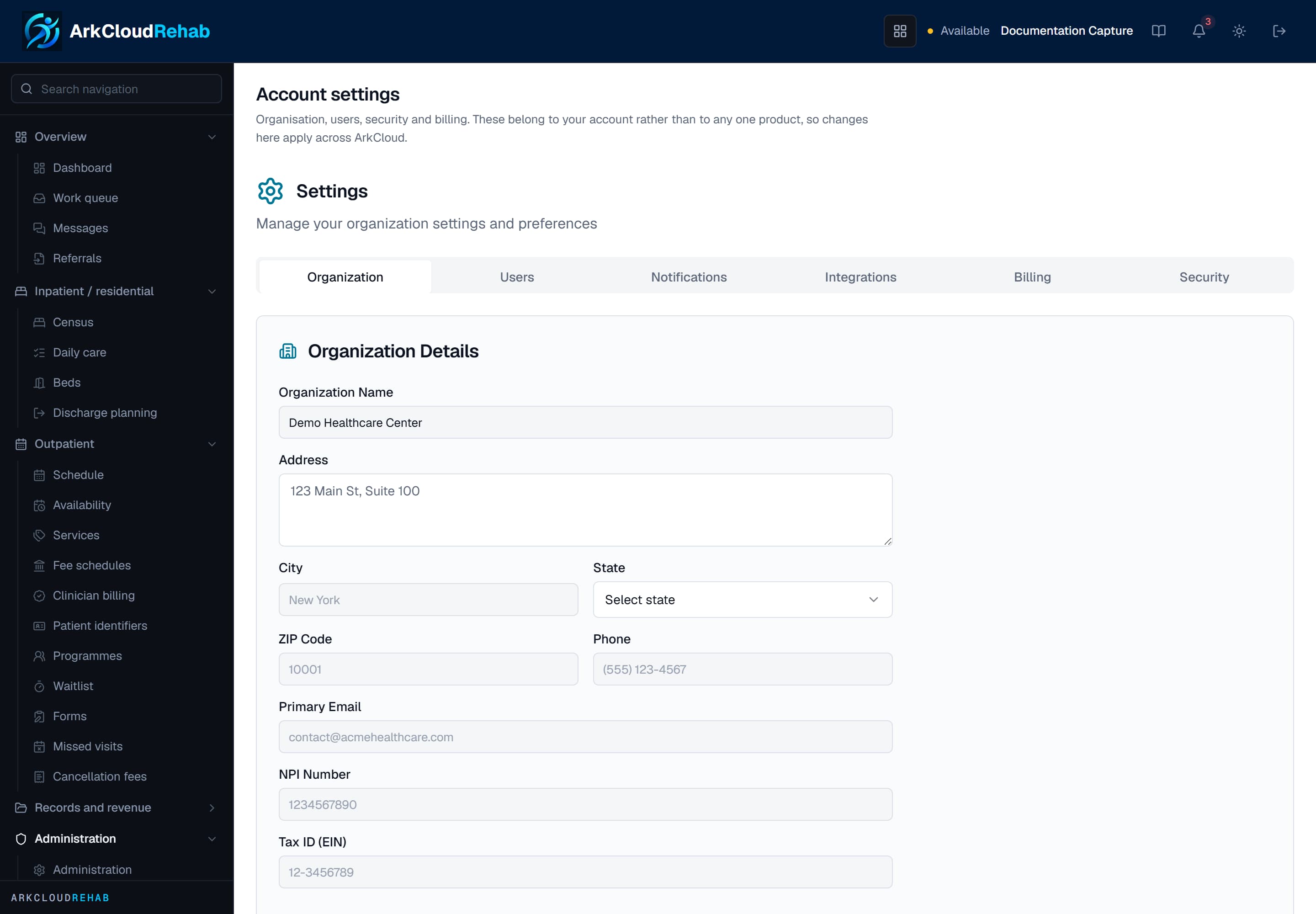
Real screen · synthetic data. Account settings opened from within Rehab. The header and colour stay Rehab's, but the settings are the account's, which is why the same screen is reachable from every product.
/rehab/settings
How access is enforced
Four checks run when you enter an application, in order, and all four must pass:
- Identity and status. Read from the database on each request rather than trusted from the session token, so deactivating a user or changing their role takes effect immediately rather than when their session expires.
- Entitlement. Whether the organisation holds an active subscription (or unexpired trial) to that application. Holding one application grants nothing toward another.
- Role. Whether the role is admitted to the application, and whether it may administer it.
- Lifecycle state. Whether ArkCloud has the application enabled, in preview (open only to accounts or organisations granted early access) or disabled. If the state cannot be read, the application stays closed.
Troubleshooting
| Field or control | What it means |
|---|---|
| A colleague sees a page I do not | Compare roles first. Navigation is filtered by role and capability, so a missing sidebar item is usually the role rather than a fault. |
| An administrator is sent to multi-factor setup | Expected. Enrolment is required for administrator roles before any application opens - see multi-factor authentication. |
| A role change has not taken effect | It should be immediate, because identity is re-read on each request. If it is not, confirm the change was saved against the right user and that their status is still Active. |
| An administration page returns you to the dashboard | The account is not an administrator. In Rehab that is the refusal working; it redirects rather than showing an error. In RCM the page may open and refuse when you save. |