
Patient portal
Balances and charges
The first screen after identity is confirmed. It answers 'how much do I owe' at the top and 'what for' underneath, using the same figures ArkCloud RCM holds.
Written for: Patients · Billing teams · Support staff
The balance summary
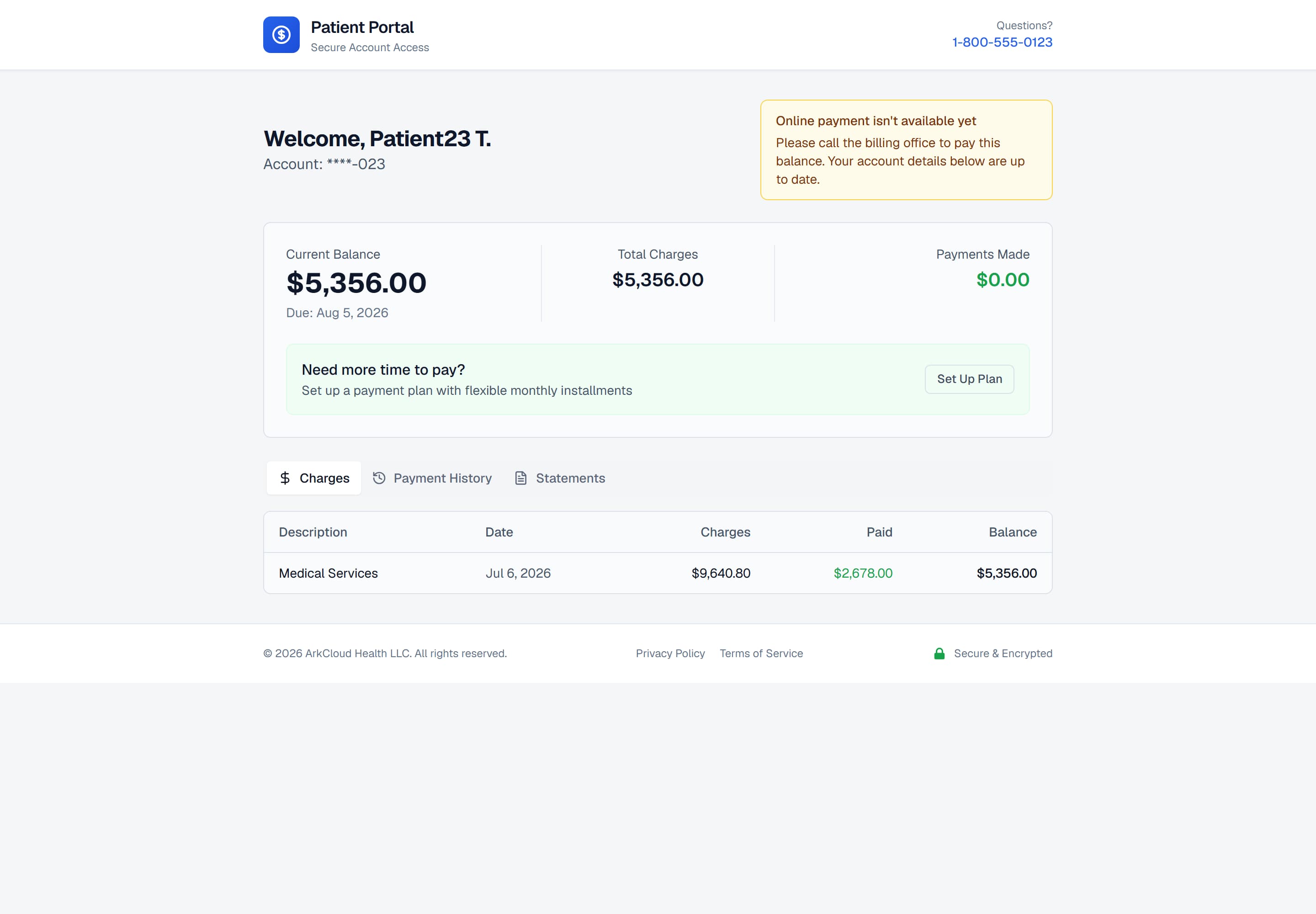
The account summary. Amount You Owe is the figure that matters. Total charges and payments made are shown beside it, but they do not show insurance payments, adjustments or amounts pending with insurance, so the three figures do not always add up.
/portal/accounts/{access code}
| Field or control | What it means |
|---|---|
| Amount You Owe | What the patient owes now - their share only. It excludes anything an insurer has not yet decided. A portal payment cannot be larger than this figure. |
| Pending insurance - not billed to you | Shown under Amount You Owe when part of the account is still with an insurer (a claim not yet paid or a line not yet claimed). It is not owed by the patient unless the insurer later assigns it to them. |
| Total Charges | Everything charged to the account, before payments and adjustments. |
| Payments Made | Patient and other direct payments posted to the account. Insurance payments and adjustments are not included in this figure. |
| Due | The date the balance is expected by. Shown where the account carries one. |
| Account | Masked to the last digits. Enough to identify your own account, not enough to identify you. |
The charges behind the balance
The Charges tab lists the charges posted to the account. Each carries a description, a service date, what was charged, what insurance paid, any adjustment, the patient's share, what the patient has paid and what remains for the patient.
| Field or control | What it means |
|---|---|
| Description, Date | What the line was for and its date of service. |
| Charges | The amount raised for that line. |
| Insurance paid, Adjustments | What payers paid on the line and what was written off. |
| Your share | The patient's responsibility for the line, or "Pending insurance" while the insurer has not decided it. |
| Paid, Remaining | What the patient has paid on the line and what remains for them to pay. |
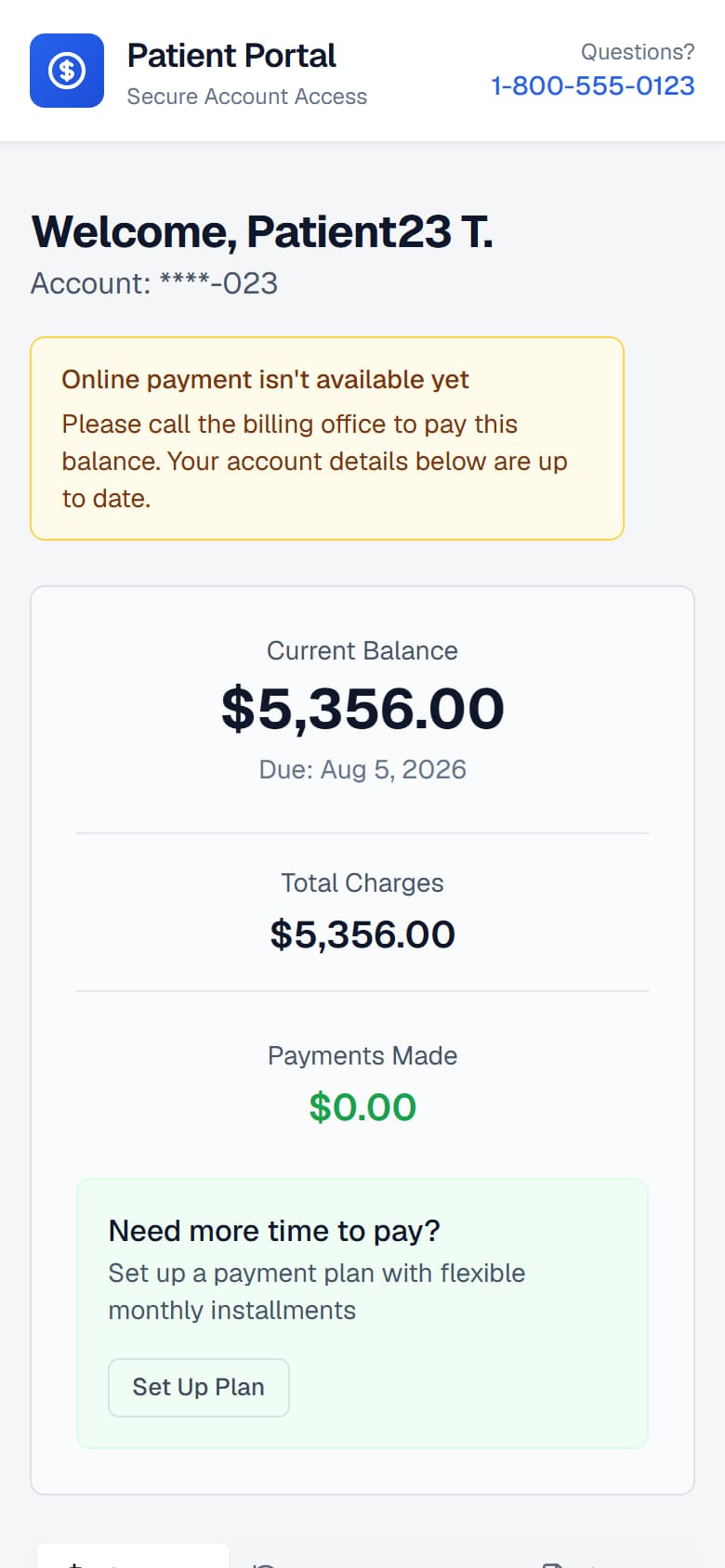
The account summary on a phone. The charge table scrolls inside its own frame, so the page itself does not scroll sideways.
/portal/accounts/{access code}
Explain my bill (AI)
At the top of the Charges tab, a panel marked AI and Written by AI - check it against your statement offers a plain-words explanation of how the charges became the amount the patient owes. Nothing runs until the patient presses Explain.
| Field or control | What it means |
|---|---|
| What it uses | Only this account's totals and charge lines - the same figures as the table. No name, account number or date of birth is sent to the AI. |
| No questions | There is no question box. The patient presses one button; the AI cannot be asked about care or anything else. |
| Checked | Every amount and date must match the statement lines. Wording about diagnoses, treatment or medication that is not in the patient's own line descriptions, and any promise about what insurance will pay, is refused; a plain summary worked out from the totals is shown instead and labelled rule-built. |
| Fixed closing | The software, not the AI, ends every explanation by saying it is not medical advice, that questions about care go to the provider, and that billing questions go to Messages & help. |
| Limits | A small number of explanations per account per hour. When the limit is reached, or the AI is off or not answering, the panel says so and the rest of the page works as normal. |
Why a balance changes on its own
A patient who looks twice may see two different numbers without having done anything, and the reasons are normal rather than alarming:
- An insurer paid. Remittance was received and posted, reducing what is outstanding.
- An adjustment was applied. A contractual write-off or a correction changed what is owed.
- Responsibility moved. The insurer's part was settled and the remainder became the patient's.
- A new charge was added. A later date of service was billed to the same account.
Each of these is recorded in ArkCloud RCM, so a billing team can look at the account and explain a change rather than guessing at it.
Troubleshooting
| Field or control | What it means |
|---|---|
| The balance does not match my statement | A statement is a snapshot of the date it was produced. The portal is current. Where they differ, the portal is the later figure. |
| I expected my insurance to cover this | The portal shows what is on the account and cannot explain a payer decision. Your billing team can see the claim and its remittance - see ERA and EOB handling. |
| A charge I do not recognise | Use Dispute a charge on the Messages & help tab, or contact the organisation - see messages, disputes and financial assistance. |
| The Charges tab is empty, or a paid line still shows a balance | Empty means no charge has been posted to the account yet. A stale line can appear only on an account shown from imported balance lines, which are not updated after import. Rely on the Amount You Owe figure, and on the latest statement for the detail. |