
ArkCloud Access
Booking, check-in, reminders and messages
The patient-facing half of Access. None of it keeps a second copy: a visit approved here is on ArkCloud Rehab's calendar, and a reply sent here is in the same thread Rehab or RCM shows.
Written for: Patient access teams · Front-desk teams · Practice administrators · Evaluators
A front door over Rehab and RCM
These screens drive engines the platform already has. Online booking, check-in, copay and reminders run on ArkCloud Rehab's calendar; the message inbox reads Rehab's care-team threads and ArkCloud RCM's billing inbox. Three rules apply to every action taken from them:
| Field or control | What it means |
|---|---|
| Access | You must be able to open ArkCloud Access - an Agent, Supervisor or Admin account in an organisation that has Access. Changing the booking and reminder settings is for administrators. |
| The product underneath | Your organisation and your account must be able to open the product the record lives in. If ArkCloud Rehab is not available, Scheduling and Check-in say so instead of showing an empty calendar. |
| That product's own rules | Access never lets anybody do more than the product it opens onto would. A role that cannot see Rehab patients cannot see them here either. |
Online booking
Launcher → ArkCloud Access → Scheduling
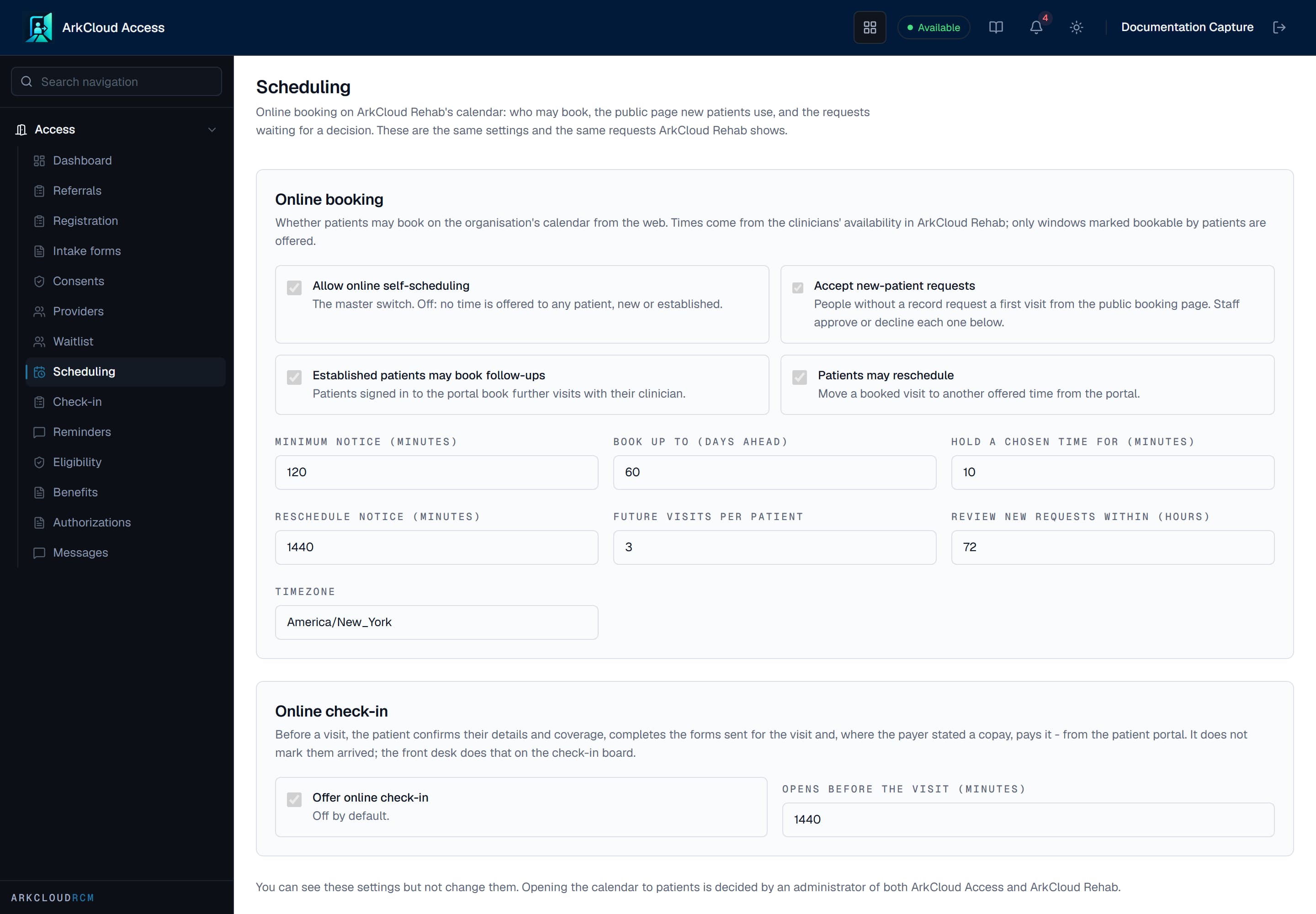
Online booking: the booking settings, the public booking page address, and new-patient requests waiting for a coordinator to approve or decline.
/access/scheduling
Scheduling holds three things, all of them ArkCloud Rehab's: the online booking settings, the public booking page new patients use (/book/ followed by your organisation's address), and the queue of new-patient requests. A person without a patient record requests a first visit on the public page and confirms their email with a code; the time is held until a member of staff decides.
Approving a request creates the patient, or links the existing record you choose, and books the held time on the calendar. Declining releases the time. Nothing is matched automatically. Both send the person an email when an email provider is connected.
Check-in and copay
Launcher → ArkCloud Access → Check-in
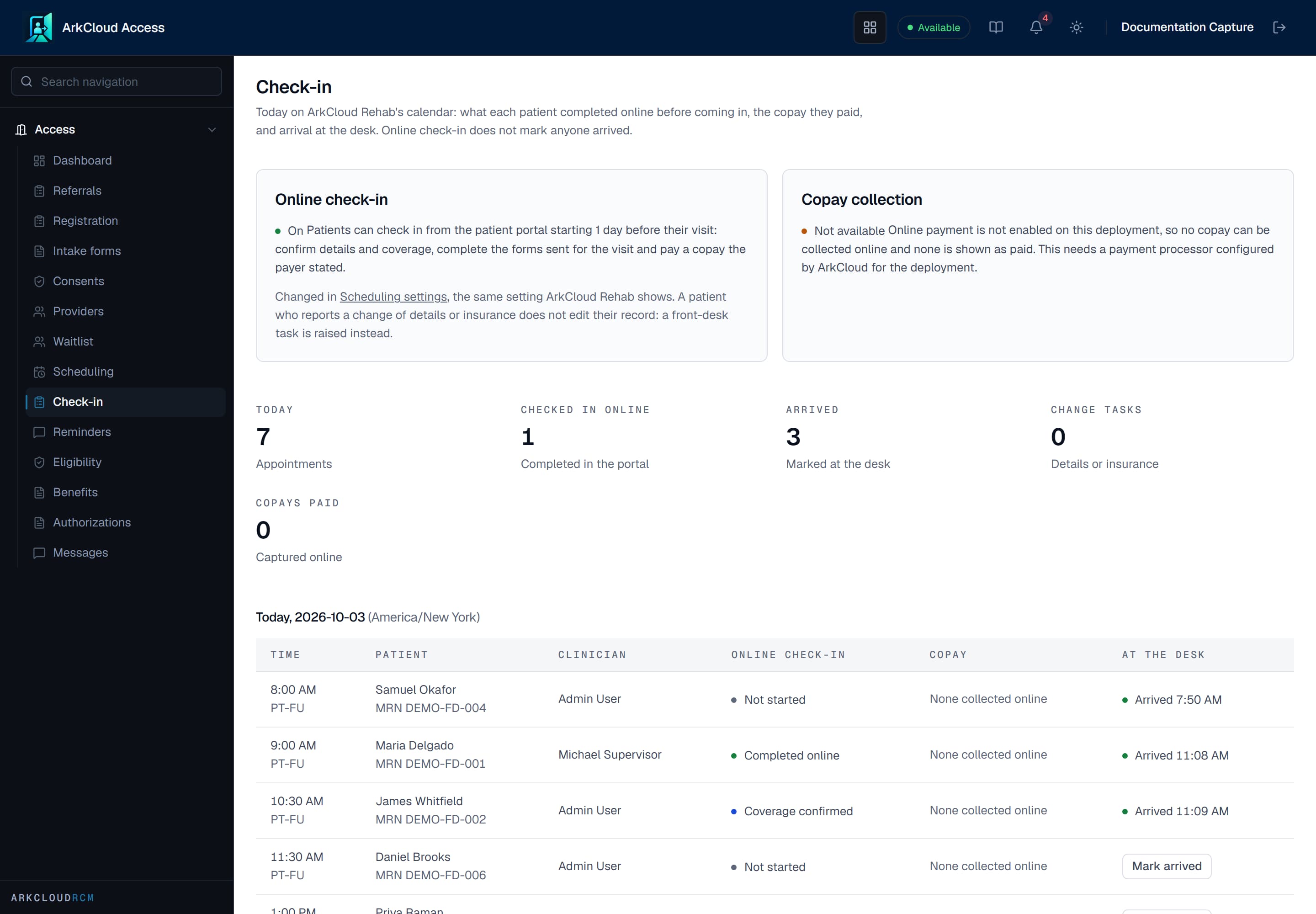
Today's arrivals, with each patient's online check-in progress, copay status and a Mark arrived control, and whether card payments are set up.
/access/check-in
Check-in shows today's appointments on Rehab's calendar: what each patient completed online before arriving, the copay they paid, and whether the front desk has marked them arrived. When online check-in is on, a patient can check in from the patient portal from a set time before the visit (one day unless you change it): confirm their details and coverage, complete the forms sent for the visit, and pay a copay.
- Checking in online does not mark a patient arrived. Staff do that at the desk.
- Mark arrived here is the same check-in as the Rehab schedule's Check in: the visit becomes Checked in on Rehab's calendar. It does not alert the therapist - see check-in and arrival.
- A patient who reports a change of details or insurance does not edit their record. A front-desk task is raised instead.
- A copay is offered only when the payer's eligibility response or a staff benefits verification states one for the visit.
| Capability | Status | What that means here |
|---|---|---|
| Checking a patient in at the desk | Available | Check in on the Rehab schedule, or Mark arrived on the Access check-in board, sets the visit to Checked in and records who did it and when. |
| Online check-in before the visit (patient portal) | Available with configuration | The patient confirms details and insurance, completes the forms sent for the visit and checks in from the portal. It does not mark them arrived; the front desk still checks them in. Off by default.Requires: An administrator turns on 'Patients may check in online before a visit'. |
| Copay collection at online check-in | Needs an external connection | Built, and not usable on the hosted service today: card payment needs the practice's own connected payment account, and none is connected, so no copay is collected online.Requires: A connected Stripe account for the practice. |
| Alerting the therapist when a patient arrives | Not available | Checking a patient in sends no notification, message or alert to the therapist, and the schedule does not refresh by itself. The therapist sees Checked in on the schedule or the dashboard when the page is opened or reloaded. |
Copays are taken only in the portal's online check-in, on your practice's own connected Stripe account. The screen checks this live: where online payment is not available, no copay can be collected online and none is shown as paid. Access never offers a payment path of its own.
Appointment reminders
Launcher → ArkCloud Access → Reminders
Appointment reminders (email and text)Available with configuration
Reminders go by email or text for visits on the Rehab schedule once an administrator turns them on. Texts go only to patients with recorded text consent; a STOP reply is recorded as an opt-out. Carrier registration for US text messages was still being completed in late October 2026, so texts may be filtered.
Requires: An administrator turns reminders on and chooses the channel. Patients need recorded email or text consent.
Reminders are governed by your organisation's one patient-messaging setting - the same values ArkCloud Rehab and ArkCloud RCM show, which also switches RCM's statement-ready notices. An Access administrator changes it. Reminders are created only for appointments on ArkCloud Rehab's calendar. Every reminder is recorded whether or not it was delivered, and the last 30 days are counted as sent, confirmed by the patient, simulated, not sent, and cancelled.
Patient messages
Launcher → ArkCloud Access → Messages
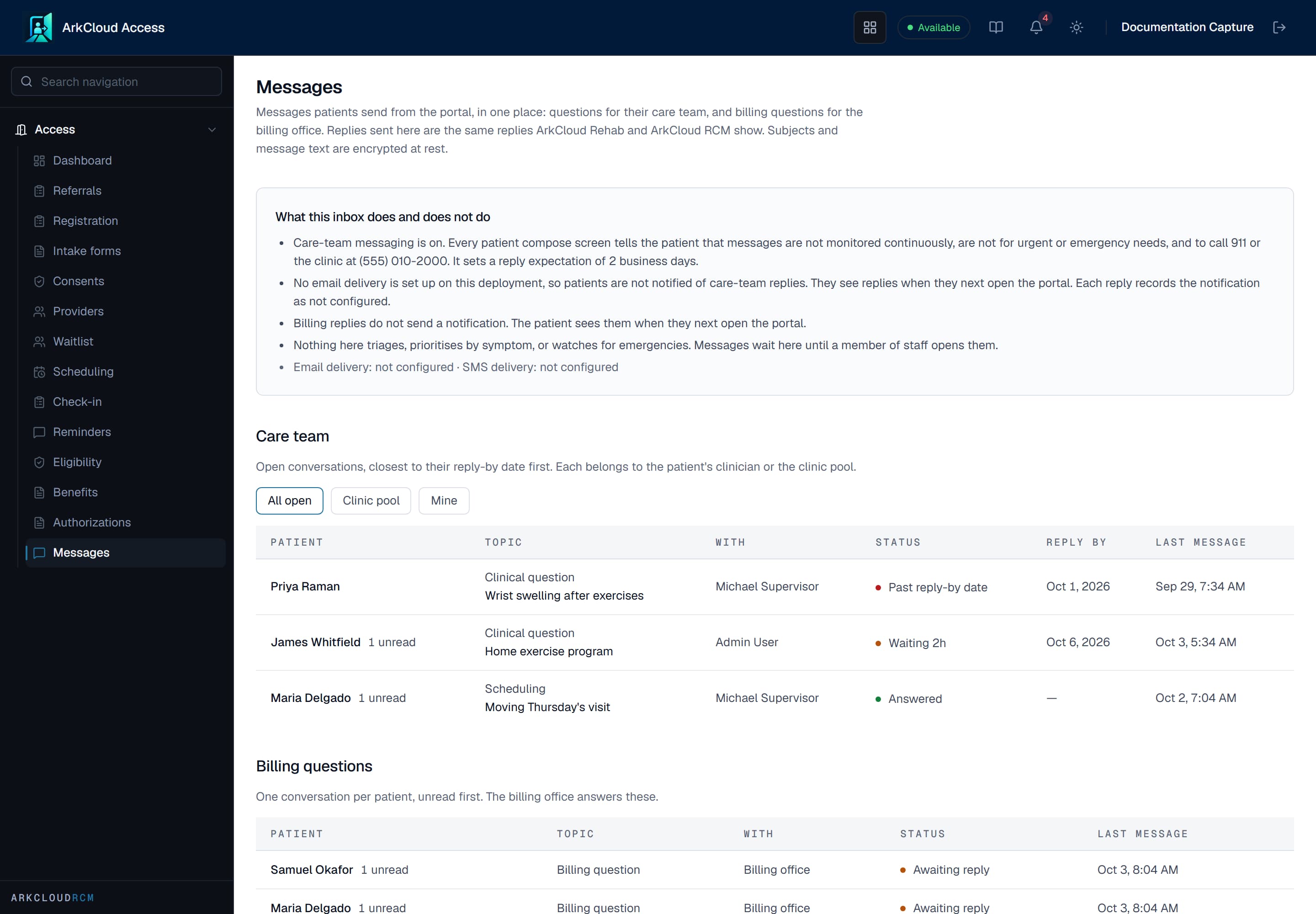
The patient message inbox: care-team questions ordered by the clinic's response time, and billing questions in their own section.
/access/messages
One inbox for what patients send from the portal: questions for their care team (ArkCloud Rehab's threads) and billing questions (ArkCloud RCM's billing inbox). A reply sent here is the same reply Rehab or RCM shows. The list shows patient names and subjects; message text appears only when a conversation is opened, and that opening is logged. Subjects and message text are encrypted at rest.
Patient messages from the portalAvailable with configuration
One inbox for care-team and billing questions patients send from the portal. Care-team messaging is off until an administrator turns it on with a response time and clinic phone number.
Requires: An administrator switches on care-team messaging in Rehab settings.
| Field or control | What it means |
|---|---|
| Care-team messaging | Off until an administrator turns it on in ArkCloud Rehab settings, with a response time and a clinic phone number. Patients are told messages are not for urgent or emergency needs. |
| Reply notifications | When an email or SMS provider is connected, a patient is told a care-team reply is waiting (the notice does not include the message). Without one, they see the reply the next time they open the portal. |
| Billing replies | Send no notification. The patient sees them the next time they open the portal. |