
ArkCloud Workforce
Staff and roles
Who works here, what they do, and which department they belong to. The foundation the scheduling, credential and productivity surfaces are all built on.
Written for: Workforce and HR teams · Operations leadership · Clinical managers
The staff register
Launcher → ArkCloud Workforce → Staff
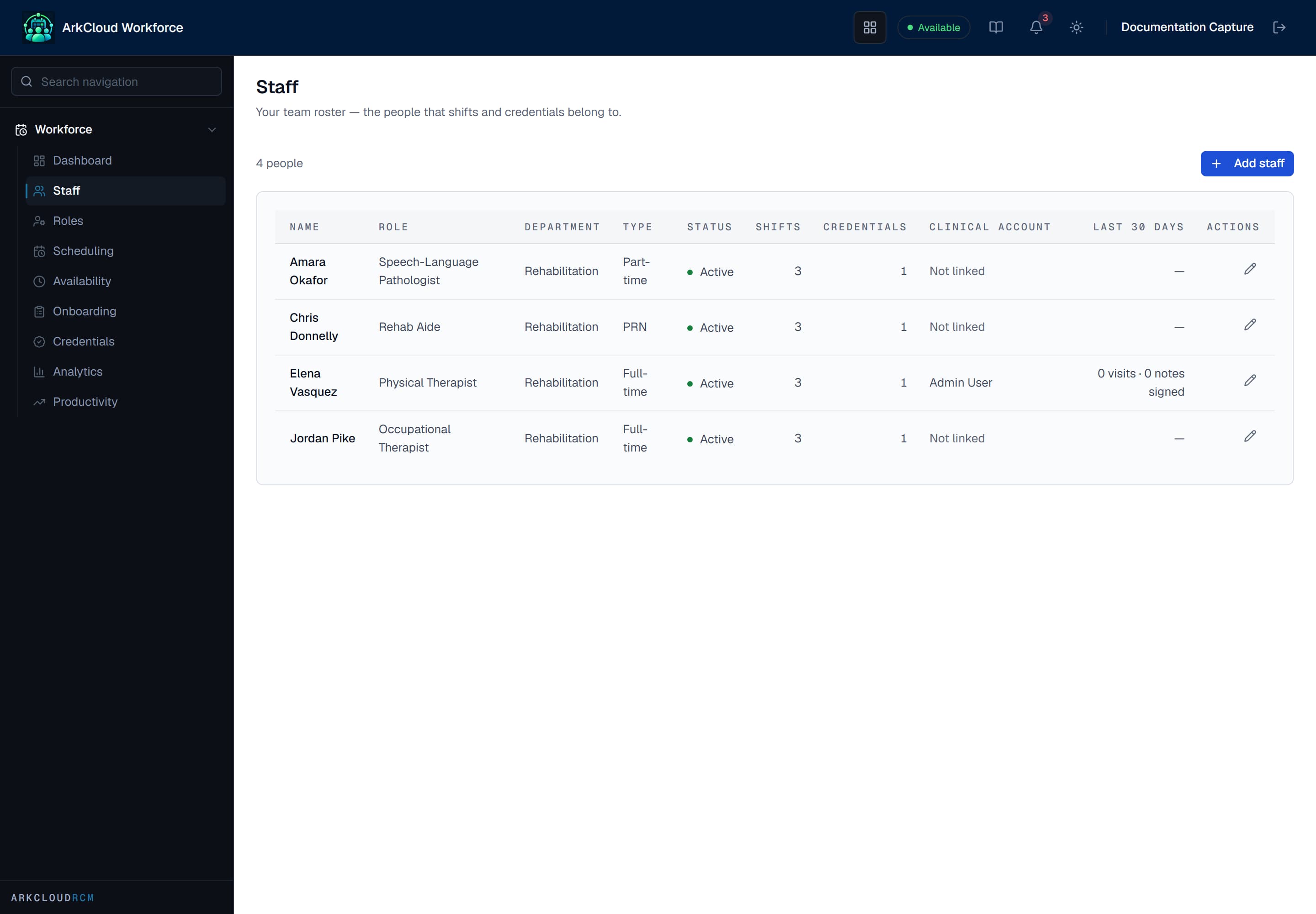
The staff register. Each member carries a job role, a department and an employment state - the three things every other Workforce surface reads.
/workforce/staff
A staff record can optionally be linked to an ArkCloud user account and carry an NPI and taxonomy code. That link is what lets ArkCloud Rehab treat the person as a clinician for billing - see ArkCloud Rehab. Staff with no clinical role need no link.
Two different things called a role
This catches people, so it is worth being explicit about. ArkCloud has two separate notions of role and they do not affect each other.
| Field or control | What it means |
|---|---|
| Account role | Agent, Supervisor, Admin and the client roles. Decides what somebody may open and do in ArkCloud. See roles and permissions. |
| Workforce role | The job somebody does - physiotherapist, care coordinator, biller. Organises staffing, scheduling and reporting. It grants no access to anything. |
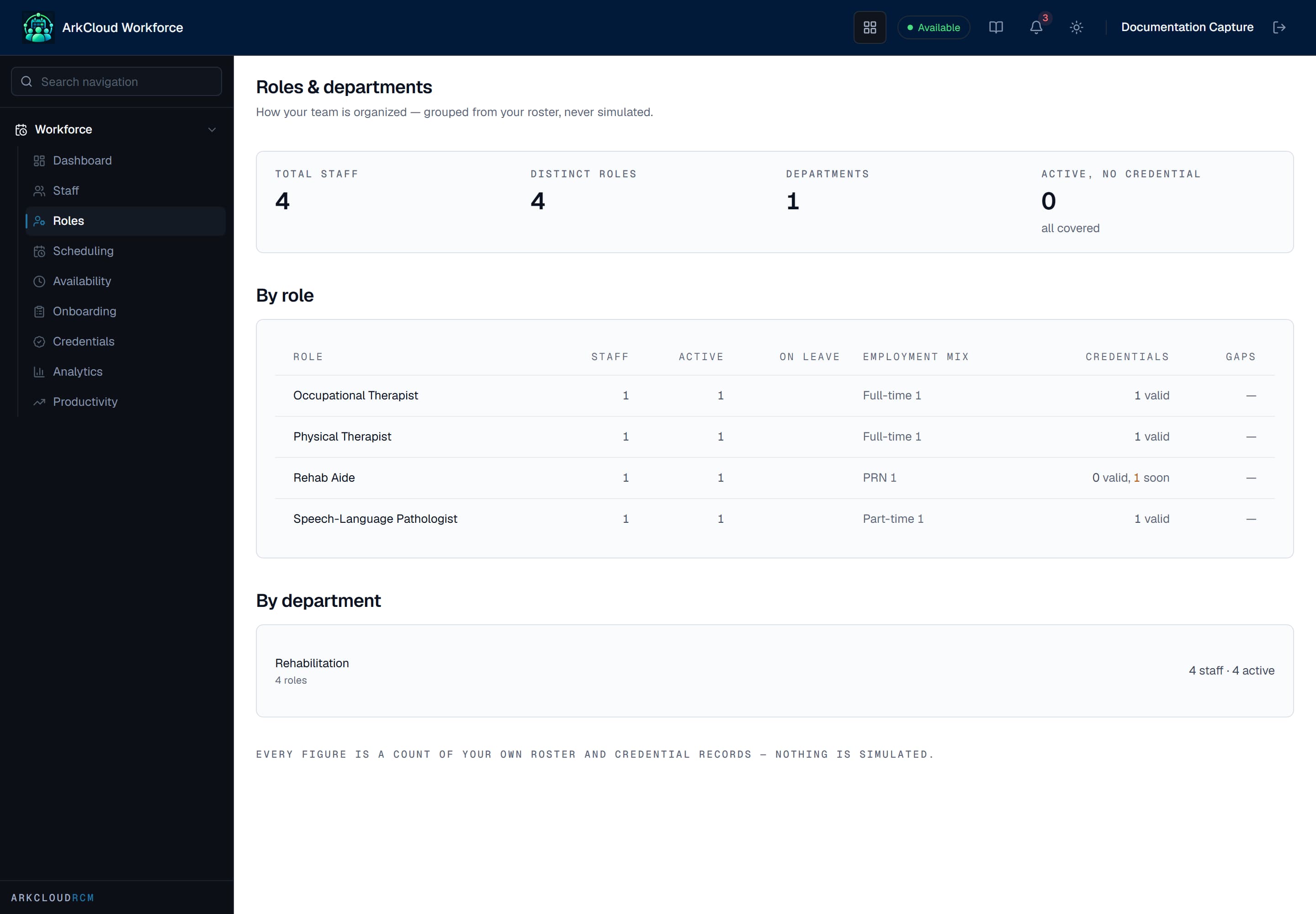
The Roles and departments page is a read-only breakdown of staff grouped by the job title and department on each staff record, with how many active staff have no credential recorded. These are job titles, not permissions, and nothing is edited here.
/workforce/roles
The Workforce dashboard
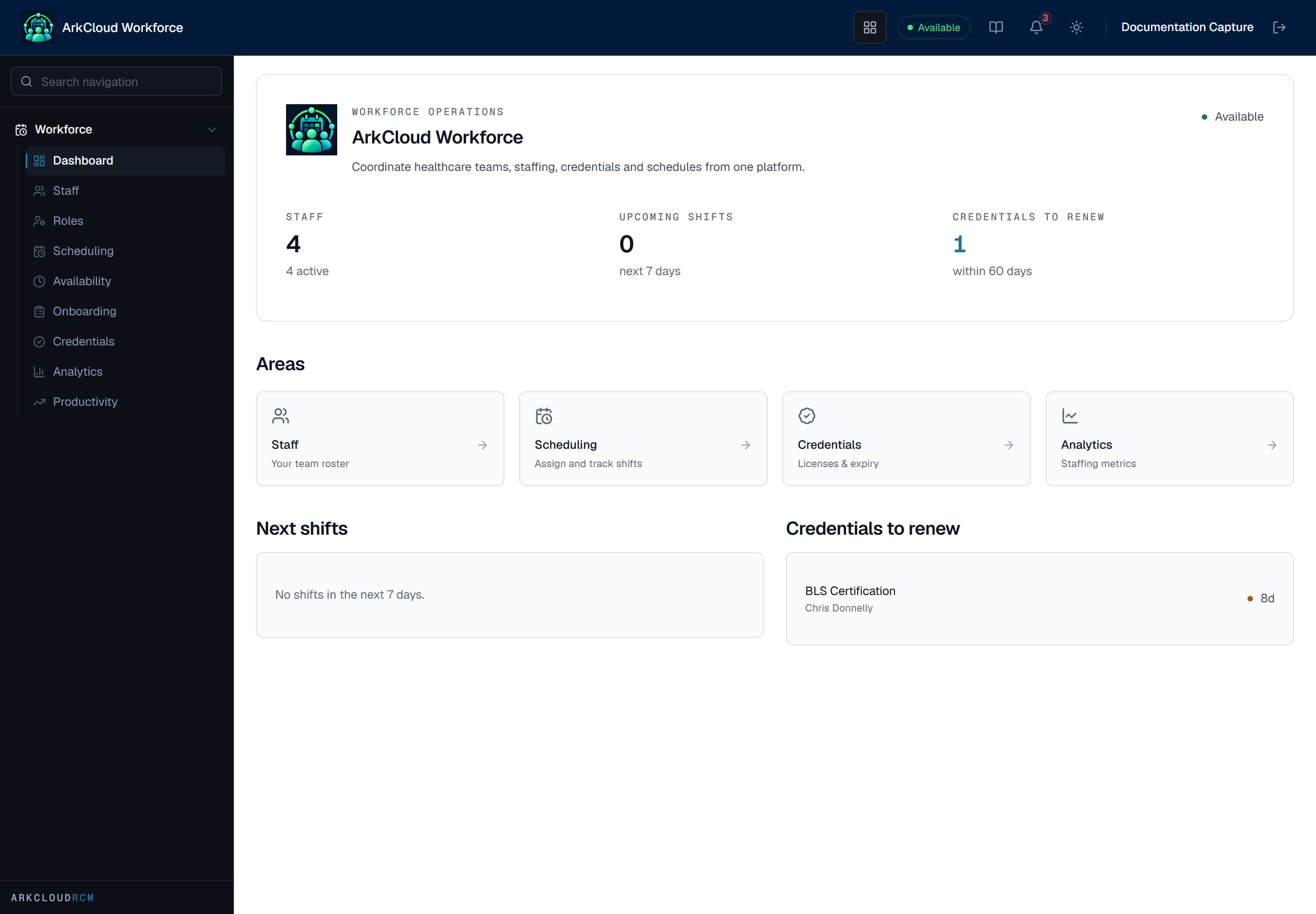
The Workforce dashboard summarises staffing, credential expiry and scheduled shifts - the three things that cause an operational problem if nobody is watching them.
/workforce/dashboard